Quickfill transfers don't create both sides of transfer (Q Mac)

I have a setup where my brokerage account funds my checking account if it drops below a certain balance. I have set up a "payee" and a renaming rule for the transfer. When I sync, the transfer is correctly added to the brokerage account (with the checking account in the Description/Category field), but the other side of the transaction doesn't show up in checking. If I manually edit the brokerage transaction and select the Quickfill rule from the dropdown list, then both sides of the transaction are created. I do have the "Allow creation of linked transfers using category field" checked in the settings. Why doesn't this work? I shouldn't have to intervene manually every time…[Removed-Rant]
[Edited-Readability]
Comments
-
Hello @Demoleon,
Thank you for posing this question and sharing your experience. I do understand how frustrating it can be when a feature doesn't work the way it should.
I do have some follow-up questions for you if that's ok.
- Where is your file located?
- Is your file being backed up/synced with any third-party cloud services like iCloud, OneDrive, or Dropbox?
- How long has this issue been happening?
- Was this once working correctly for you?
Let's start with that information and go from there.
Looking forward to your response!
Quicken Alyssa
Make sure to sign up for the email digest to see a round up of your top posts.
0 -
My file is located on my local Mac hard drive.
My file is not backed up to any 3rd party cloud services. It is backed up to my NAS each time I exit Quicken
I have only been using this feature of my brokerage account for a couple of months.
No, see above.
Thanks!
0 -
Hello @Demoleon,
Thank you for following up.
Can I have you delete the current rules you have set up for this and then recreate them?
To do this:
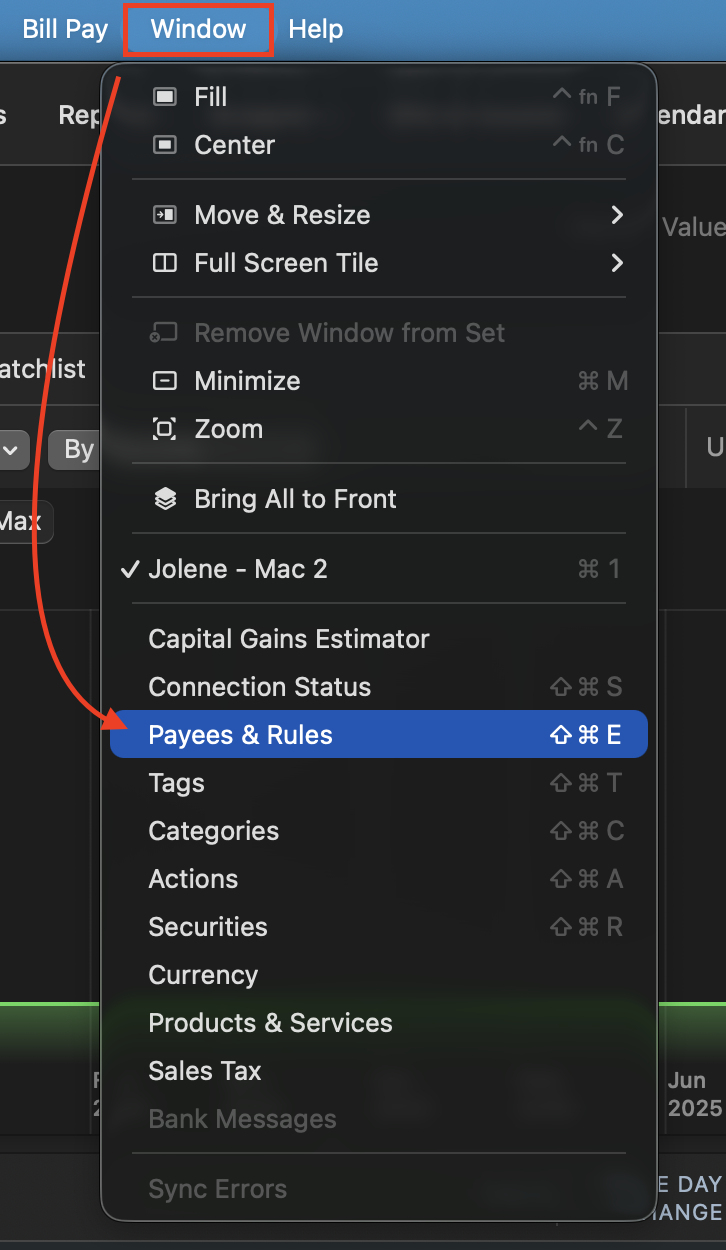
- Go to Window.
- Select Payees & Rules.
- Click on the QuickFill Rules tab.
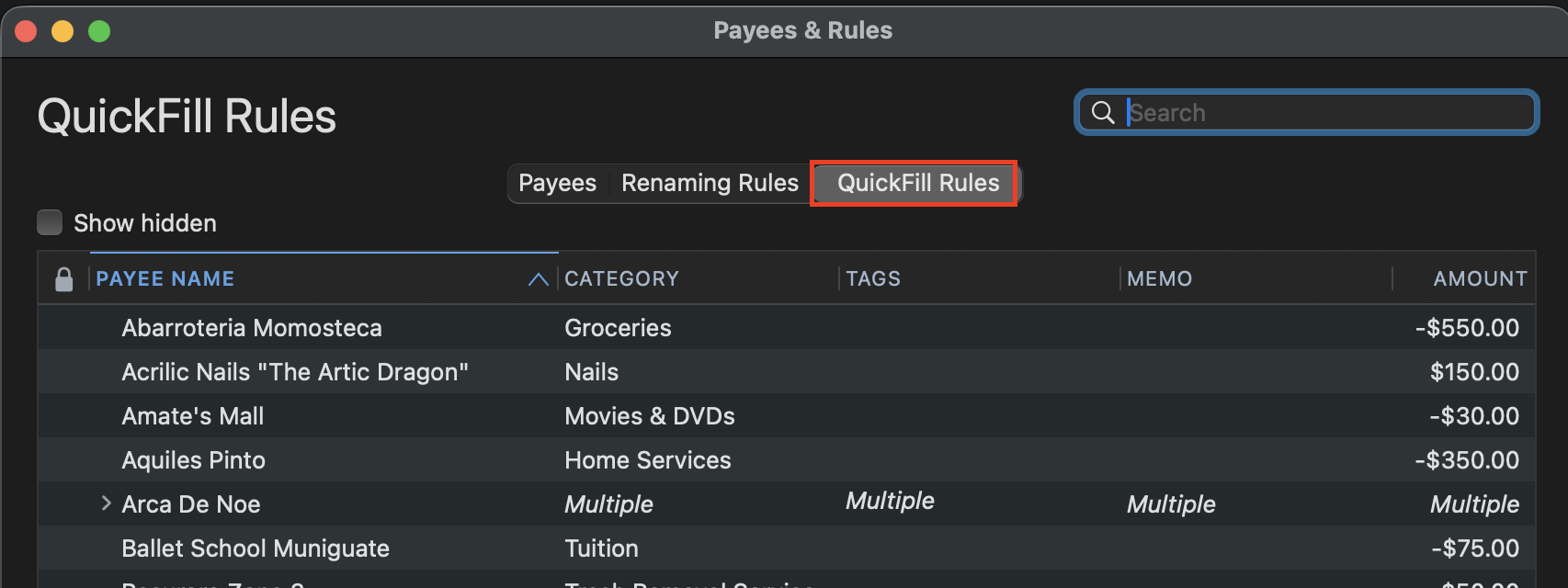
- Select the rule you would like to delete.
- Click the minus sign (-) in the bottom left of this window.
- Click the plus sign(+).
- Recreate the rule.
Once that is done, wait for one of these transfers to download and see if the rules now apply correctly, reflecting in both accounts.
Let me know how it goes!
Quicken Alyssa
Make sure to sign up for the email digest to see a round up of your top posts.
0
