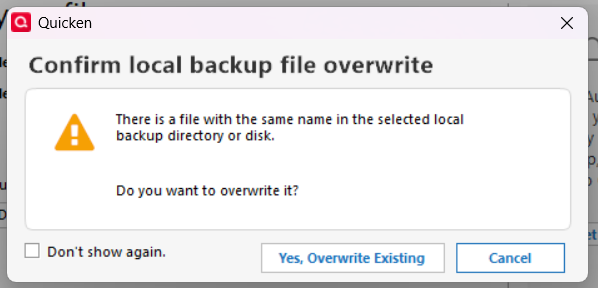
Quicken Deluxe, Windows, Version R64.30, Build 27.1.64.30 (always the latest)I run two accounts using the same Quicken executable (above) but different user file locations (two different desktop icons, same C: drive but different user file directories; same backup directory location on the D: drive). In one account, I always get a file overwrite warning when executing a manual backup (ctrl-b) to my D: drive. In the other account, about 8 months ago I stopped getting the manual backup file overwrite warning. I finally looked into it today and irregardless of the backup file Quicken naming options (3 possibilities: neither, date only, date/time) for the account, the same scenario plays out. A File Overwrite warning for one account, no file overwrite warning for the other. I would guess that there has to be something in these two separate account Preferences that is telling one account to issue the file overwrite warning and the other account not to issue the warning. I can't find such a Preference setting. I don't believe I've changed the Preference options for over the last 4 years, the backup file overwrite warnings have been displayed for the last 10 years. NOT a problem but either this is a Windows Pro (always the latest) operating system issue or a Quicken (always the latest) issue but most likely in the Preferences. Curious as to the reason for this odd discrepancy.