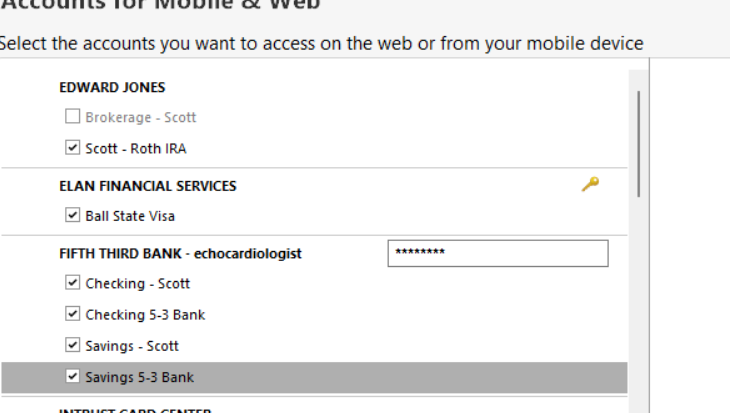
I tried the suggestions, but still not able to sync my checking and savings accounts to the Web app.
Hello @Echocardiologist,
Thank you for sharing. I am happy to help!
If you haven't already, please check out this Support Article with step by step instructions on setting up Mobile and Web.
Are those the steps you followed? If so, are you getting any error messages when trying to sync your accounts? Are you trying to use it from a mobile device or web browser? When you log in to mobile/web, does it just open blank with no data?
Additionally, screenshots of what you are seeing might be helpful. If needed, please refer to this Community FAQ for instructions on how to attach a screenshot. Alternatively, you can also drag and drop screenshots to your response if you are not given the option to add attachments.
Thank you!
And then I hit the "update accounts" tab and it acts like it is trying. But it just comes back to this screen with the "update accounts" tab still highlighted.
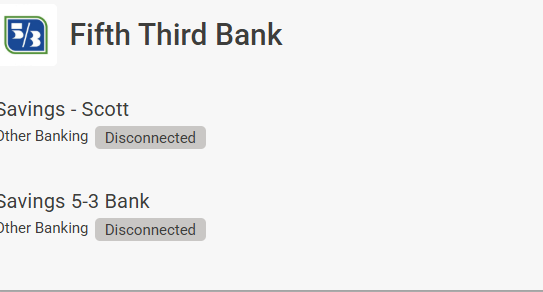
This is what it looks like on the web app
Just added and synced a new investment account with no issues.
Resetting cloud data to see if that helps
Thank you for following up to let us know the additional steps you have tried.
Looking forward to your response!
@Echocardiologist,
Thank you for following up with those details.
I think at this point it would be best for you to contact Quicken Support directly so they can investigate the issue further. They can look at your log files and process an escalation if needed.
Thanks again!
Okay thanks
No problem!
If you need more help, don't hesitate to reach back out.