How does Quicken count automatic backups?

Snorkle
Snorkle Quicken Windows Subscription Member ✭✭✭

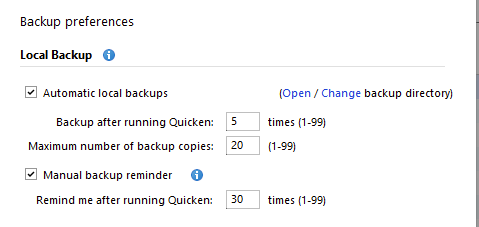
I have automatic local backups configured with the 'maximum number of backup copies' set to 20. Today I have 39 regular automatic backups and 6 backups that are created when the Quicken application is updated. So how is Quicken using my setting of 20? Is the setting ignored?

Comments

  • NotACPA
    NotACPA Quicken Windows Subscription SuperUser ✭✭✭✭✭

    Do you use the "append date" or "append time" option re: your backup file names?

    If so, they're not the same file name, so you'd have 39 different files, not 20 backups.

    For your 20 to work, you'd need to turn off those options … which I wouldn't do.

    Q user since February, 1990. DOS Version 4
    Now running Quicken Windows Subscription, Business & Personal
    Retired "Certified Information Systems Auditor" & Bank Audit VP

  • Snorkle
    Snorkle Quicken Windows Subscription Member ✭✭✭

    As far as I can tell Quicken adds the date and time to the automatic backups. At least I can't find an option for choosing it. My automatic backup files are named like this, for example: X-2025-08-05.AM09.31 where X is my QDF. I do add a date to my manual backups but I am not counting them in the 39 total. They are stored in a different directory and I think that my 20 file max only is applying to automatic backups.

    image.png
This discussion has been closed.