How do I change the rental amount due for a unit when the rent changes?

anthonyj26
anthonyj26 Quicken Windows Other Member

I am using Quicken Classic Business and Personal, ver R64.35, build 27.1.64.35. I don't see a place to just change the rental amount that is now due because of a rent increase and a new lease. Do need to create a new rental account for the same tenant ? Or, can I just change the rental amount now do ? If so , how do I change it?


Answers

  • Quicken Anja
    Quicken Anja Moderator mod

    Hello @anthonyj26,

    Thanks for reaching out!

    To change the rental amount and make any other modifications for a tenant, please follow the instructions below:

    1. Click the Rental Property tab.
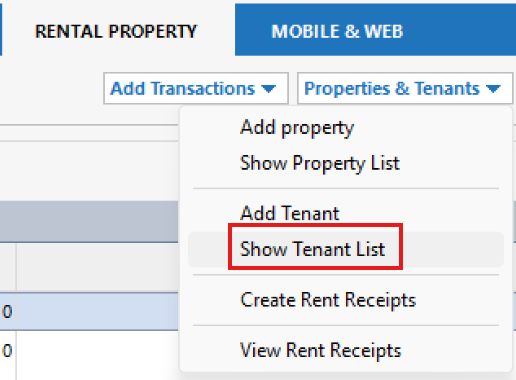
    2. Click the Properties & Tenants button and choose Show Tenant List. image.png
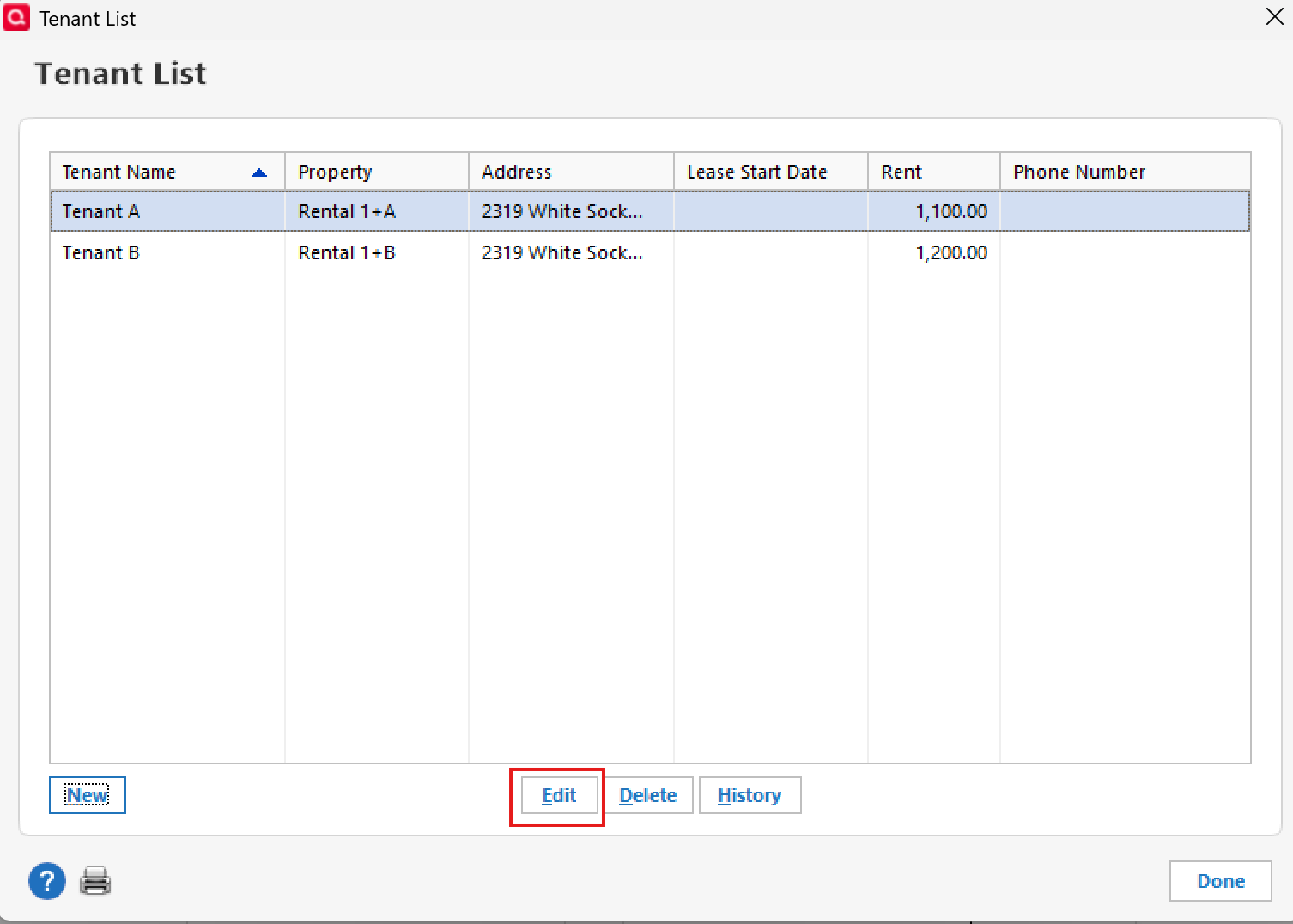
    3. Select the tenant whose information you want to edit, then click Edit. image.png
    4. From there, make any changes necessary and click OK to save. image.png

    You can also find more information about managing tenants through this link here.

    Hope this helps!

    -Quicken Anja
    Make sure to sign up for the email digest to see a round up of your top posts.

  • Quicken Anja
    Quicken Anja Moderator mod

    Hello again,

    We haven't heard back from you in a while. Do you still need assistance?

    Thank you!

    -Quicken Anja
    Make sure to sign up for the email digest to see a round up of your top posts.

  • Quicken Anja
    Quicken Anja Moderator mod

    Hello again,

    Due to the lack of response, I went ahead and closed this post.

    If you still require assistance, please feel free to start a new post.

    Thank you!

    -Quicken Anja
    Make sure to sign up for the email digest to see a round up of your top posts.

This discussion has been closed.