OSU One Step Update is not showing the Express Web Connect and EWC+ accounts as updated

Rick8
Rick8 Member ✭✭✭✭

One Step Update is not showing the Express Connect and EWC+ accounts as updated with the time and date at the right. The updated accounts are not showing the update time and date at the top left of the window under the Account Title either. So, did the EWC and EWC+ accounts actually update???

Quicken R63.21 Windows 25H2 all patches.

When is Quicken going to fix alll these download problems. This had been going on for months!
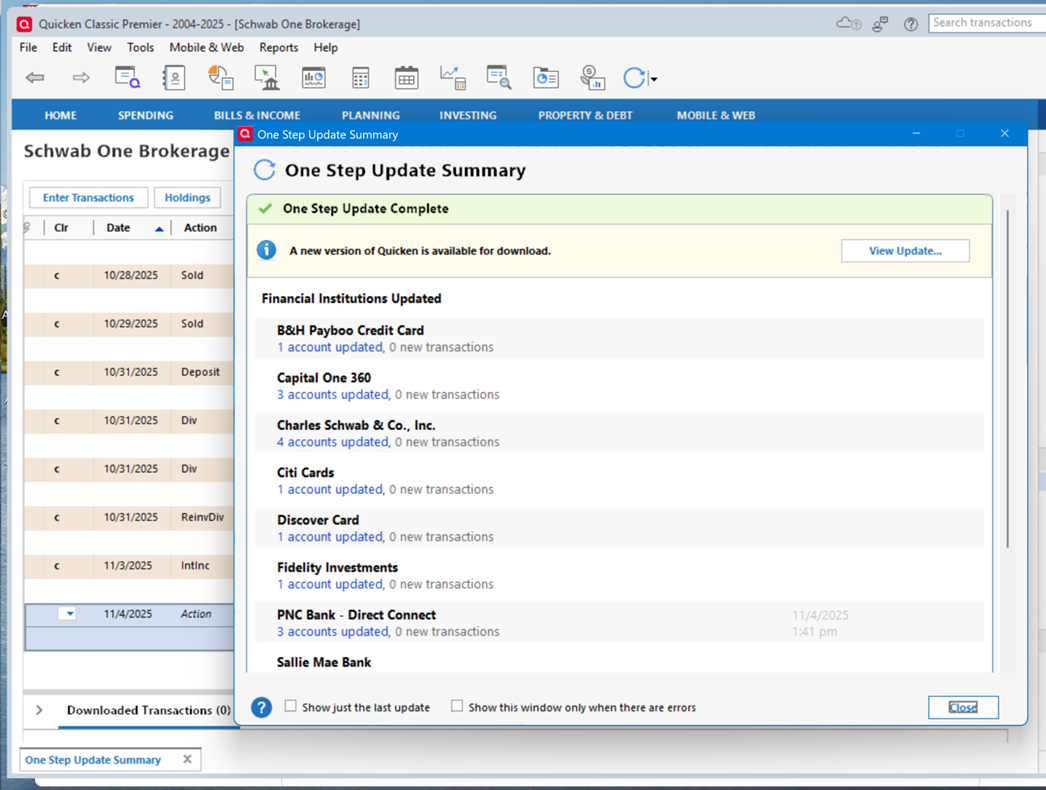
image.png

Comments

  • Quicken Anja
    Quicken Anja Moderator mod

    Hello @Rick8,

    Thank you for taking the time to share these details. Since you’re currently running version R63.21, you are a few releases behind.

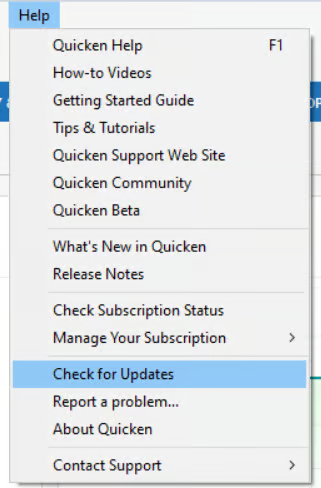
    Please update your Quicken program to the latest version (R64.35) by navigating to Help > Check for Updates, then install any available updates.

    image.png

    Once updated, try running a One Step Update again to see if the issue persists.

    Let us know how it goes after updating so we can review further if needed.

    Thank you!

    -Quicken Anja
    Make sure to sign up for the email digest to see a round up of your top posts.

  • Rick8
    Rick8 Member ✭✭✭✭

    Hi Quicken Anja, So I updated to the latest version. It fixed the display issues with OSU and Account Update. However, although it shows it Fidelity Updated, Quicken no longer actually downloads transactions. Please Fix This.

This discussion has been closed.