Transaction Matching - no longer available in the Mobile App?
I found the ability to view unmatched transactions in the Quicken Mobile App to be my primary use case for Quicken Mobile. The feature has been available for as long as I've used the Mobile App - which is something like 2+ years. As of 1-2 months ago, the feature availability became intermittent, and now, it has disappeared completely. I chatted with Fin this morning and was told that transaction matching is available only on the desktop.
Is there any possibility that its disappearance is a bug? If not, what was the rationale for deprecating this feature? And is there any chance of recovering it? For me, the ability to view transaction downloads and manually match them to scheduled transactions has been quite valuable and makes the pairing of the mobile and desktop services nearly seamless. Perhaps I'm an outlier, but I wanted to put it out there for discussion.
Best Answer
-
@NorthernExposure Thanks for sharing the screenshot! Please do let us know if the issue returns.
(And I did go ahead and reduce the size of that screenshot for you 🙂)
Thank you!
-Quicken Anja
Make sure to sign up for the email digest to see a round up of your top posts.0
Answers
-
Hello @NorthernExposure,
Thanks for reaching out and sharing your experience!
We want to make sure we understand exactly what you were seeing before and gather a bit more detail so we can determine whether something has changed or if we may be looking at a different workflow.
To help clarify, can you tell us a bit more about what you were seeing before?
- What exactly were you viewing in the app?
(e.g., a list, a specific tab, a filtered/sorted view) - Where in the Mobile App were you seeing these transactions?
- Were the transactions you were referring to ones you manually entered from the Mobile App itself?
- Or were they transactions you had manually entered on the desktop and were later syncing to Mobile?
- Were these downloaded transactions that did not automatically match to your manually entered ones?
- Or were you possibly viewing uncleared vs. cleared transactions grouped together based on sorting/filtering?
Any additional detail about the exact steps or screen you were using when this was available will help us better understand whether this was an intended feature, a UI behavior, or something that may have changed recently.
Thanks again for calling attention to this—once we have this information, we’ll be able to investigate more thoroughly.
-Quicken Anja
Make sure to sign up for the email digest to see a round up of your top posts.0 - What exactly were you viewing in the app?
-
As of this morning, the feature is working once again across all of the unmatched Reminders that are visible for the Next 30 Days - except for one - a transfer between two accounts scheduled for November 30, 2025.
I am glad to see it working! However, I will provide the details of my workflow in case there is still a bug in there somewhere that made the fix and not your engineering team.
What exactly were you viewing in the app? (e.g., a list, a specific tab, a filtered/sorted view)Looking at Reminders - This Month. A list of expected transactions for Next 7 Days (the default).
Where in the Mobile App were you seeing these transactions?
Bills & Income Widget on the Dashboard.
Were the transactions you were referring to ones you manually entered from the Mobile App itself? Or were they transactions you had manually entered on the desktop and were later syncing to Mobile?
These transaction Reminders were set up on the desktop application.
Were these downloaded transactions that did not automatically match to your manually entered ones?
Yes - ones that were not automatically matched. This typically happens when there is a variance in the merchant’s name or the transaction amount in the downloaded transaction.
Or were you possibly viewing uncleared vs. cleared transactions grouped together based on sorting/filtering?
No - I wasn’t filtering.
Any additional detail about the exact steps or screen you were using when this was available will help us better understand whether this was an intended feature, a UI behavior, or something that may have changed recently.
My daily workflow for the past two years has been:
- Open the App
- From Recent Transactions page - pull down the window to refresh and view new Transactions
- Review the downloaded transactions and swipe right to show them as Reviewed.
- Return to Dashboard
- Looking at the Bills & Income Widget, the“Due” and Overdue” transactions counts are visible. Click to view these
- Those appearing should have been the Unmatched transactions only.
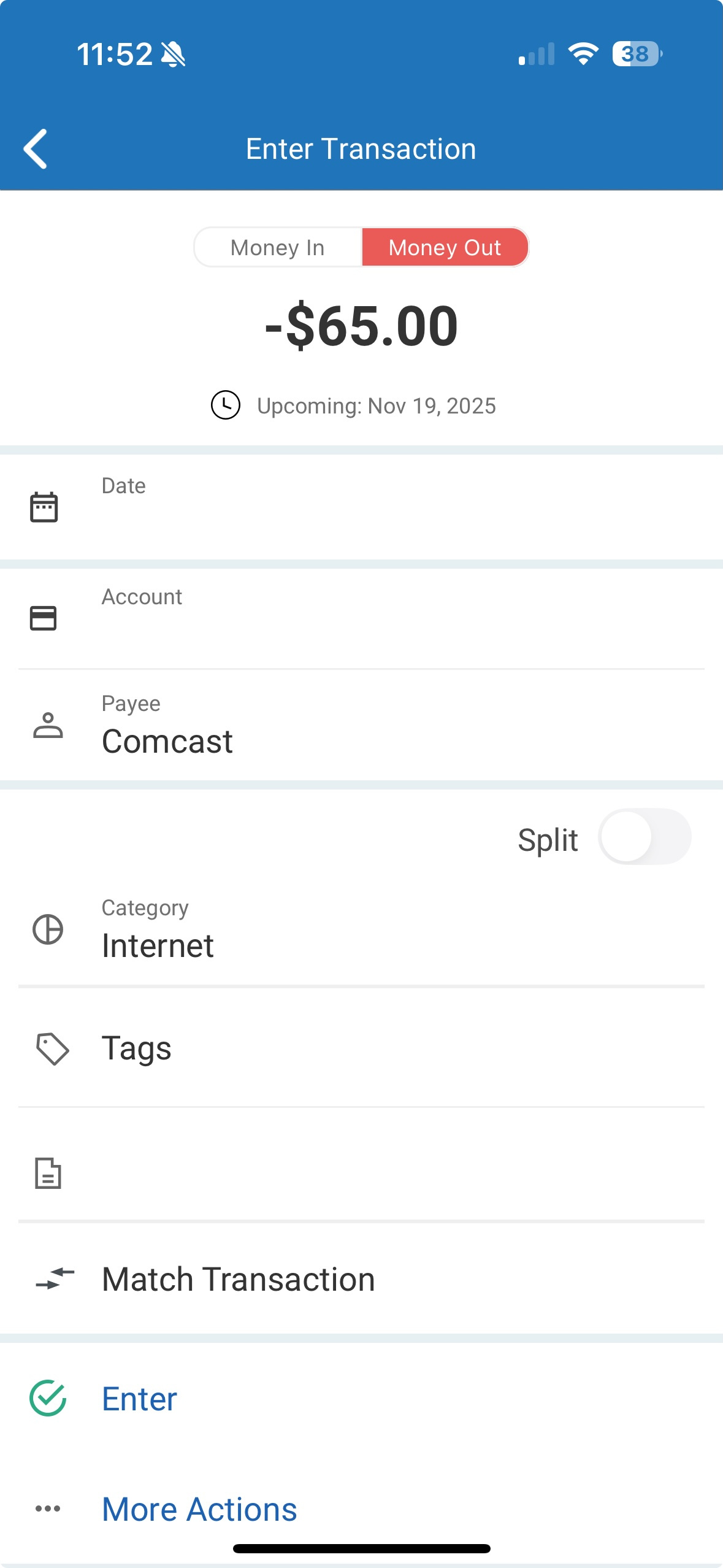
- Clicking on an Unmatched Transaction (Due or Overdue) there should be a “Match” text hyperlink
- Click on “Match” > the “Match Transaction” window opens
- View the list to spot the Transaction to manually Match
- Select it - the “Match Selected Transaction” message appears.
- Click "Confirm" or "Cancel"
Thanks for looking into this. I look forward to hearing the back-story. This has been a real time-saver that I could do in just a few minutes over my first cup of coffee without needed to launch the desktop version. Super valuable! And glad to see it working this morning!
0 -
@NorthernExposure Thank you for the detailed follow-up and for outlining your workflow—this is very helpful.
I’m glad to hear the matching option is appearing again for you. Since the availability seemed to be intermittent and then returned without any direct fix on our side, I'd like to document this in case it resurfaces or affects other users.
When you have a moment, could you please provide a screenshot of the screen where the Match option appears in the Mobile App? This will help us confirm the exact UI behavior and note it if the issue returns.
You can redact or blur any personal account information before sharing.
Thank you again for calling attention to this!
-Quicken Anja
Make sure to sign up for the email digest to see a round up of your top posts.0 -
Here is an example of the feature working - note the Match text. Sorry about the size of this screenshot - please reduce it if you can!
[Edited Screenshot Size]
0 -
@NorthernExposure Thanks for sharing the screenshot! Please do let us know if the issue returns.
(And I did go ahead and reduce the size of that screenshot for you 🙂)
Thank you!
-Quicken Anja
Make sure to sign up for the email digest to see a round up of your top posts.0
Categories
- All Categories
- 56 Product Ideas
- 36 Announcements
- 223 Alerts, Online Banking & Known Product Issues
- 22 Product Alerts
- 701 Welcome to the Community!
- 671 Before you Buy
- 1.2K Product Ideas
- 53.7K Quicken Classic for Windows
- 16.3K Quicken Classic for Mac
- 1K Quicken Mobile
- 813 Quicken on the Web
- 111 Quicken LifeHub