This discussion was created from comments split from:
Fidelity new connection issue (Fidelity NetBenefits now gone)
.
Same here… Fidelity Net Benefits updates from Quicken are so erroneous that Q put an update transaction into my Janus account! Not even affiliated with Fidelity.
Someone, PLEASE…. fix this mess!
Hello @dkirin,
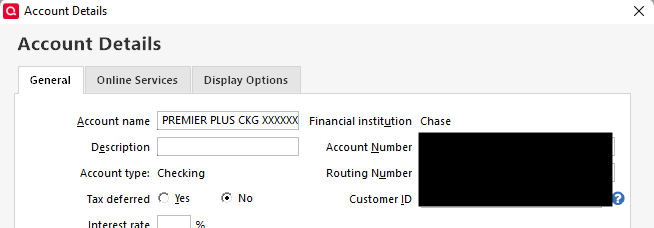
Thank you for letting us know you're seeing this issue. The most likely cause of the issue you describe is if your account got connected to the wrong account in Quicken. To check this, please navigate to Tools>Account List and click the Edit button next to the Janus account that transaction downloaded into. On the General tab, it should show the financial institution that Janus account is connected to.
Does it show the correct financial institution, or does it show that it's connected to Fidelity?
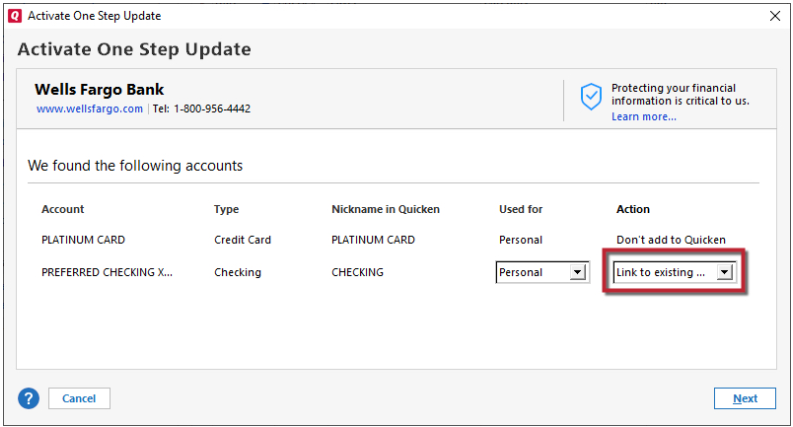
If it is connected to Fidelity, to correct the issue, backup your Quicken file, deactivate the problem Janus account, then navigate to Tools>Add Account and follow the prompts to get your Fidelity account connected correctly. When you get to the Add/Link screen, make sure to carefully link the account to the correct nickname in Quicken.
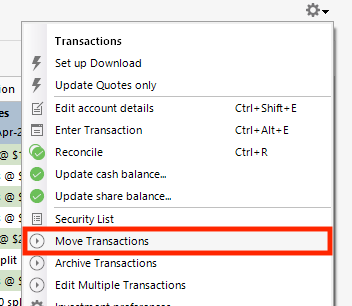
If the transaction redownloads into your Fidelity account, then you can just delete the transaction from the Janus account. If it doesn't redownload, you can use the gear icon and Move Transactions option to move the transaction from the Janus account to the Fidelity account.
If the Janus account is supposed to be connected, you can navigate to Tools>Add Account and follow the prompts to get it reconnected to the correct financial institution.
I hope this helps!