fidelity woes - no downloaded transactions for one of my Fidelity accounts
Like many here, I've been following the many threads of Fidelity issues. I seem to have an issue that's not covered by the updates and tracker threads and was wondering if anybody else was seeing this. I have 5-6 separate accounts in Fidelity (IRAs, brokerage, money market, etc.) and they all got cut over early on in the process (early August?) and that's when my problems began. After deleting and re-adding, everything seems ok, with the exception of my primary brokerage account, which refuses to download transactions. All my other Fidelity accounts seem to be downloading transactions just fine, but the brokerage account is not. It hasn't downloaded anything since the connection method changed back in August. One clue (perhaps?) is that whenever I delete and re-add the brokerage account, it reverts to simple mode and I have to manually change it to track all the transactions. Is it possible that this is the source of the problem? How does Quicken decide to default the account to simple mode, and is there a way to set this prior to re-connection?
Comments
-
Hello @kyoung2112,
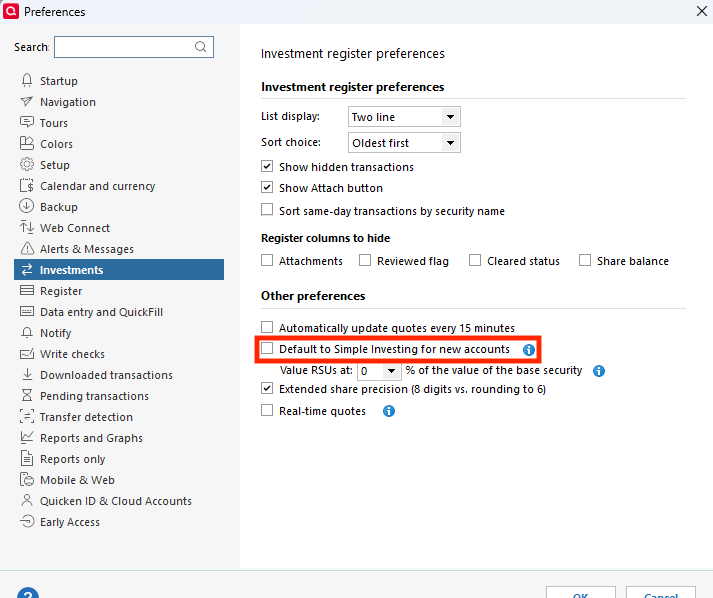
Thank you for reaching out! The brokerage account defaulting to Simple Investing may be a symptom of another problem if you already have your Quicken Preferences set to not default to Simple Investing. To check this, navigate to Edit>Preferences>Investments. If Default to Simple Investing for new accounts is unselected, then it's already set up not to default to Simple.
If it is selected, then unselect that box, click OK, and test to see if that stops the account from defaulting to Simple Investing.
To troubleshoot the issue with the account not downloading transactions, please start by following these steps from our article on missing transactions/transactions not downloading:
Be sure to follow these steps in order:
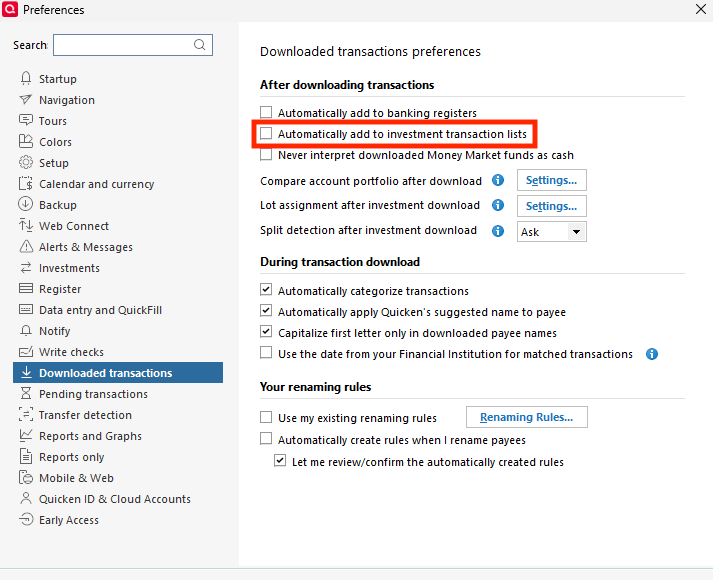
1. Go to Edit > Preferences > Downloaded Transactions. The option Automatically add to investment transaction lists needs to be unchecked.
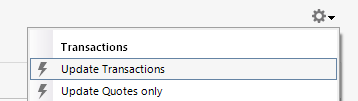
2. Refresh your online account information by clicking the Actions Gear Icon on the upper right of the register, and select Update Transactions. Follow the on-screen instructions to complete the update.
3. Confirm that the Sort Order in your account is by Date; just click the top of the Date column in your account register. It's possible the transactions are in your register, but not where you thought they'd be.
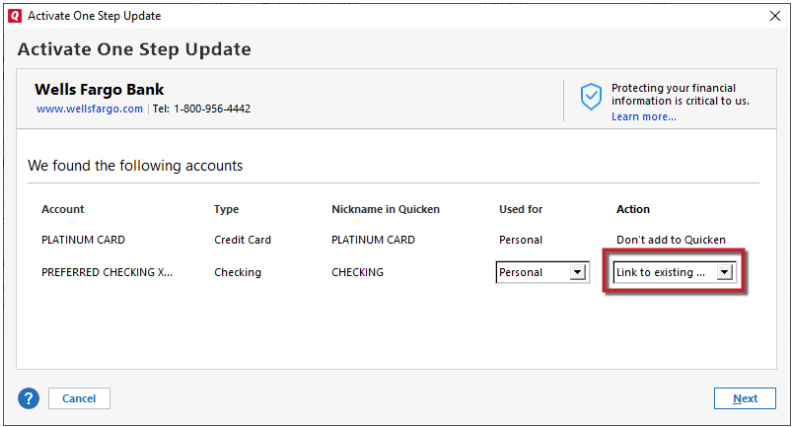
4. Try refreshing your login session: To do this, go to Help > Refresh Sign in. After completing the log-in process, trying running a One Step Update again.
5. Go to Tools > Account List and check Show Hidden Accounts at the bottom left. Confirm the missing transactions haven't been added to a hidden account by clicking on the name of any account that appears with a check mark in the Hidden column.
Please let me know how it goes!
Quicken Kristina
Make sure to sign up for the email digest to see a round up of your top posts.
0 -
My Fidelity brokerages and credit cards are suddenly not downloading either.
The connection does not recognize "Fidelity Investments." This is hardly the first time this has happened.
No, I do not intend to spend more hours of my own time trying to trouble shoot [Removed - Disruptive]
-1 -
As an update, I did have "Edit>Preferences>Investments" set to "Default to Simple Investing for new accounts". I never set this - somehow it got set and I'm not sure how. But anyways, I unchecked this box, de-activated and re-activated my brokerage account (not my other Fidelity accounts) and now the transaction downloads seem to be working for this account. Fingers crossed this continues to be stable.
1 -
Same! Been two weeks…
0 -
Thank you for the follow up @kyoung2112,
I'm glad to hear that transactions are downloading into the account.
If you need further assistance, please feel free to reach out!
Quicken Kristina
Make sure to sign up for the email digest to see a round up of your top posts.
0
Categories
- All Categories
- 56 Product Ideas
- 36 Announcements
- 223 Alerts, Online Banking & Known Product Issues
- 22 Product Alerts
- 701 Welcome to the Community!
- 671 Before you Buy
- 1.2K Product Ideas
- 53.7K Quicken Classic for Windows
- 16.3K Quicken Classic for Mac
- 1K Quicken Mobile
- 813 Quicken on the Web
- 111 Quicken LifeHub