Issue still persists after weeks… Have sent logs to Quicken, but not response from the team.
Hello @Sparksnorthern,
Thank you for sharing your experience, though I am sorry to hear you have been experiencing this issue for weeks.
When you submit log files, you do not receive a response from those submissions. I do have some follow-up questions for you.
Looking forward to your response.
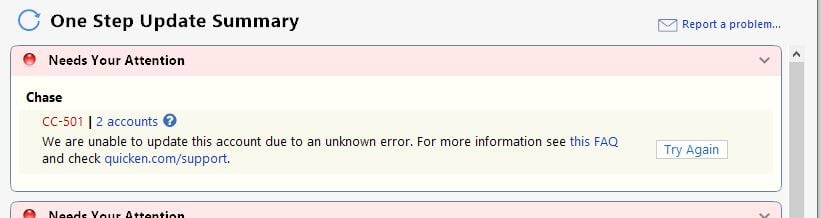
Below is the cc-501 - just submitted logs
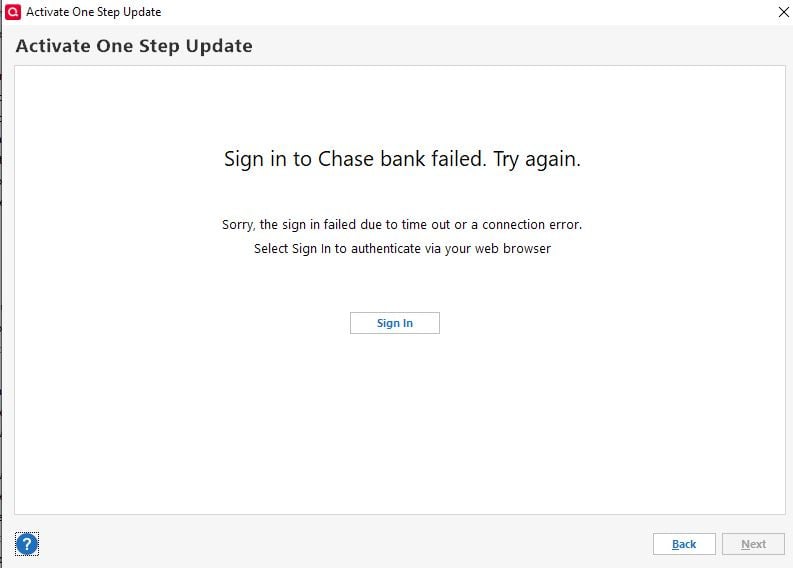
also, below is the quicken error i receive when trying to reset the account. On the Chase side, it shows I logged in correctly, but quicken then returns the below error msg.
@Sparksnorthern,
Thank you for coming back and providing more details.
I have some additional questions.
Let's try severing the connection and reestablishing it.
To do this:
1. Save a Backup. Steps can be found in this article if needed.
2. Disconnect ALL Chase accounts in Quicken. Here are the steps on how to do that.
3. Revoke Quickens Third-Party Access from the Chase website.
4. Add accounts back into Quicken
Once back in Quicken, you will want to make sure you choose the "LINK to existing" option for any of the accounts that were already in Quicken.
That fixed it! Not only did this resolve it, but One Step Update only took its usual 15-30sec or so. I performed all steps as you had outlined to the very end.
All accounts are updated and One Step Update is back to updating in a timely manner.
Thank you Alyssa!!!😁❤️
Thank you for updating the discussion and letting us know the steps worked.
Very happy to hear that all of your accounts are now updating! If you need more help, you know where to find us.
Thank you.