Make customization of projected balances sticky

elorimer
elorimer Quicken Windows Subscription Member ✭✭

The Projected Balances view on the Home tab is useful, but customization isn't sticky. Every time it is opened, it defaults to Spending Accounts and 14 days. If you customize it for multiple accounts, that setting isn't saved. I have 3 active checking accounts, and about 14 old inactive and hidden accounts. The upshot is that this always opens with all 17, even after I have customized it to show only the 3..
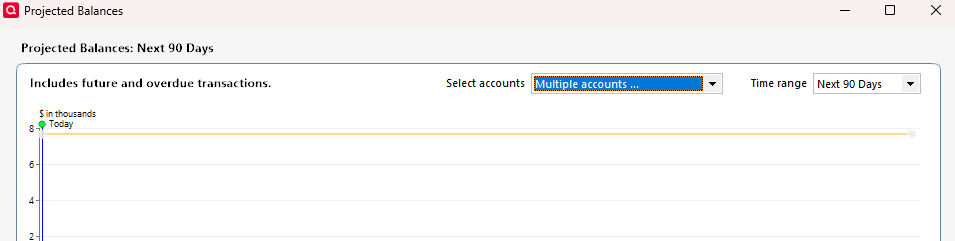
image.png

Comments

  • Chris_QPW
    Chris_QPW Quicken Windows Subscription Member ✭✭✭✭

    I have mine customized to show four accounts and the Next 30 days, and that has stuck for years. So, I'm not sure why this isn't working for you.

    Signature:
    This is my website (ImportQIF is free to use):

    http://www.quicknperlwiz.com/

  • UKR
    UKR Quicken Windows Subscription SuperUser ✭✭✭✭✭

    Is it possible that the view's results aren't "sticky" because, upon entry to the view, the Select accounts field is selected (highlighted in blue) and you are mistakenly scrolling the mouse wheel, thus changing the selections?

    After making the correct selection in "Select accounts" click anywhere else within the view area to move the selection away from the field. Now you can mouse wheel scroll the Home view without changing the results.

    I have 2 customized Projected Balances views like that and, as long as I keep the active field away from the selection fields, my results are "sticky".
