Ability to Report ‘Days to Payment’ from Invoices in Quicken Mac

drumsdb
drumsdb Quicken Mac Subscription Member ✭✭✭

I am looking to get some analytics on clients. Specifically, I wanted to create a report that could show "days to payment" to determine how a client is paying vs. there terms. I can't find a way to do this in reporting even though the 2 required dates are in the invoice table.

Is there a way to report off of invoices directly that I'm not seeing?

Tagged:
2
2 votes

Reviewed · Last Updated

Comments

  • Quicken Anja
    Quicken Anja Moderator mod

    Hello @drumsdb,

    Thanks for your question! Currently, Quicken Classic for Mac does not offer the ability to report directly on invoices to calculate metrics like “days to payment.”

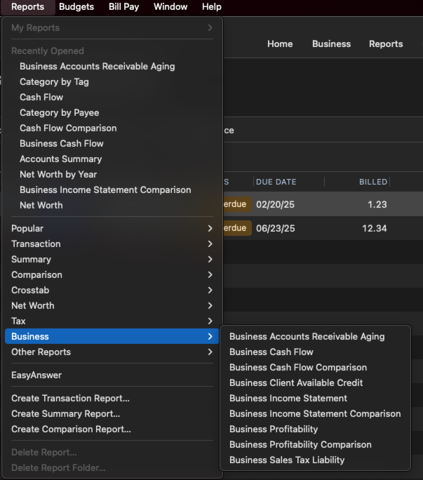
    The closest option currently available is the Business Accounts Receivable Aging report as shown below, but that won’t provide the specific “days to payment” detail you’re looking for.

    image.png image.png

    As a workaround, you could export your invoices to CSV and create a more customized report. Please see this Help Article on exporting invoices for more information.

    I’ve gone ahead and converted your post into an Idea, so other users with the same or similar requests can vote on it using the up arrow. Ideas are reviewed by our Development and Product teams, and this feedback helps inform potential future features.

    Thank you!

    -Quicken Anja
    Make sure to sign up for the email digest to see a round up of your top posts.