"Enter Quicken ID Password" error then hung up

Ripper
Ripper Quicken Canada Subscription Member ✭✭

I had to change my Quicken ID (email) and associated password.

Now, when I download a transaction file (.qfx) from TD and then click on it to move the records to Quicken…. I get an error message and no action…. When I check the "About" tab, it says my Quicken ID hasn't changed from the original :(

Any thoughts on how to fix this?

Version: R60.18; Build: 27.1.60.18; Canada edition; Window 11 Enterprise

[Edited-Readability]

Answers

  • Quicken Alyssa
    Quicken Alyssa Quicken Windows Subscription Moderator mod

    Hello @Ripper,

    Thank you for sharing your experience. I am happy to help!

    Please try signing out and back in to your software.

    1. Navigate to Edit
    2. Preferences...
    3. Quicken ID & Cloud accounts
    4. Click Sign in as a different user (or it might say Sign in using a different Quicken ID) image.png
    5. Follow the prompts to Sign Out  skue85fpnptc.png
    6. Sign back in using your new Quicken ID (email) and password 

    After you have done this, you should now see the new email when you go to the "About tab".

    As for the issue you are having with importing from TD Bank, I believe this Known Issue describes what you are seeing on that end.

    Hope this helps.

    Quicken Alyssa

    Make sure to sign up for the email digest to see a round up of your top posts.

  • Ripper
    Ripper Quicken Canada Subscription Member ✭✭

    Thanks for your super quick reply but i'm not having much luck :(

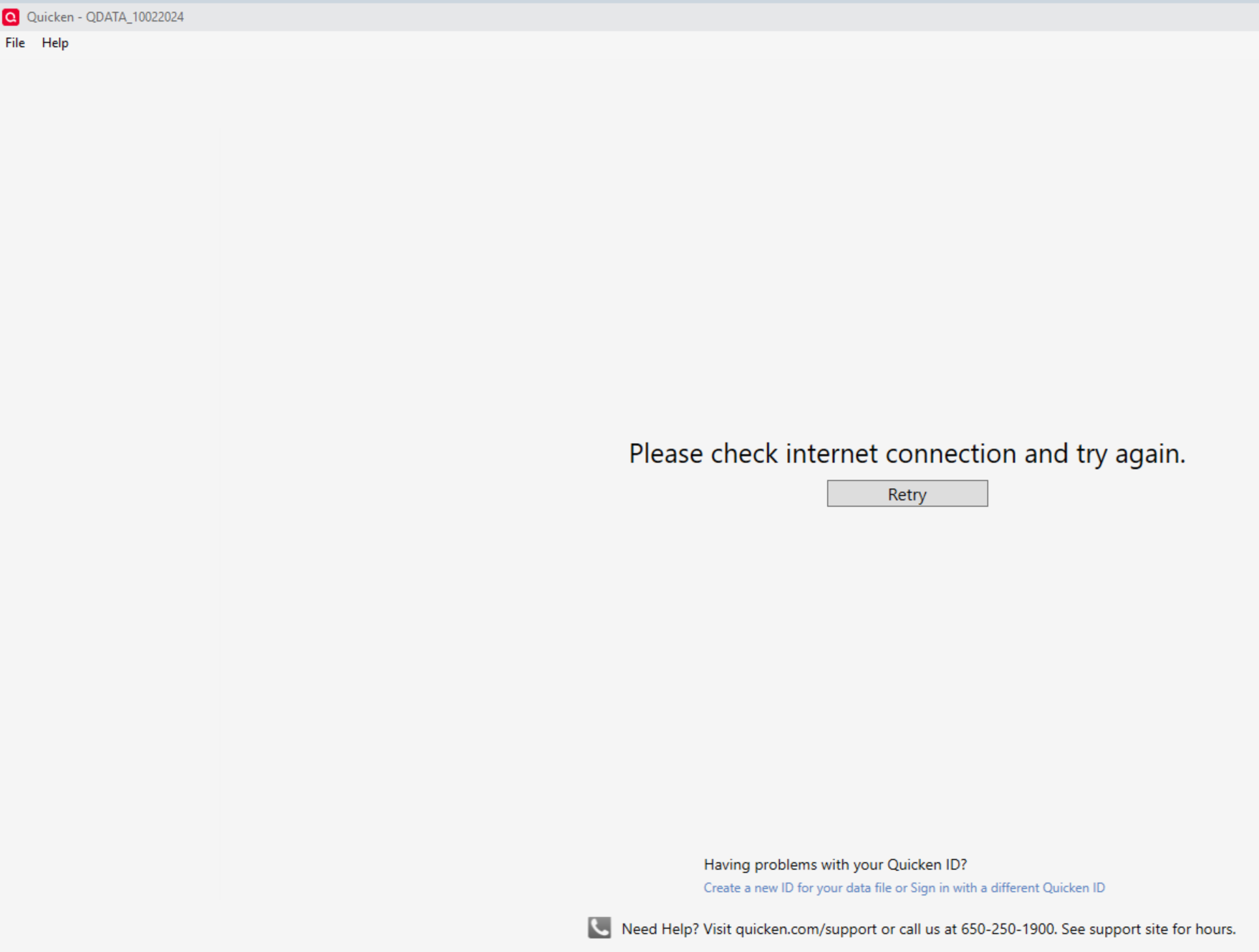
    -as soon as i click on "Quicken ID & Cloud accounts" tab the error message pops up…. if i click on X (close) enough times a dialogue box pops up, and I can EXIT from Quicken and start Quicken again i need type in my Accounts pw and then it immediately goes and briefly looks like it will return to normal but jumps to the error screen:(

    -I repeated the above step but double-clicked on a back-up file but i get a very brief glimpse of normal operation…then the below screen:

    Screenshot 2025-11-19 124450.png

    Any other thoughts?

    Thanks again for your patience.

  • Ripper
    Ripper Quicken Canada Subscription Member ✭✭

    Alyssa,

    Apparently there's an update available for Home & Business Canada? Since my current version R60.18 isn't working well - actually not working at all now - I'm thinking I need the update or perhaps an uninstall of existing and a clean install of version R61 or R62?

    If that makes sense, could you point me to the resources I would need to make it happen.

    Let me know,

    Thanks

  • Arctic Hare
    Arctic Hare Quicken Windows Subscription SuperUser ✭✭✭✭

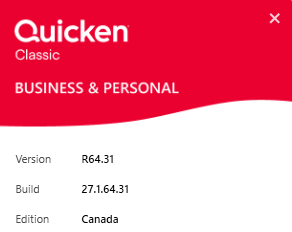
    The current version is 64.31. @Ripper you are wayyyy behind the current version.

    image.png
  • Quicken Alyssa
    Quicken Alyssa Quicken Windows Subscription Moderator mod

    @Ripper,

    Thank you for providing that additional information

    If you click on Help at the top of your Quicken, are you able to select Check for Updates?

    • If so, this is the easiest method to update your software.

    Alternatively, you can uninstall and reinstall Quicken. Doing so will put you on the latest release.

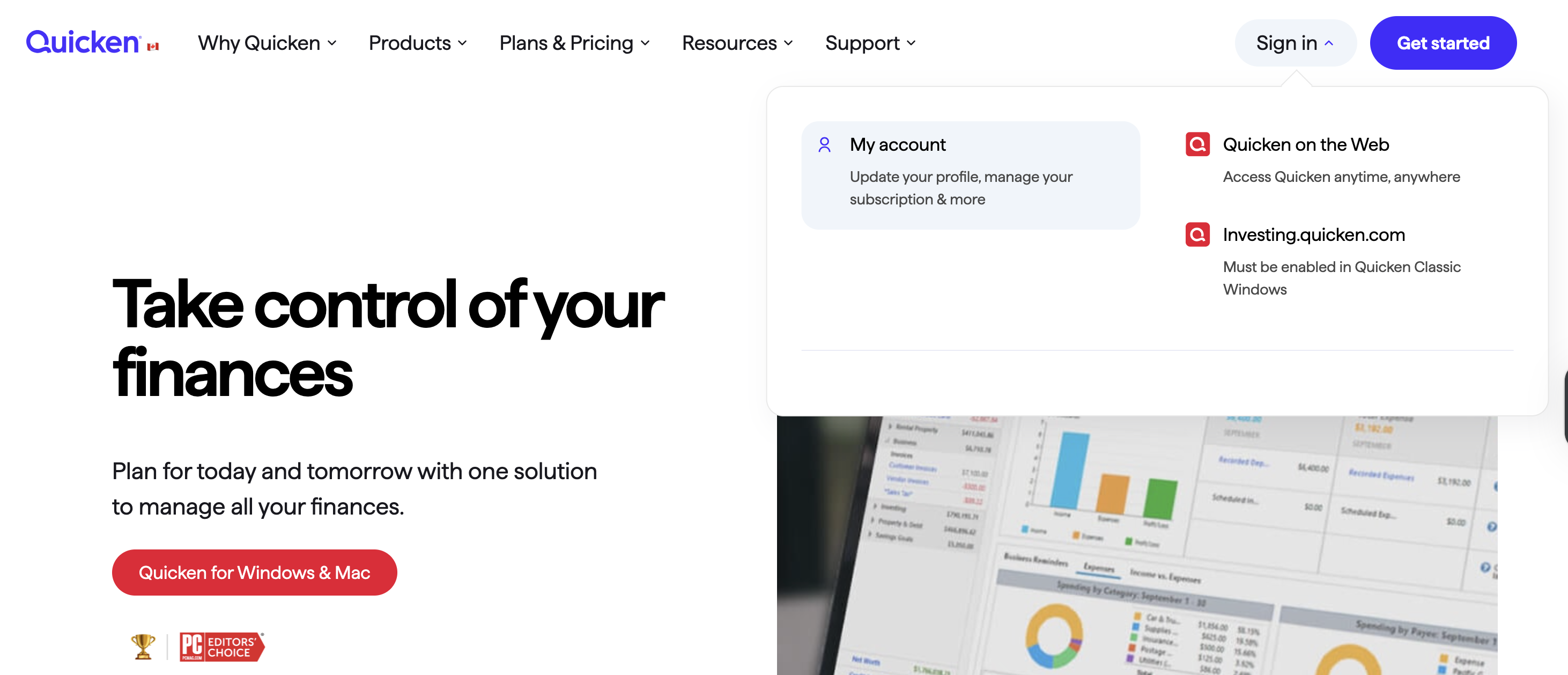
    • I have linked the steps to uninstall in blue. To reinstall, sign in to My Account and download.
    Screenshot 2025-11-20 at 11.04.31 AM.png

    Once you have done this, let us know if you are still stuck.

    Hope this helps!

    Quicken Alyssa

    Make sure to sign up for the email digest to see a round up of your top posts.

  • Ripper
    Ripper Quicken Canada Subscription Member ✭✭
    edited November 21

    Hi Alyssa,

    Yesterday I uninstalled / reinstalled Quicken with your bot's help…. still no luck… once the program powered up it was good until I entered the "account" pw, after which there was a bit of a pause and I caught a glimpse of the way it should look, but then it crashed :(

    So I got ahold of your man Hector and we spent an hour or so while as he was checking things out. But he needed to leave, said he"d call back later and I haven't heard back from him yet.

    So i was thinking it might work if i reverted to the original Quicken ID and password… just to get the program to the point where it doesnt crash…. bcos this crashing started after i changed the Quicken ID. It looked like the program still was looking for the original ID even though i changed it.

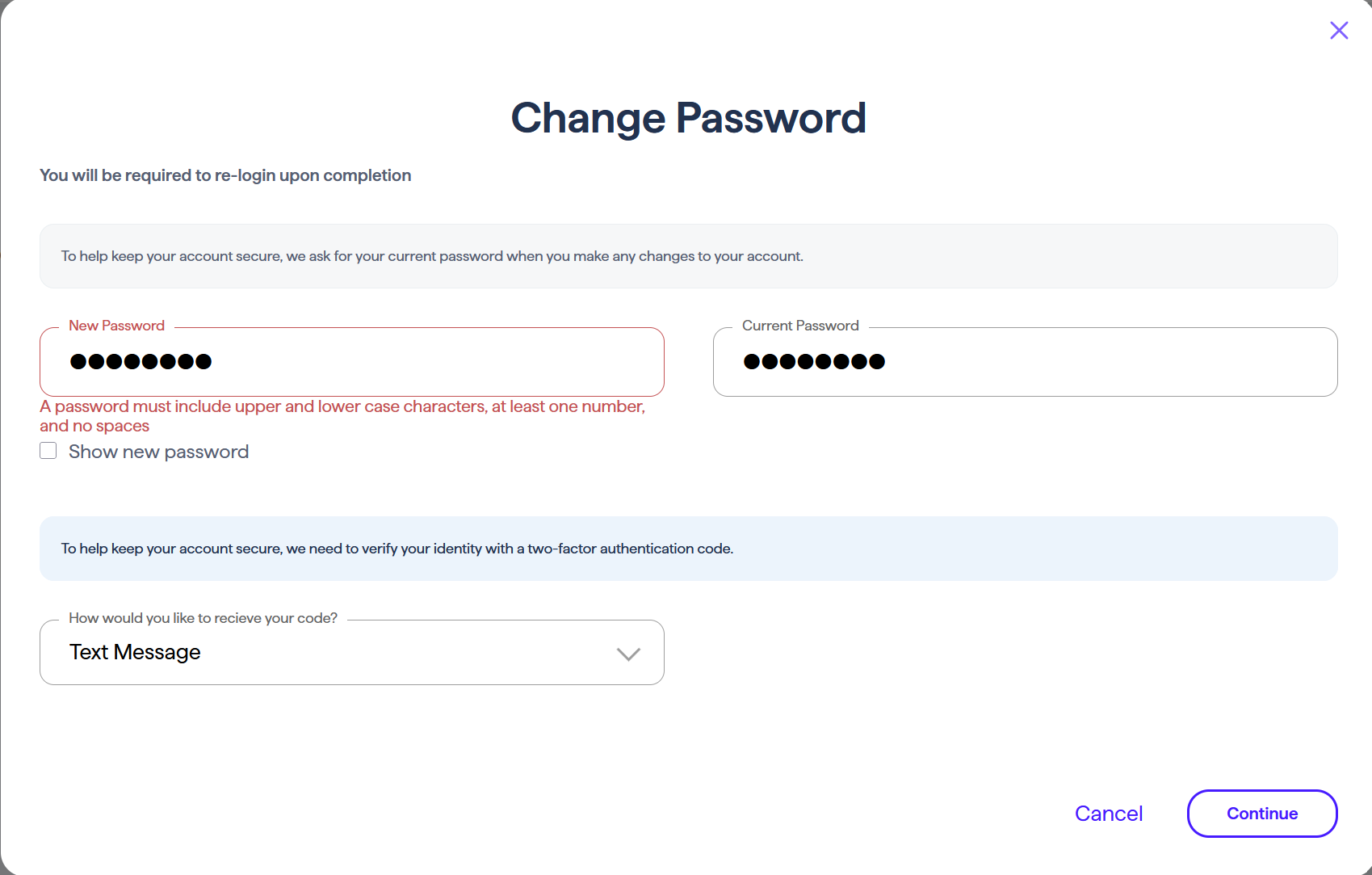
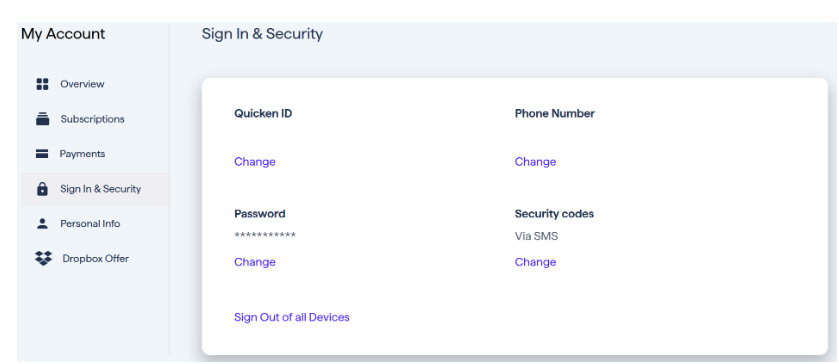
    In any case, I have now changed the Quicken ID back to original, but when i went to change the pw back to original, i got an "invalid" error bcos it was needing an UpperCase letter :( see below

    Screenshot 2025-11-21 111035.png Screenshot 2025-11-21 at 3.20.39 PM.png

    And just a question about the "Sign In & Security" pw… is this the pw associated with the Quicken ID… or the pw to get to the "account" detail once quicken has started?

    Not sure about what's the next thing to try. All my backup files will have the original ID info embedded in the header. Is there a file editor program that would allow me view and edit a backup file?

    Thanks

    [Edited - Removed Personal Information]

  • Quicken Kristina
    Quicken Kristina Quicken Windows Subscription Moderator mod

    Thank you for your reply,

    To answer your question, the password is the one associated with your Quicken ID. The Quicken ID/password is how the program verifies that you have a current subscription and verifies which tier subscription you have, to ensure the correct features are available to you. When you update your accounts in Quicken, if you have a Password Vault (mostly useful if you have accounts connected via Direct Connect) set up, Quicken will ask you for the Vault password prior to updating your accounts.

    To continue troubleshooting the issue with the program crashing when you try to login, if you haven't already done so, please try restarting the computer the program is installed on. If the issue persists after the computer restart, then I recommend following these troubleshooting steps from our article on when Quicken won't open/stay open:

    Try opening Quicken without a data file.

    1. To do this, hold Ctrl + Shift on your keyboard and double-click the Quicken icon.
      • Note: You will need to continue to hold Ctrl + Shift until Quicken opens with a blank screen.
    2. If this occurs, there may be an issue with the data file that's keeping Quicken from opening properly. Follow these steps to Restore a backup file.
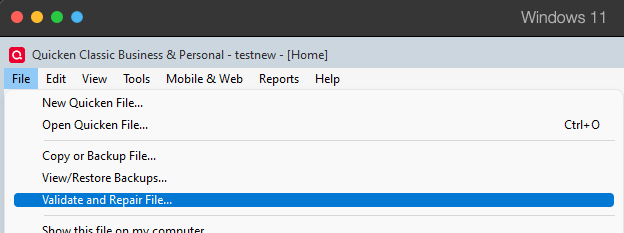
    3. Then, Validate the restored backup file by going to File > Validate and Repair File. Validate and repair.png
    4. Check Validate file and click OK.
    5. If the issue persists, move on to the next step.

    Temporarily disable your anti-virus and firewall.

    The anti-virus and/or firewall on your system could be blocking Quicken from running properly. They will need to be disabled or have the settings updated to include Quicken as a safe program.

    If you do not know how to update these settings, please contact your anti-virus/firewall provider.

    I hope this helps!

    Quicken Kristina

    Make sure to sign up for the email digest to see a round up of your top posts.