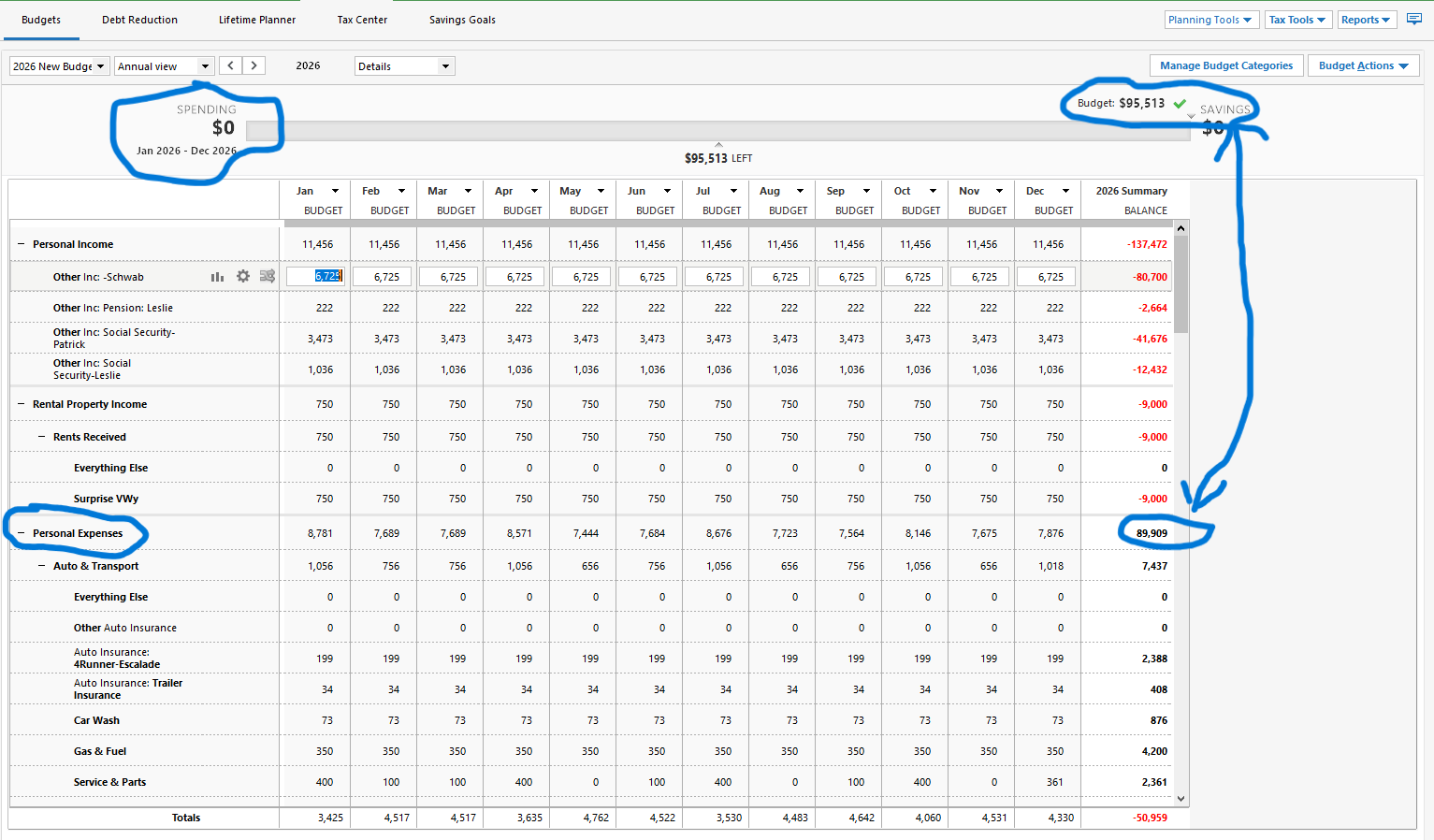
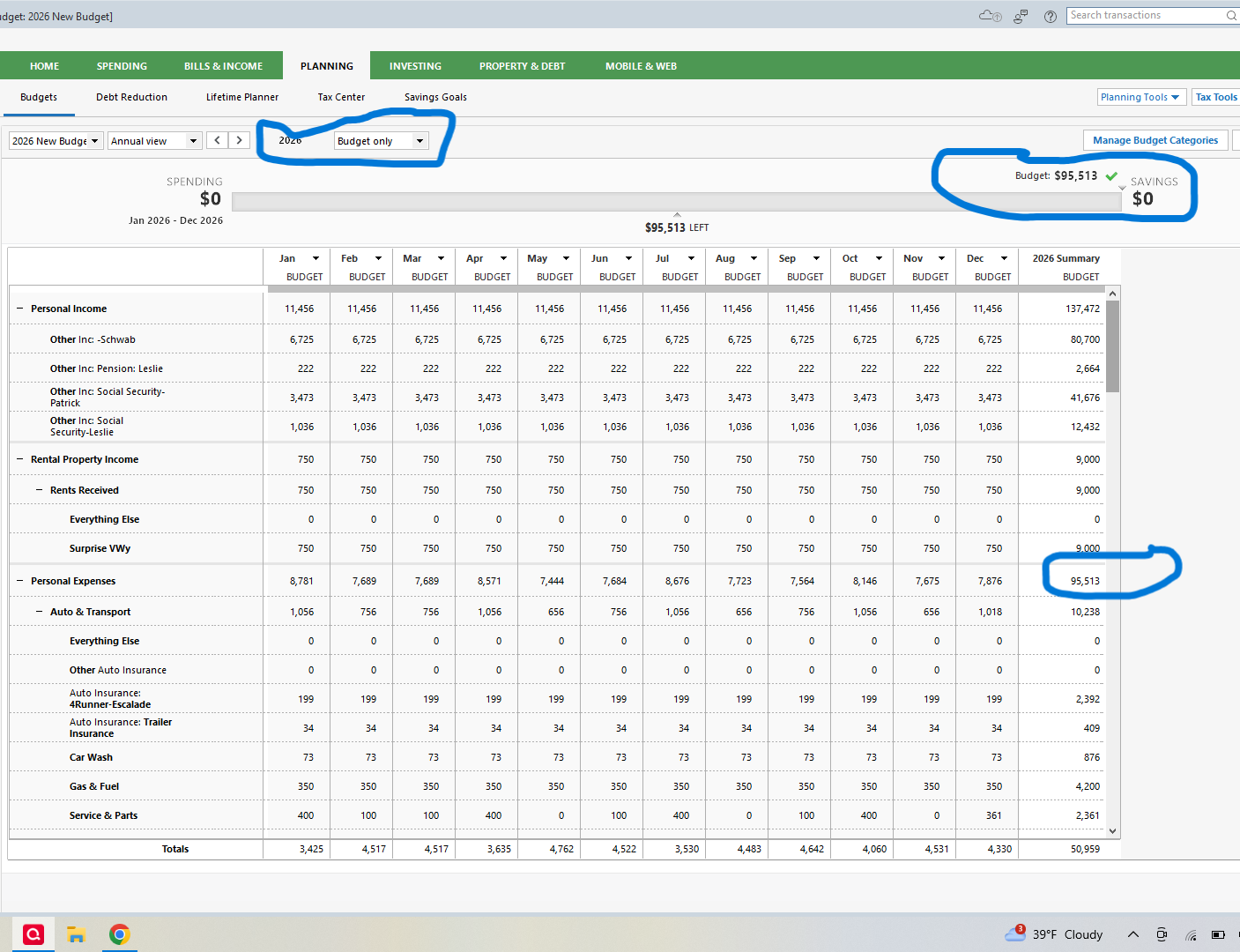
Why does my new 2026 budget show expenses at $95,513 in upper right total, but on the itemized line item total it only shows $89,909? Diff of $5604 that I can't acct for? Anybody?
Hello @Patrick,
Thank you for reaching out. If you haven't already done so, try running a report, such as a current budget report, with the date range customized for 1 Jan 26 - 31 Dec 26. The report may help you spot what is causing the discrepancy.
Please let me know how it goes!
Nope it didnt identify why the $5604 discrepancy. The custom report did show a $95513 total expenses (as I showed in original question, the line item budget total shows $89,909) , but its still a wonder to me where is the $5604 at?
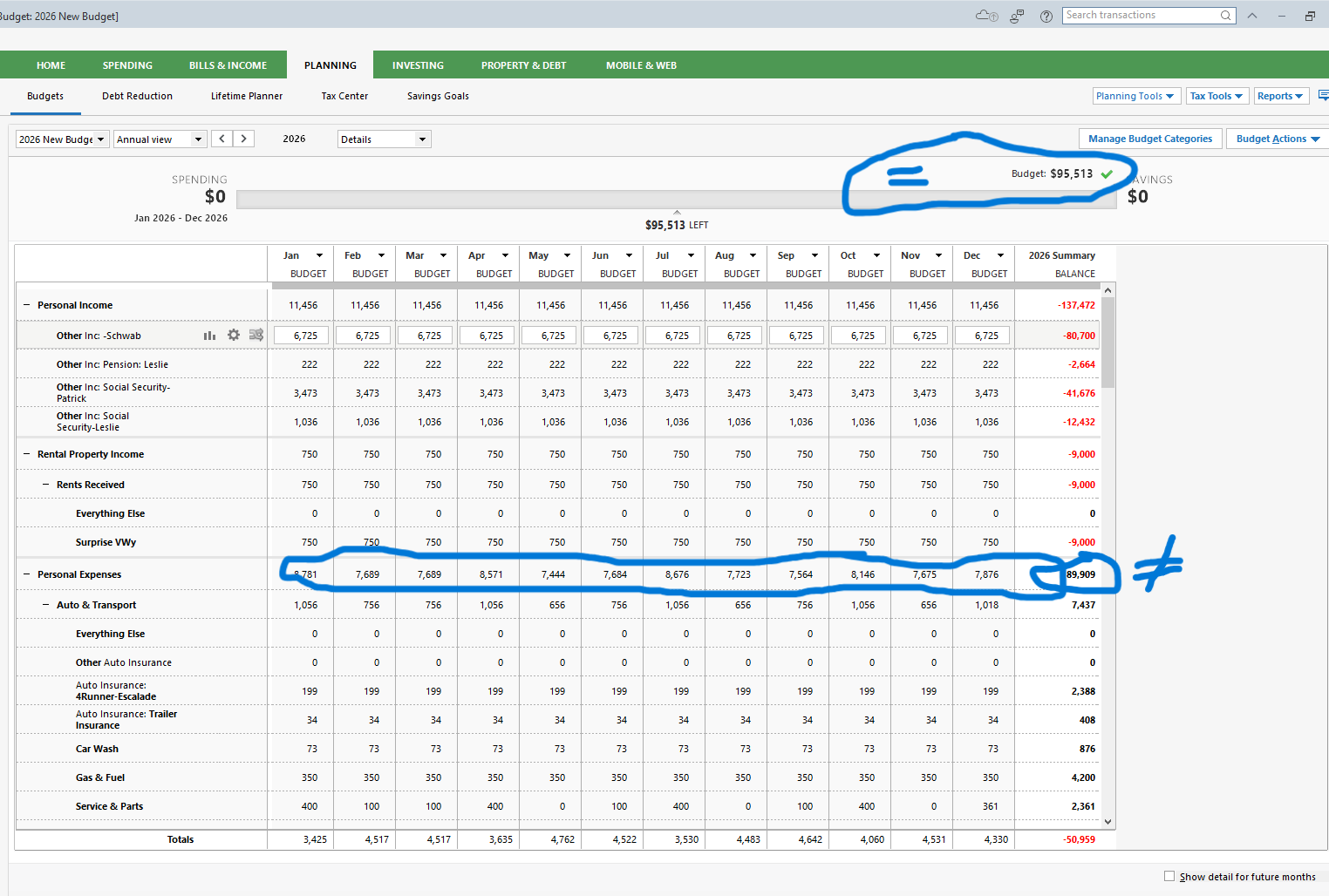
I did just find that the budget rpt I posted that shows a total of expenses at $89,909 does NOT EQUAL the accumulated monthly personal expenses for each month shown. If you add them all up they equal the $95,513. SO, why is the budget rpt not adding things up correctly? Or why is it deciding to exclude something?
Thank you for your replies,
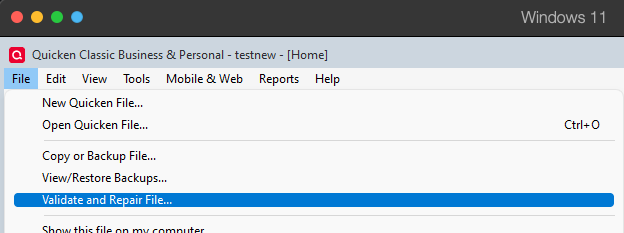
I'm not able to replicate the issue you're encountering. To check for possible file issues, I suggest that you try validating your data file. Please save a backup file prior to performing these steps.
Validate:
How, exactly, is this Summary column calculated? It doesn't seem to be just the sum of all 12 months' budget amounts.
Thanks for trying to help….and I guess my biggest question is why do the totals of the 12 summary months NOT equal the line item total for that line? They do equal the total I circles at the top which I'm not sure why they're different
@UKR,
According to our help article, that Summary column is the balance of each of your budget groups and categories for the budget year.
@Patrick,
Have you checked if any budgeted categories have subcategories that aren't in the budget, and if they may be causing the difference? Do you have rollover enabled for any categories?
Thank you!
Quicken Kristina
I do NOT see any categories showing use of the rollover feature in my 2026 Budget, although when I created the 2026 Budget from the 2025 budget there were a few categories in 2025 that had the rollover feature triggered. However I removed all of them for 2026. And per your other suggestion I've checked and do not see any subcategories being missed.
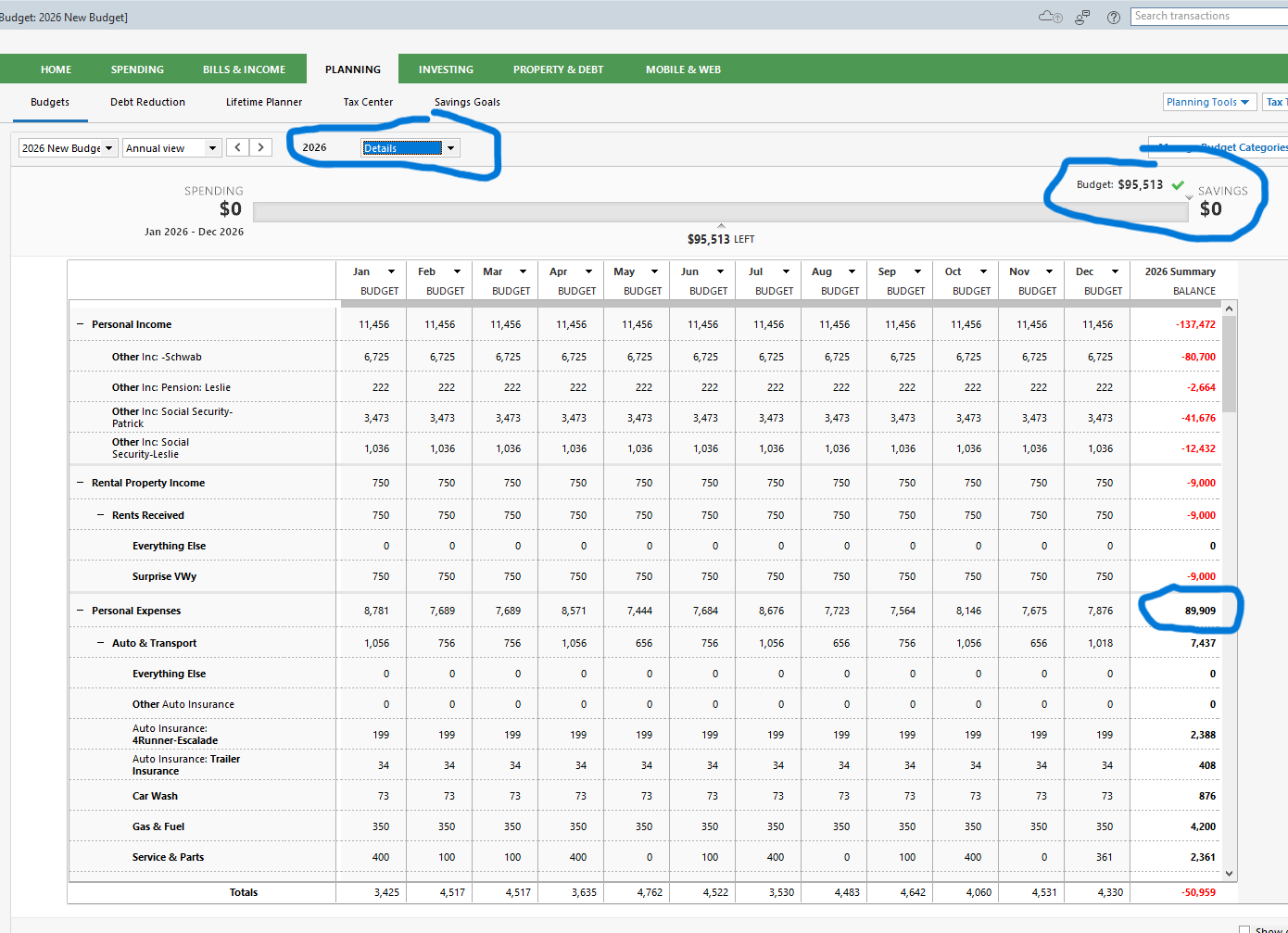
ALSO and whether it helps lead to what I'm calling a "discrepancy", in the new screen prints below the top one is like the original where you see the discrepancy WHEN YOU USE the drop down menu for which particular view you want i.e. detail, balance, actuals, or Budget Only. So in the top example I had used the "details" view and as you see there's the discrepancy. HOWEVER when selecting the "Budget Only" like in the bottom screen print NOW EVERYTHING MATCHES!!! Or adds up as I'd expect. So that's kinda good news though it still bugs me as to what is the system pulling from to cause the $5604 discrepancy ….😕
For anyone wondering, I'm now quite certain the issue I've presented revolves or involves the "roll-over" feature, even though the categories I've selected DO NOT have the feature engaged in my new 2026 budget. That said my 2025 budget did have a few line items that used the roll-over feature and I'm guessing that when I created my 2026 budget I did use some kind of "duplicate categories" or similar type new budget creator gadget to create my 2026 budget. Visibly there's no doubt my new budget DOES NOT physically show/have ANY line items using the roll-over thing however it's pretty obvious when using the "Details" view, that when in that view, it's still applying/using the rollover line items from 2025 to my new 2026 budget…..Quicken, you buying what I'm selling??😉
Thank you for the follow-up,
I see what you're saying, but I'm not able to replicate it in my Quicken. I do have categories in my 2025 budget with rollover enabled, but unlike what you're seeing, the rollover icon for those categories does reflect in my 2026 budget.
Have you tried restoring a backup from before you first noticed the issue?
Nope I'm done with this….I'm now convinced its a bug on the Quicken end and I can't fix that. Whether you can dup it or not doesn't change what I have going on….I may call into Quicken and allow them screen access allowing them to poke around but otherwise I'm not chasing this anymore…thanks for trying though
I was having the same problems. If you look at some of the categories line items, the total on the right does equal X 12 of the monthly amounts (??). I went into the budget actions, and created a new duplicated budget, different name Rev2, and now it all adds up right, even in the detail view. But you have to turn on the rollover action on all of the catagories now.