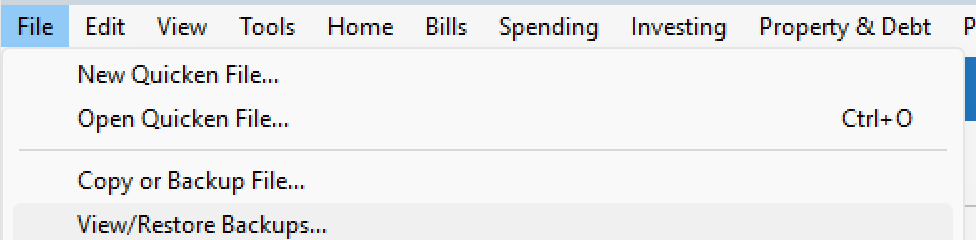
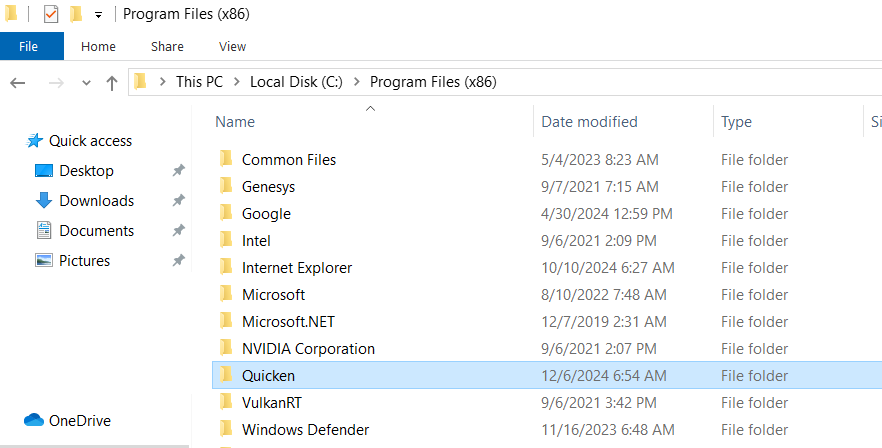
this is the only category that does this. no message or error item comes up.
Hello @janebradley,
Thanks for reaching out—let’s gather a bit more detail so we can narrow this down.
Check back and let us know! Thank you.
Hello again,
We haven't heard back from you in a while. Do you still need assistance?
Thank you!
Checking in once more before this thread is closed. Let us know if you still need assistance.
sorry, did not see your responses. i am still having this issue. i have not tried any ways to fix and not sure what to do.
@janebradley Thanks for following up!
Could you please confirm the following as well:
Also to start with, I suggest you try doing a clean uninstall/reinstall of your Quicken program. Doing so will not affect your existing data file. However, if you want, you can save a backup as a precaution.
Please refer to the following support articles for instructions on uninstalling and reinstalling Quicken:
Important extra step (recommended): After uninstalling—but before reinstalling—please do the following:
Once that folder is removed, proceed with reinstalling Quicken and then open your existing data file.
Let us know the answers to the questions above and whether reinstalling improves the behavior—we’ll go from there.
thanks i will try the install/reinstall and delete the folder as you suggested.
The folder is stored on my pc, but i regularily do a cloud backup.
it started happending maybe 2 to 3 months ago. i am not recalling any update to quicken specifically happening at the same time.
will revert back once completed.
KR, Jane
i
hi, i followed your instructions and am unfortunately still experiencing the same issue.
re-reading your instructions, i might not have done the uninstall multiple times. could that be my issue?
@janebradley Thanks for following up.
Just to clear up any confusion—there was no need to uninstall Quicken multiple times. The steps I shared only require one uninstall, followed by deleting the Quicken folder and then reinstalling.
To make sure we’re on the same page, could you please confirm which of the following you completed?
Once I know exactly which steps were completed, I can guide you on what to try next.
I completed as follows:
Unfortunately, it sounds like file is corrupted:
Make a backup just in case. Then:
I would suggest first try a validate file (File/Validate)
Then try super validate (Hold CTRL and Shift Key and then File/Validate)
Then when all fails to fix it as it probably will you will need to make a file copy via:
File/Copy or Backup , Click Create a Copy or template Leave everything checked as it is and change name if you want to a new name or accept the default as is
The bad news:
This will (on purpose) disconnect all accounts from online. (Needs to do that to keep new file separated from old file) You will need to re-authorize all accounts for online access one Financial Institution at a time. This will most likely fix your file corruption as this method does create a new file record by record which fixes most file problems.
The main thing to look out for in addition to re-authorizing online access is the Opening Balance Bug When you re-authorize accounts, sometimes it will change your opening balance on banking accounts so if an account does not reconcile, check the opening balance to put it back to zero or whatever it was in original file. (You can check opening balances before you copy or you can re-open the original file to check afterwards)
PS: Not as bad as it sounds. (I do it at least yearly to avoid corruption issues before I notice them)
i did the validate file and it now works! thanks.
Glad to hear.