This discussion was created from comments split from:
Fidelity Transactions not downloading to Quicken Classic on Windows
.
Quicken Kristina,
I've invested about 8 hours in manually cleaning up the trainwreck that this change by Fidelity / Quicken has caused to my two Fidelity 401K accounts in Quicken. Now that I have matching share count and values by fund in each account, I'm concerned about the upcoming December transactions coming from Fidelity and if they'll map over to Quicken correctly:
I've gone through many of the threads on this topic and done all the steps that I've found to complete (Validate and Repair, unchecking automatically add downloaded transactions, etc.). Is there anything else I should have done to ensure the above problems don't repeat themselves? It's painful to add transactions manually as you know.
EDIT THE NEXT DAY: JUST RECEIVED TWO DOWNLOADED DIVIDENDS IN SEPARATE ACCOUNTS FOR FIDELITY LOW PRICED STOCK FUND. ONE WORKED FINE, BRINGING IN ALL THE DETAILS AND ONE BROUGHT IN "DEPOSIT" / "DIVIDEND" WITH NO DETAILS!
@Quicken Kristina Please see above post - appreciate your help.
Hello @KStarr,
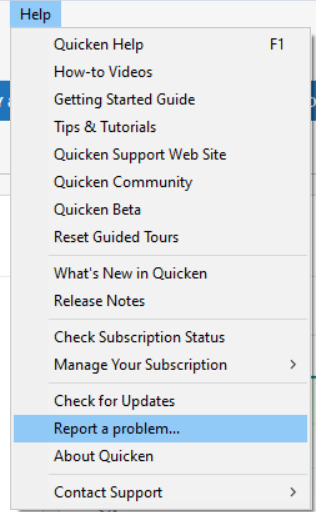
Thank you for reaching out with this issue. It has already been reported to the proper channels for further investigation and resolution. In the meantime, we request that you please navigate to Help > Report a problem and submit a problem report with log files attached and (if you are willing) a sanitized copy of your data file in order to contribute to the investigation.
While you will not receive a response through this submission, these reports will help our teams in further investigating the issue. The more problem reports we receive, the better.
We apologize for any inconvenience!
Thank you.
(CBT-949)