When updating my Schwab investment account Trades do not download, but items such as Interest do. Please help
Hello @harryo,
Thank you for reaching out! To start troubleshooting, please follow these steps from our article on Missing Transactions/Transactions not Downloading:
Be sure to follow these steps in order:
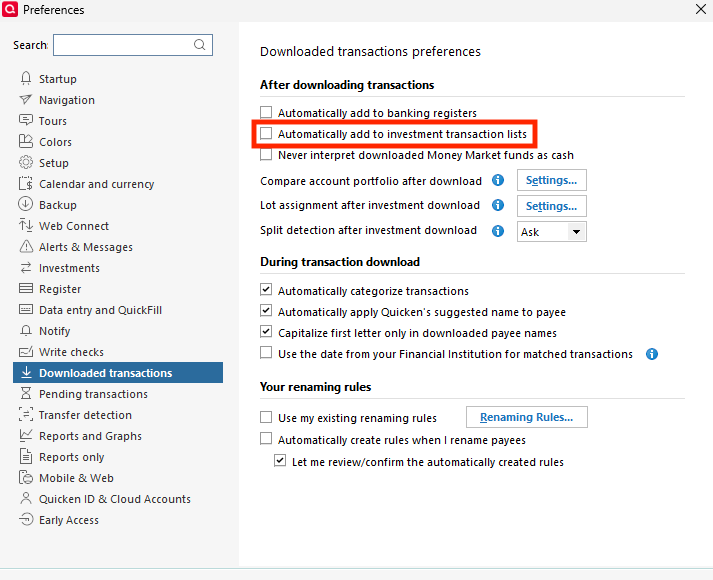
1. Go to Edit > Preferences > Downloaded Transactions. The option Automatically add to investment transaction lists needs to be unchecked.
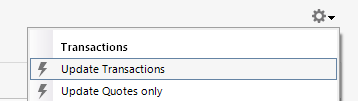
2. Refresh your online account information by clicking the Actions Gear Icon on the upper right of the register, and select Update Transactions. Follow the on-screen instructions to complete the update.
3. Confirm that the Sort Order in your account is by Date; just click the top of the Date column in your account register. It's possible the transactions are in your register, but not where you thought they'd be.
4. Try refreshing your login session: To do this, go to Help > Refresh Sign in. After completing the log-in process, trying running a One Step Update again.
5. Go to Tools > Account List and check Show Hidden Accounts at the bottom left. Confirm the missing transactions haven't been added to a hidden account by clicking on the name of any account that appears with a check mark in the Hidden column.
Please let me know how it goes!
Thank you Kristina. In the meantime the problem has rectified itself, but your tips are very helpful and i will keep them to help if the problem surfaces again.
Harry
Thank you for the follow-up,
I'm glad to hear the issue self-resolved!
If you need further assistance, please feel free to reach out!