Why do I have to kill Quicken thru Task Manager
When my Q-Clasic app on Windows 11 displays reports and summary pages they are in over sized pop-up windows that I can't get to the action buttons or close them. I have to kill Quicken thru Task Manager and restart to be able to proceed.
The primary window for the app is slightly oversized also. I have not found settings to control the display or pop-up size.
Answers
-
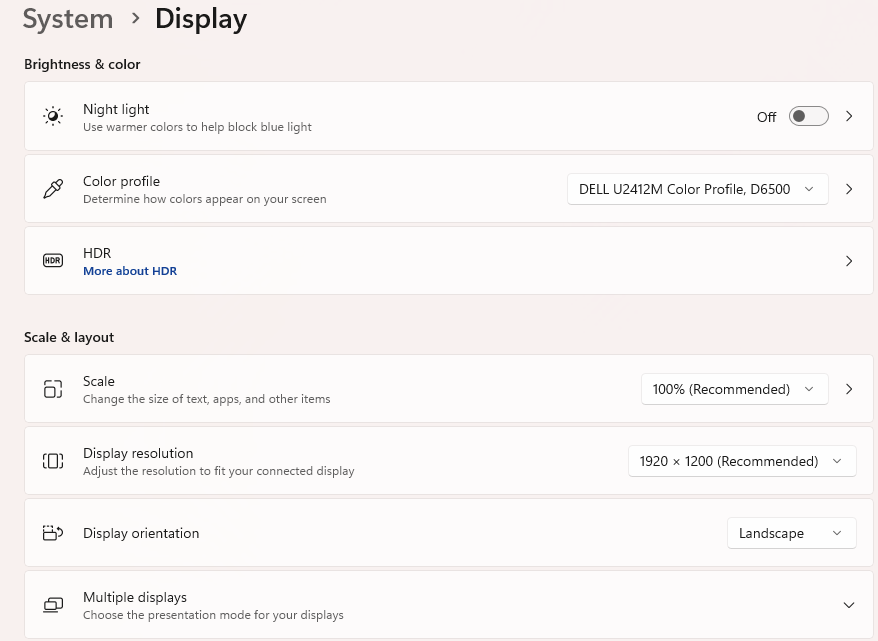
What is the display resolution on your monitor? This is a Windows setting, not a Q setting.
Q user since February, 1990. DOS Version 4
Now running Quicken Windows Subscription, Business & Personal
Retired "Certified Information Systems Auditor" & Bank Audit VP0 -
Check the Windows display settings. Generally having Windows use the recommended settings is a good place to start.
0 -
Keyboard combo Alt F4 will close the window in focus.
Quicken user since Q1999. Currently using QW2017.
Questions? Check out the Quicken Windows FAQ list0
Categories
- All Categories
- 68 Product Ideas
- 35 Announcements
- 223 Alerts, Online Banking & Known Product Issues
- 21 Product Alerts
- 633 Welcome to the Community!
- 673 Before you Buy
- 1.3K Product Ideas
- 54.1K Quicken Classic for Windows
- 16.4K Quicken Classic for Mac
- 1K Quicken Mobile
- 813 Quicken on the Web
- 115 Quicken LifeHub