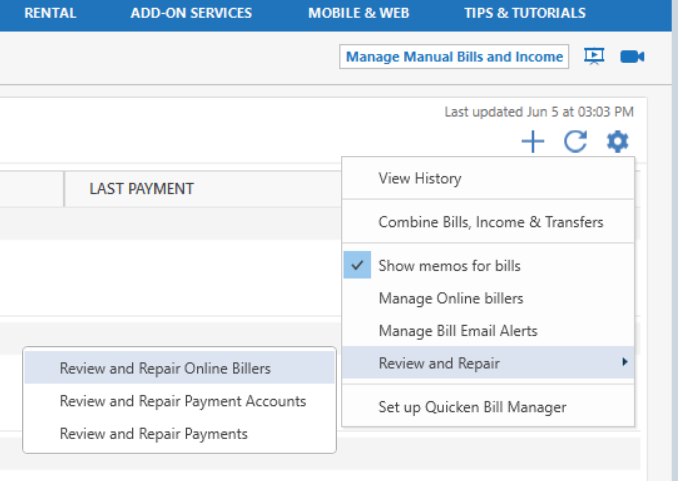
This has been going on for a long time. I do not know when it started.
I have three AMEX accounts. Two of them are online. The third is an offline account closed due to online hacking but still has a balance on which I make payments. Not sure how relevant this all is. My problem is I cannot set up QuickPay for one of the online accounts. In "Bills & Income," I click the QuickPay button for the problem account and am asked to enter the account number and to confirm the biller's address. When I click "Next," I get this message:
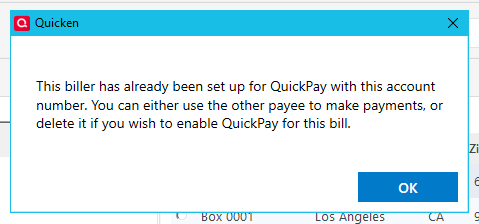
However, I cannot find this QuickPay payee in the Online Payee List or in the Memorized Payee List. I have deleted and recreated my two online AMEX accounts and associated bill reminders. One account allows me to create it's Online Payee. The other continues to give me the above message. No entries were added to either the Online Payeee List or Memorized Payee List when I recreated the two online accounts and then added Online Payee information to the account that would accept it. In addition, when I go to the register for the checking account used to pay AMEX, I find there are 4 AMEX cards, not three, listed in the "Check #" column as follows:
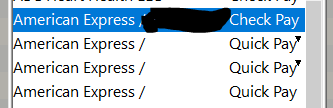
The top and bottom entries have real account numbers - one for CheckPay and one for QuickPay. The CheckPay entry is for the offline closed account; The bottom QuickPay entry is for the online problem account that "has already been set up for QuickPay with this account number." However, when I use the "Bill & Income Reminders" list at the bottom of the register screen to enter and QuickPay to this payee, I get the same result as shown in the first image above. I can use this Check # entry to send a new check from the register, but not to enter and pay from the reminder. The other two are designated as "<no account number>," but one QuickPay entry does show the information for the working online account when used with the bill reminder or from a new register entry. The other "<no account number>" entry leads to the same "already been set up" result.
Any advice on how to make QuickPay useable with the problem account which Quicken reports "has already been set up for QuickPay with this account number" is appreciated. My instinct tells me I have an extra, phantom entry in the QuickPay payee list. I need to find the QuickPay payee list, delete all AMEX entries and start over with new Online Payee, Bill Reminder and QuickPay entries. However, I cannot find the QuickPay payee list to get started.
Thanks.