How do I remove a corrupt record?

Hello,

One of my credir cards has a corrupt record in it. I have tried to delete it but Quicken but Quicken will not save the delete. I have tried validate and repair file but this results in a file that is missing so much historical data. Does any have any ideas on how to get rid of this record? This is a credit card account that downloads from Citibank.
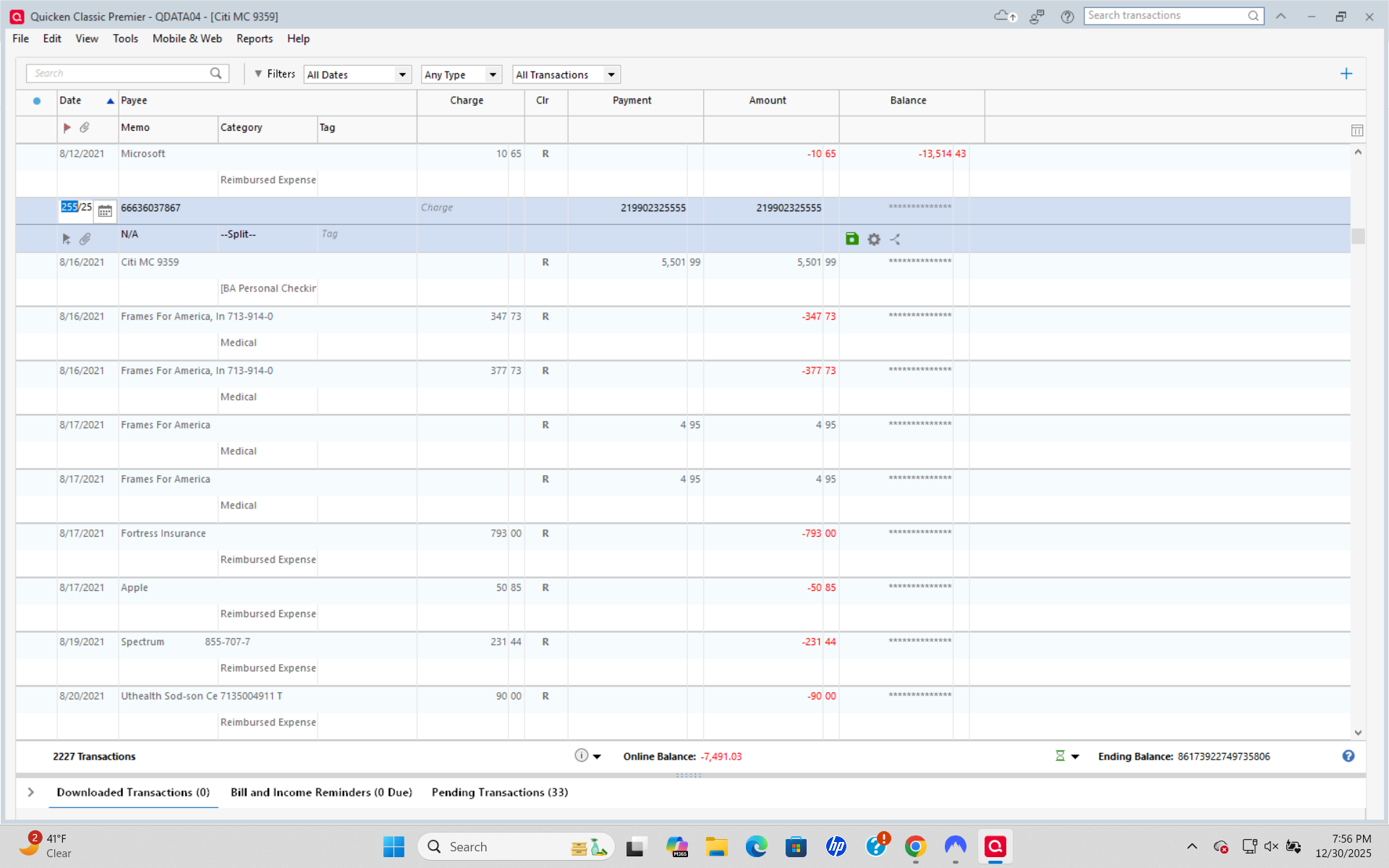
image.png

Comments

  • Jim_Harman
    Jim_Harman Quicken Windows Subscription SuperUser ✭✭✭✭✭

    Are you able to edit the transaction so that the amount is reasonable? You would probably have to go to the category split to see which line is causing the problem.

    Once the amount is reasonable, hopefully you can correct or delete the transaction.

    QWin Premier subscription
  • RalphC
    RalphC Quicken Windows Subscription Member ✭✭✭✭

    Have you validated/super validated your file? Doing so should remove the data file corruption.

  • q_lurker
    q_lurker Quicken Windows Subscription SuperUser ✭✭✭✭✭

    That the Validate and Repair ends up removing historical information suggests to me that there is more in depth corruption than the one transaction. Depending on you history with this issue, you likely need to restore a good backup. Hopefully, one that is not too old.

    Working with this current file and with a current backup of it, I would try:

    • Create a new account (manual to begin with).
      • Move all the good transactions from the problem account to the manual account.
      • Delete the account with this bad transaction. Perhaps the corruption is limited to that account.
      • Validate and Repair.
      • If the validate is clean (no lost history), connect the manual account to enable downloads from your financial institution.
