Completely unable to connect Fidelity Investments via WebConnect
R65.29
I have a small brokerage account with Fidelity that I've been trying and failing day-over-day to add to my Quicken for Windows. A quick survey of my Accounts revealed nothing had been added, and I've already reinstalled the Desktop app.
Any guidance would be appreciated.
Comments
-
Hello @foster.a,
Thank you for sharing your experience and reporting the issues you are running into. I am happy to help!
I have some follow-up questions for you that will hopefully help us narrow down what is happening and why.
- Are you trying to add this account by importing a QFX file that you downloaded from your bank?
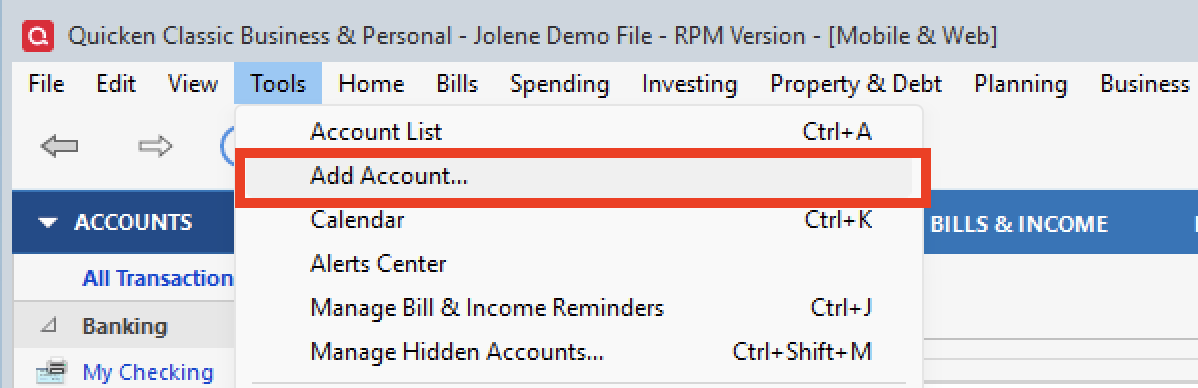
- Or are you adding it from within Quicken, using the plus sign (+) or Tools>Add Account?
- Do you have other Fidelity accounts added in Quicken, or is this the first one you are trying to add?
- What type of account is this that you are trying to add?
- When adding this account, are you redirected to the bank's website to authorize this account for use in Quicken?
- If so, do you see your account listed there?
- Are you able to authorize the account successfully?
- After authorizing the account, are you redirected back to Quicken to finish the process?
Looking forward to your response!
Quicken Alyssa
Make sure to sign up for the email digest to see a round up of your top posts.
0 -
Hello, Alyssa!
- I am attempting to add via the + button.
- I have only this one Fidelity account to add.
- It is a brokerage account.
- When I attempt to add:
- I am able to see the desired account when selecting accounts to add.
- I am able to authorize the account.
- I am directed back to quicken to finish, but nothing ever shows up.
I appreciate your looking into this.
0 -
@foster.a Fidelity Investments doesn't support downloads in QFX format, their decision.
Fidelity Investments https://www.fidelity.com NA https://www.fidelity.com ACTIVE BANKING,CREDIT,ACCOUNTINFO,INVESTMENT,401K&EXP-WEB-CONNECT
Q user since February, 1990. DOS Version 4
Now running Quicken Windows Subscription, Business & Personal
Retired "Certified Information Systems Auditor" & Bank Audit VP1 -
Thank you for following up!
It sounds to me like you are describing missing transactions. I earlier asked about the account type, because if this is an HSA account, this is a Known Issue.
If we are not dealing with an HSA, normally, I would ask that you follow the steps outlined in the linked article. However, it doesn't sound like you have ever downloaded transactions for this account successfully. Therefore, the steps don't apply.
Given the situation, it would be best for you to contact Quicken Support directly. They can take a closer look at this and process an escalation if needed.
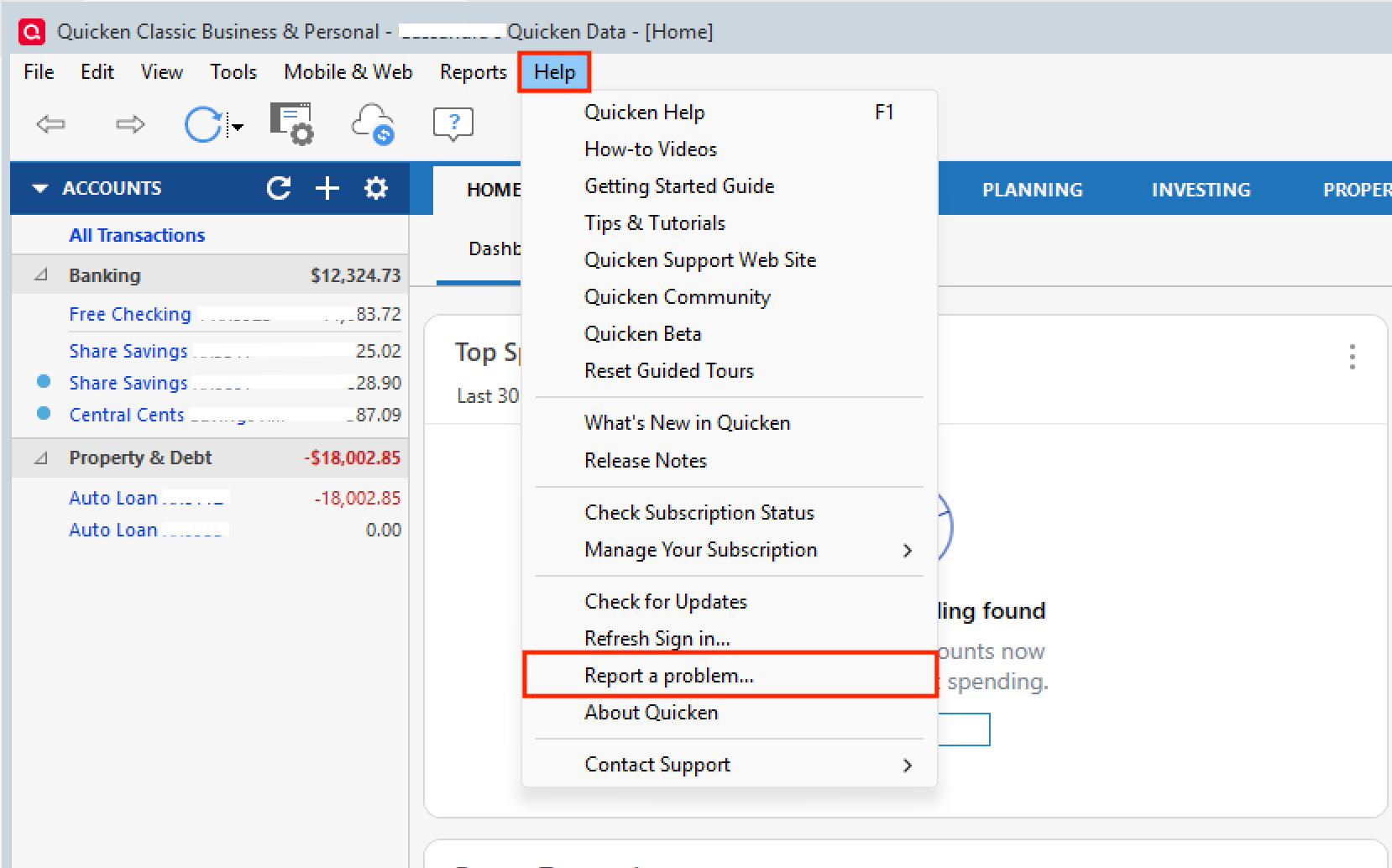
To prepare for this interaction, you can gather screenshots of what you are seeing in Quicken and what you see on Fidelity's website. You can also go to Help>Report a problem>Send to Quicken to send over your log files.
These will be needed so they can check to see how the account information is being sent to Quicken. If you need help gathering these things, no worries, our support team can walk you through it step-by-step!
Let us know how it goes!
Quicken Alyssa
Make sure to sign up for the email digest to see a round up of your top posts.
0
Categories
- All Categories
- 41 Product Ideas
- 36 Announcements
- 224 Alerts, Online Banking & Known Product Issues
- 21 Product Alerts
- 497 Welcome to the Community!
- 676 Before you Buy
- 1.3K Product Ideas
- 54.3K Quicken Classic for Windows
- 16.5K Quicken Classic for Mac
- 1K Quicken Mobile
- 814 Quicken on the Web
- 115 Quicken LifeHub