Bug: European decimal numbers on Quicken for Mac doesn't work anymoreI am reposting - the bug is still current
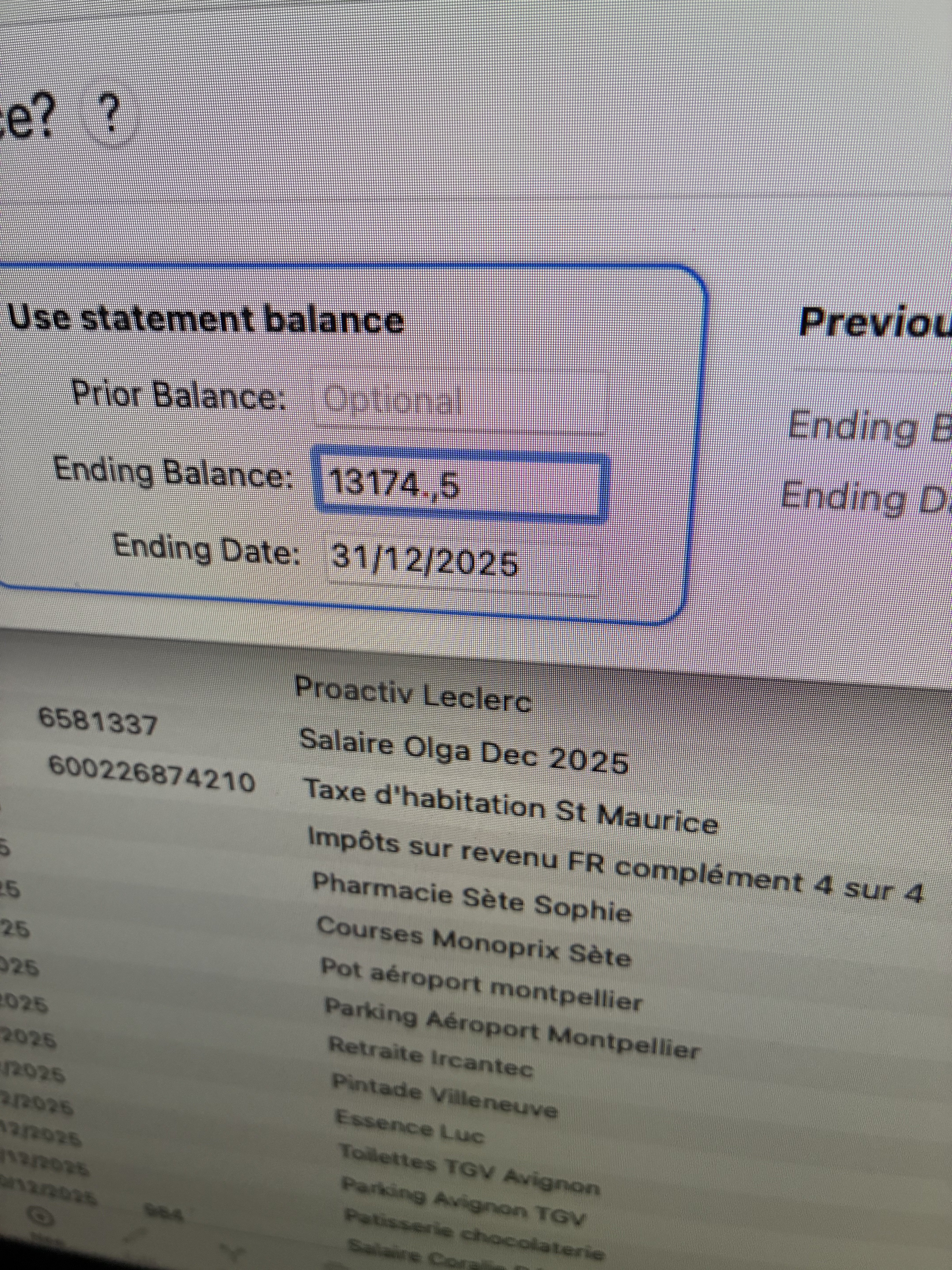
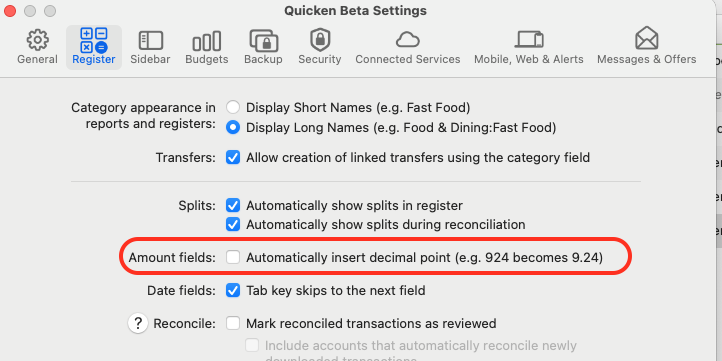
Since the last version(s) of Quicken for Mac, I cannot enter amounts with the European format (such as 1234,45) although this is a perfectly legal / possible setting for the Mac itself. It used to work perfectly until the "automatic" "red decimal point" was introduced… This is a disaster as I have been using Quicken for Mac for more than 10 years. without any problem. Please note that automatic data uploads from banks still work properly and in such cases, European data formatting still works correctly. Only manual number inputs become quite a nightmare…
YOUR QUESTIONS :
Tagged:
Add/Edit TransactionsMacRegisterTransactionsDecimalHello @Leh,Thank you for sharing these details about the European decimal formatting issue. To help us investigate further, could you please provide a bit more information?This information will help us understand and address the problem more efficiently.Thank you!
Where is your Quicken data file stored? Is it on your local hard drive (e.g., Mac’s internal drive) or on a cloud/external service such as iCloud, Dropbox, or a USB drive?Have you tried any troubleshooting steps so far? If so, which ones?When did this issue first start happening?Were there any recent changes to your system or software before the issue began, such as updates, new installations, or system settings changes?Could you provide a screenshot showing what happens when you try to enter amounts with European decimal formatting?
> If needed, please refer to this Community FAQ for instructions on how to attach a screenshot. Alternatively, you can also drag and drop screenshots to your response if you are not given the option to add attachments.
ANSWERING YOUR QUESTIONS :
- 1 - My Quicken Data File is stored on my local internal drive on my Mac
- 2 - There is nothing I can do to solve this problem by myself. The problem occurs systematically when entering manually a value representing a dollar or other currency amount. This problem does not occur when entering for instance the number of shares, not representing currencies. The problem does not occur when a value is uploaded from an external provider such as Vanguard or Wells Fargo.
- 3 - this issue started happening when a new version of Quicken was uploaded on my Mac (automatic update). This update introduced at the same time the "automatic" decimal point in red" when entering a price/value/cost. But the decimal point does mean anything this the decimal numbers in Europe (except England) where we use comma instead of decimal point
- 4 - The problem is on your side, not on the Mac side. There has been no other update than yours. And be aware that the US/UK format on numbers is not the one used everywhere else in the world. We use 1234,56 when you use 1,234.56 in the US. However, those 2 formats are perfectly valid on the MAC. Also everything was working perfectly until you introduced the "automatic insertion of a red decimal point".
- 5 - I could provide a screen shot, but it's much clearer to watch a video, you will see that typing brings numbers and comma in disorder… (replace file extension from .bmp to .mov)