"PERSONAL.quicken" could not be opened. (Q mac)

jpomerantz
jpomerantz Quicken Mac 2017 Member ✭✭✭

I used a Mac and recently upgraded to MacOS 26.2 (most current version). Now when I try to open Quicken for Mac I get an error message to check my version. I am running the latest version 8.4.1 but still get the message. I tried to reinstall it but get the same error. Also tried to use the most recent backup and it still fails. TIA. Jay
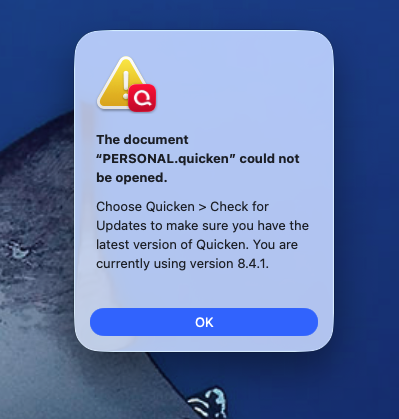
Screenshot 2026-01-01 at 12.40.03 PM.png

Answers

  • jpomerantz
    jpomerantz Quicken Mac 2017 Member ✭✭✭

    No one has any ideas???

  • RickO
    RickO Quicken Mac Subscription SuperUser ✭✭✭✭

    If you haven't, restart the computer.

    Where is your data file stored? Is it on the Desktop or Documents folder synced to iCloud Drive? Is it on a cloud service (eg. Dropbox)?

    I'd go through your backup files in reverse order and see if any will open.

    Quicken Mac Subscription; Quicken Mac user since the early 90s
  • Quicken Anja
    Quicken Anja Moderator mod

    Hello @jpomerantz,

    We haven't heard back from you in a while. Do you still need assistance?
    If so, could you please provide the answers to @RickO's questions?

    Check back and let us know! Thank you.

    -Quicken Anja
    Make sure to sign up for the email digest to see a round up of your top posts.
