Budget Report Export Category wrong

jtgostars
jtgostars Quicken Windows Subscription Member ✭✭✭

It appears there is some misdirection or incorrect category mapping in the database when exporting a historical budget to Excel.

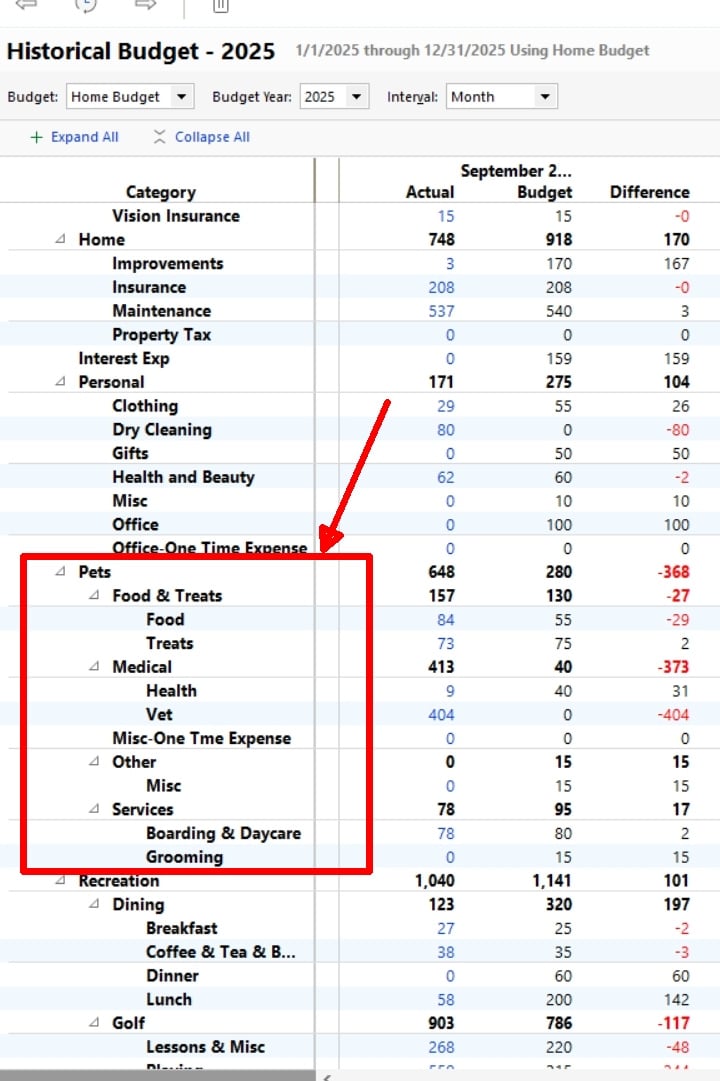
I exported my 2025 budget to Excel and there was a random category that showed up. I have attached screen shots of the budget in Quicken I exported and the same budget in Excel that has the incorrect label for one of the categories.

Quicken Classic Deluxe for Windows

Quicken version R65,29 Build 27.1.65.29

Windows 11 OS
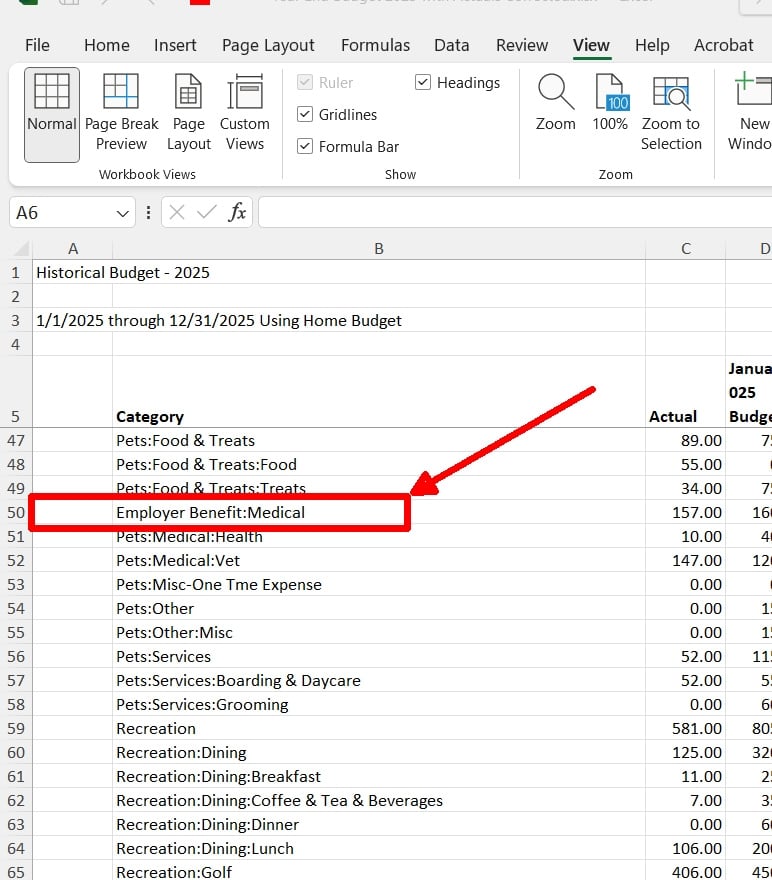
Budget Report Excel Export.jpg Budget Report In Quicken.jpg

Comments

  • jtgostars
    jtgostars Quicken Windows Subscription Member ✭✭✭

    I did try recovering a backup version of my Quicken data file and it does the exact same thing. Please DO NOT suggest the NASA fix of uninstalling and reinstalling Quicken that would be a ridiculous solution and would only be another example reinforcing what a "buggy and defective" software solution Quicken really is

  • bmciance
    bmciance Quicken Windows Subscription SuperUser ✭✭✭✭✭

    This has been a problem for years. I think I reported this issue in beta testing probably 10 years ago and nothing has ever been done about it. It seems that whenever you have a top level category that contains "Medical" in the title Quicken will stick "Employer Benefit" in front of it when exporting to Excel (I actually have two categories that do this). It doesn't do it when exporting to a PDF file.

    Quicken Windows user since 1993.

  • Quicken Kristina
    Quicken Kristina Quicken Windows Subscription Moderator mod
    edited January 3

    Hello @jtgostars & @bmciance,

    Thank you for taking the time to visit the Community to report this issue, though we apologize that you are experiencing this.

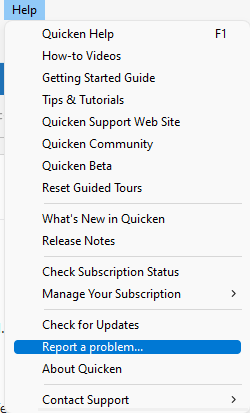
    We have forwarded this issue to the proper channels to have this further investigated. In the meantime, we request that you please navigate to Help > Report a problem and submit a problem report with log files attached and (if you are willing) a sanitized copy of your data file in order to contribute to the investigation.

    Report a problem QWin copy.png

    While you will not receive a response through this submission, these reports will help our teams in further investigating the issue. The more problem reports we receive, the better.

    We apologize for any inconvenience!

    Thank you.    

    (CBT-989)

    Quicken Kristina

    Make sure to sign up for the email digest to see a round up of your top posts.