Sudden 1 check to print
acs2
Quicken Windows Subscription Member ✭✭✭
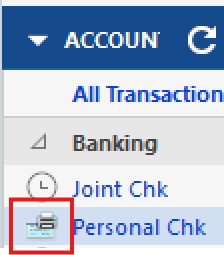
Suddenly, I have an account which says I have 1 check to print based on an icon that is just before the account name

The check is from an entry 1/13/2016 (year is not a typo). I've never seen this before. I have never used Quicken to write checks.
Why did this happen? How do I delete it?
0
Answers
-
Hello @acs2,
Thanks for reaching out with your question! This likely happened due to a transaction in your register having had the word "Print" added to the Check # column. Here’s how you can get rid of it:
- In the Account list, look for the icon next to your account name indicating there are checks to print.
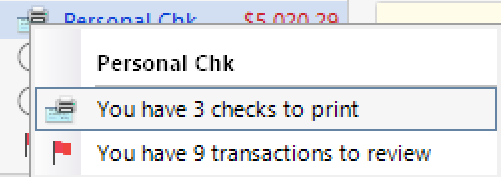
- Click on that icon and select "You have # checks to print" to see the list of pending checks.
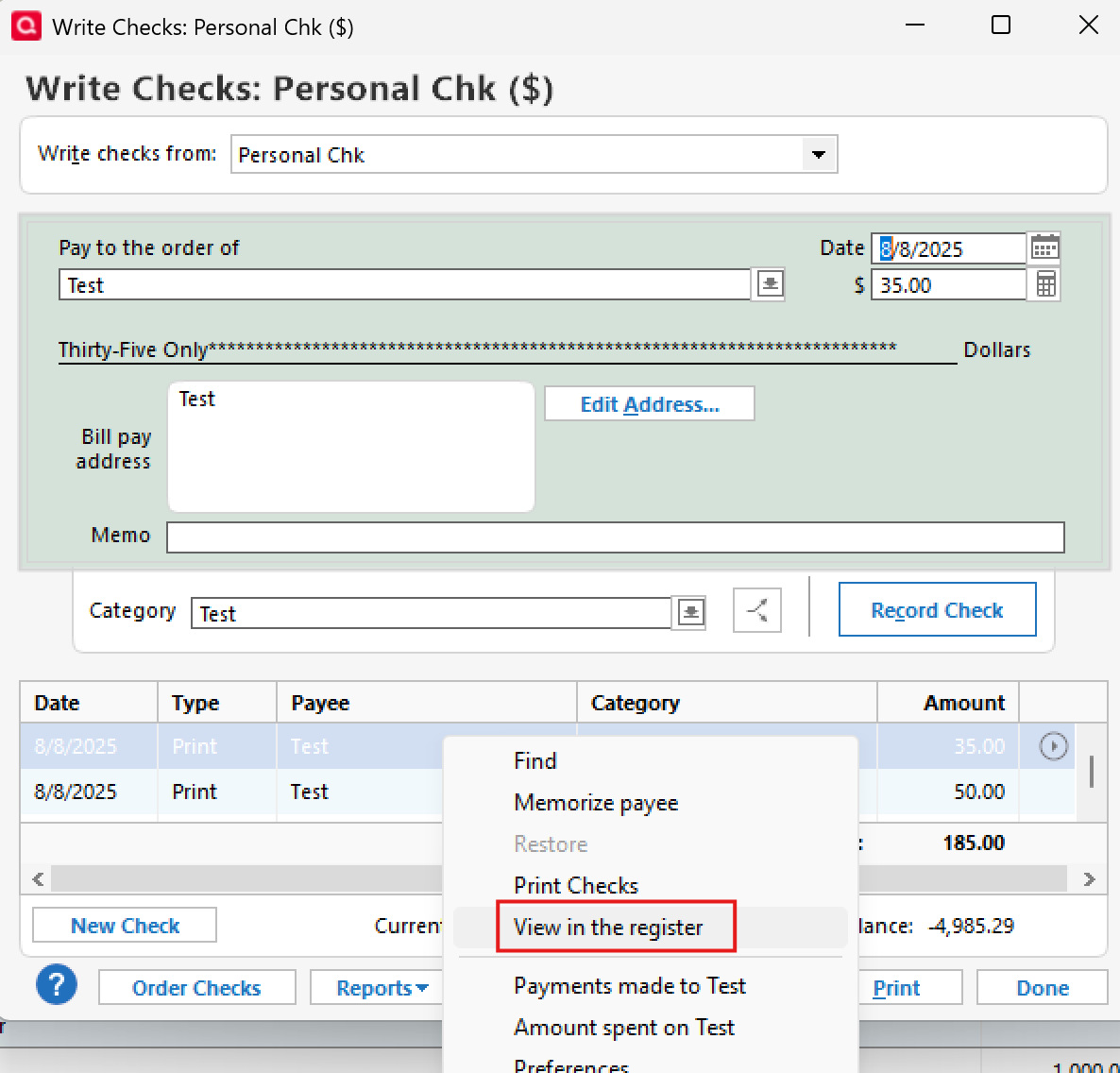
- In the list, right-click the check you want to remove and select "View in the register."
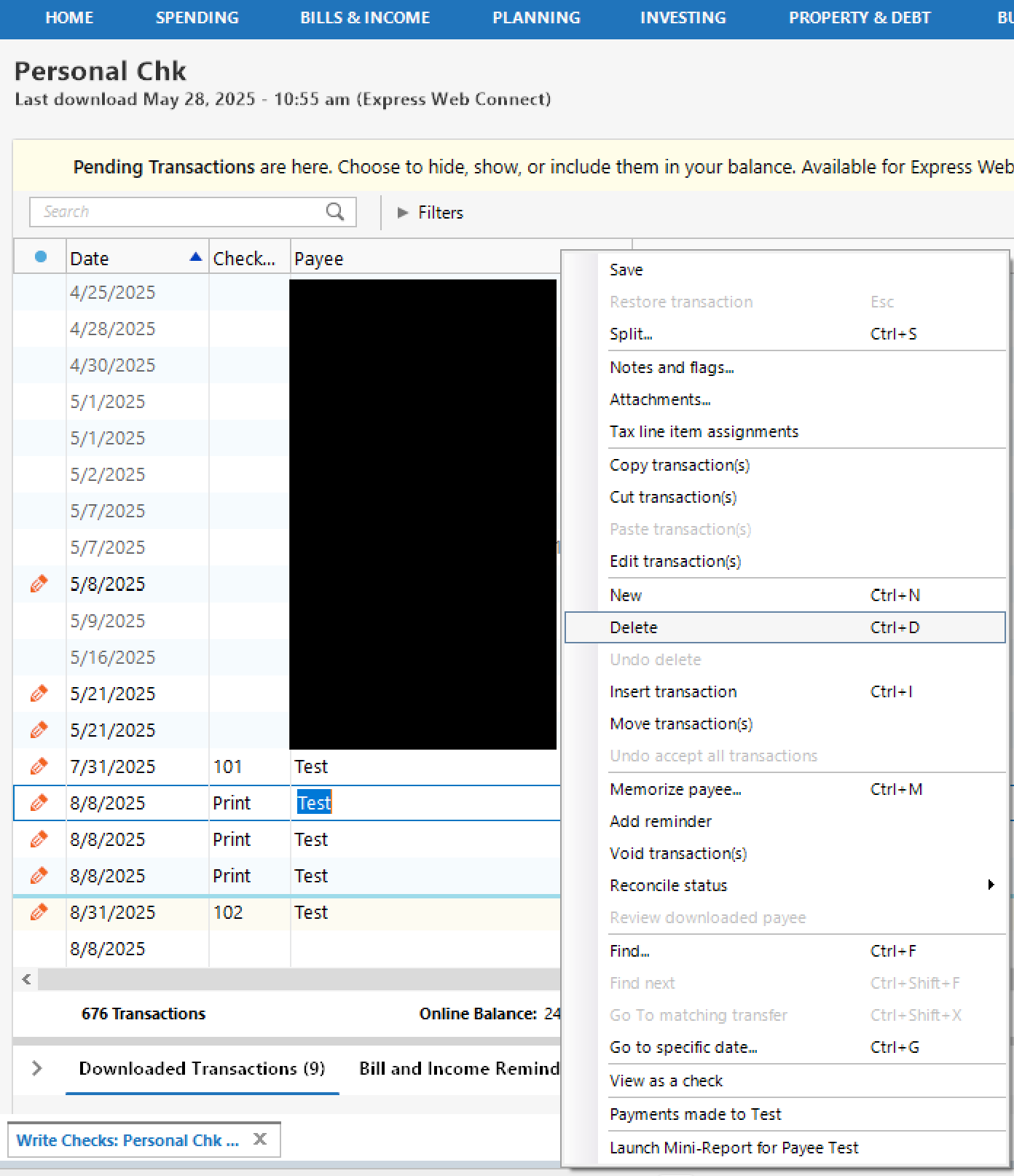
- This will open the transaction in the register.
- If you want to delete the transaction entirely, right-click it and choose Delete.
- If you want to keep the transaction but remove it from the print queue only, simply clear the word "Print" from the Check # field and save the change.
Hope this helps!
-Quicken Anja
Make sure to sign up for the email digest to see a round up of your top posts.1
Categories
- All Categories
- 41 Product Ideas
- 36 Announcements
- 224 Alerts, Online Banking & Known Product Issues
- 21 Product Alerts
- 497 Welcome to the Community!
- 676 Before you Buy
- 1.3K Product Ideas
- 54.3K Quicken Classic for Windows
- 16.5K Quicken Classic for Mac
- 1K Quicken Mobile
- 814 Quicken on the Web
- 115 Quicken LifeHub