I am using Quicken Version R65.29. I see the category field but need the memo field. Where is the memo field?
Hello @galgolfer63,
Thanks for reaching out!
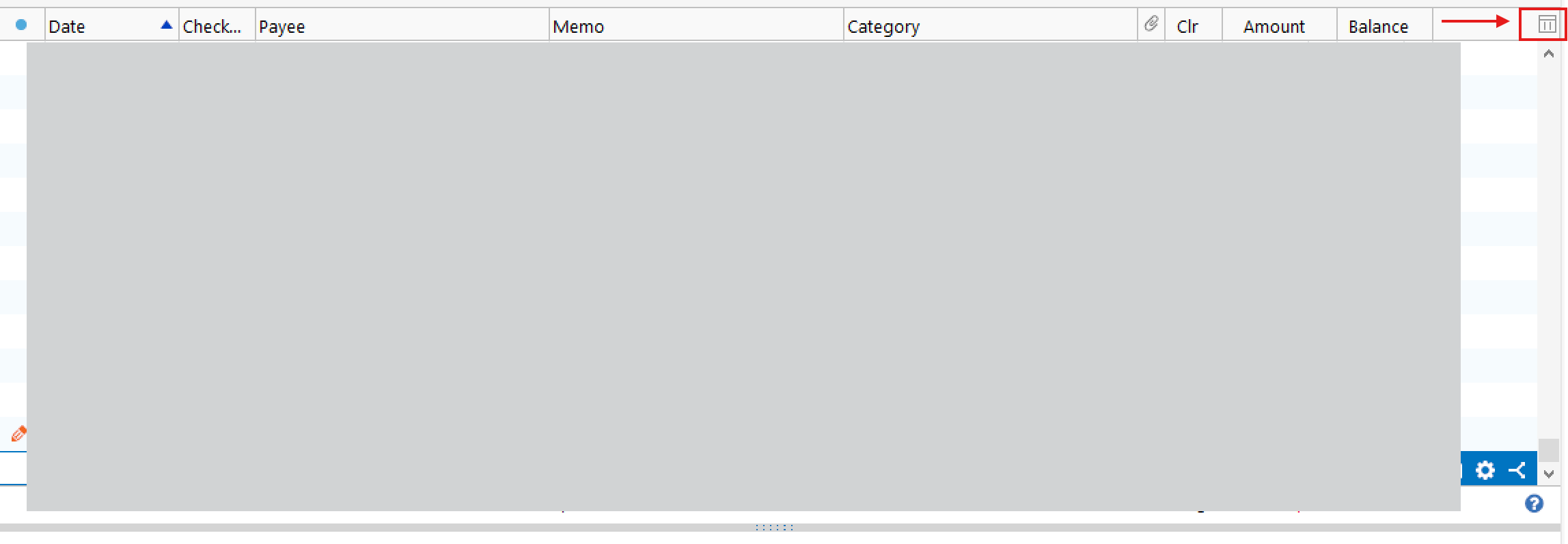
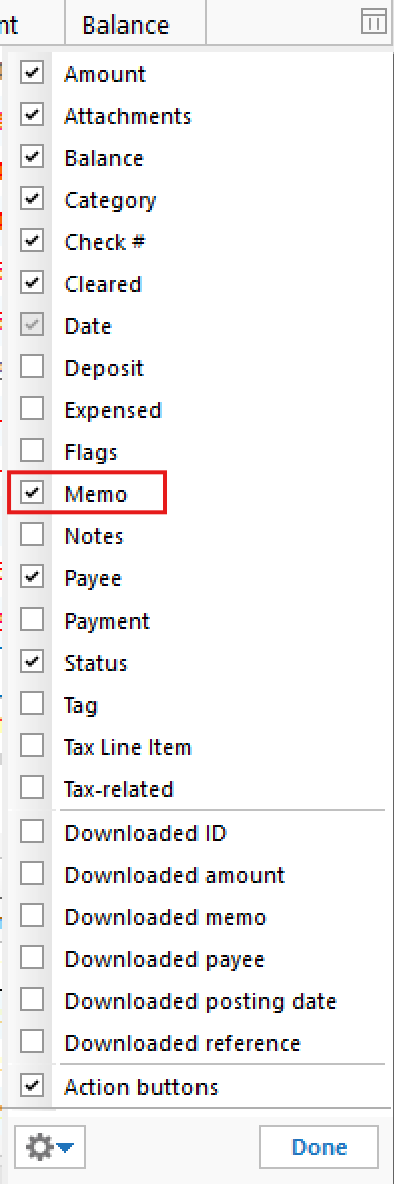
In Quicken Classic for Windows, the Memo field can be shown or hidden within the register.
To display it, please follow these steps:
Once enabled, you’ll be able to view and edit the Memo field directly in the register.
Hope this helps!
Hello again,
We haven't heard back from you in a while. Do you still need assistance?
Thank you!
Checking in once more before this thread is closed. Let us know if you still need assistance.
Due to the lack of response, I went ahead and closed this post.
If you still require assistance, please feel free to start a new post.