I recently changed my Ally Bank password. After updating the password in Quicken, it tries to connect for a few seconds and then tells me:
"Did you mistype your sign-in info? Please re-enter your credentials for AllyBank."
I copy/pasted the password from my password manager, so it is not mistyped. The credentials are correct. I also logged in again at their website to confirm that the credentials are correct.
Next, I tried disconnecting the all three of my Ally accounts in Account Settings under the Downloads tab. I had hoped that starting over from scratch would cause it to work. It didn't; got the same error as before.
I also tried updating Quicken Classic since an update was available. Tried again after the update but got the same result.
After trying and failing multiple times, the error message is slightly different:
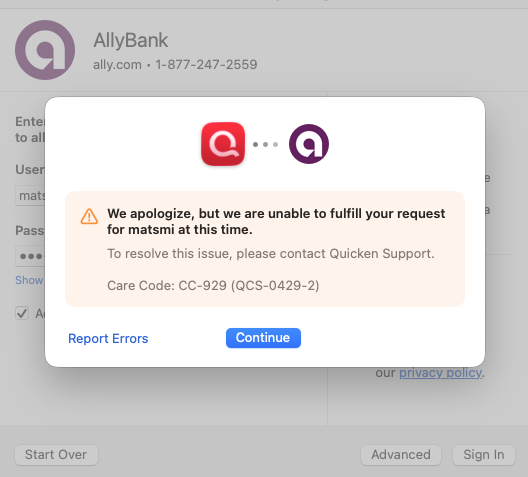
(I did choose to "Report Errors".)
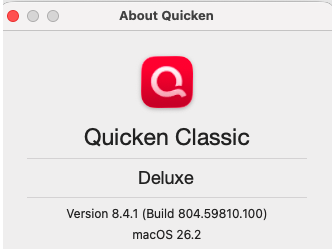
Finally, this shows my Quicken Classic and macOS version numbers:
I really count on keeping my Ally Bank accounts updated in Quicken, so I sure you there is an easy solution to this.
Thank you!
[Edited - Removed Personal Information]

