Quicken Classic Premier for Windows 11, Desktop subscription
Version R65.29, Build 27.1.65.29
I have two AMEX accounts that are both connected to Amex using DirectWebConnect+.
Only one of these accounts is experiencing this issue, which started about 3 weeks ago (Dec 25).
Both accounts download transactions. With one account, reconciles correctly (meaning I go through the list of downloaded transactions, check each on that matches and click "Done". The correct software behavior during the software reconcile is to change the "c" to and "R" update the "Difference" line to "0".
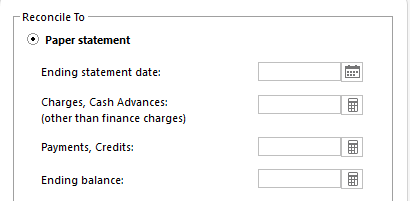
However, with the problematic AMEX account, I check all the matching transactions, but the software shows an increasing out of balance the more matches I check. The statement balance remains at "0". I cannot reconcile. FYI, the account has been used with Amex since 1999.
I've attached a couple of screenshots so you can see what I mean. All of these transactions have been posted to Quicken, so they all match. The statement ending balance should not be 0.
I've performed validate, supervalidate, disconnected and reconnected the DirectWebConnect+, and has not resolved the problem.
Thanks in advance for your help!