I have an auto loan that I've been tracking for 2 years. In the Bill Reminder, each month I've had to adjust the interest that Quicken calculates to match what the bank charges. (not unexpected) But recently I've noticed an anomaly to which I'd like an explanation.
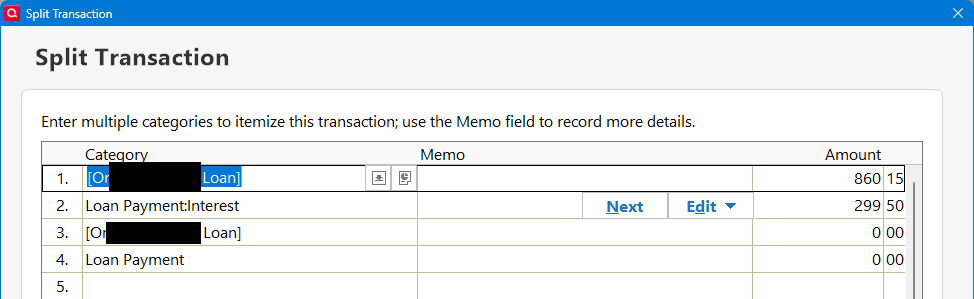
The Reminder for Jan has a split for principle and interest:
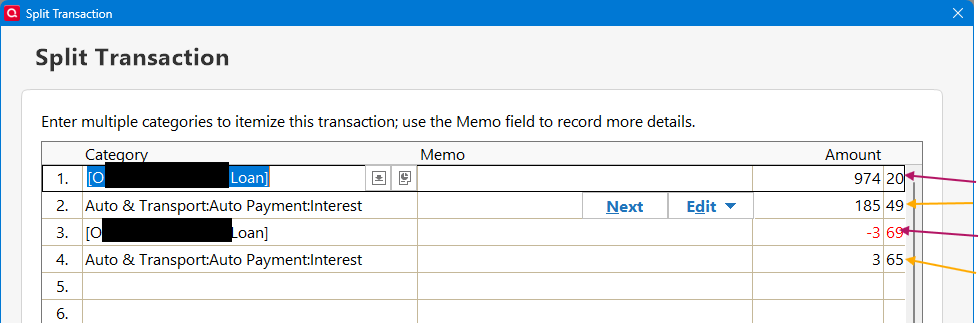
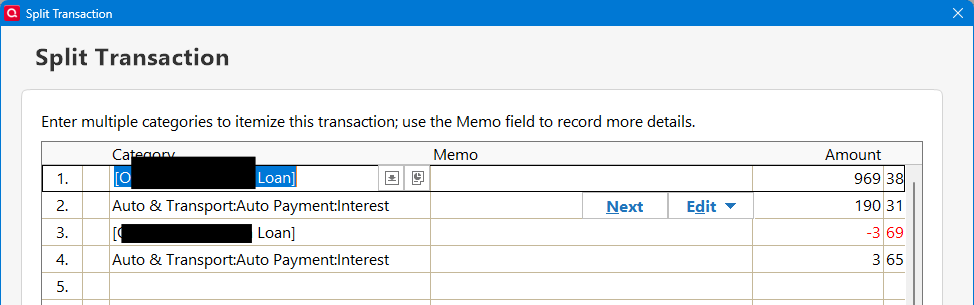
Why does Quicken add the second Principle and Interest lines to the split? How does it calculate the values in those splits?
I then edit the added split lines of the Reminder to make the Principle and Interest match the bank's payment (Q doesn't allow me to change the first two split lines):
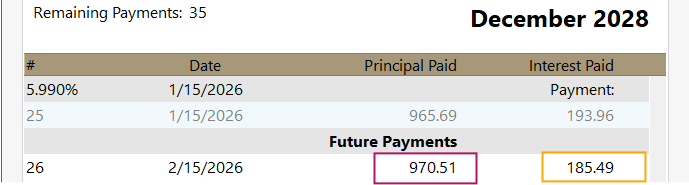
After I Enter the payment into the registers, the Loan Payment schedule show the following payment:

Notice the interest in incorrect. It doesn't include the line 4 of the interest. But it DOES add the line 3 to the principle.
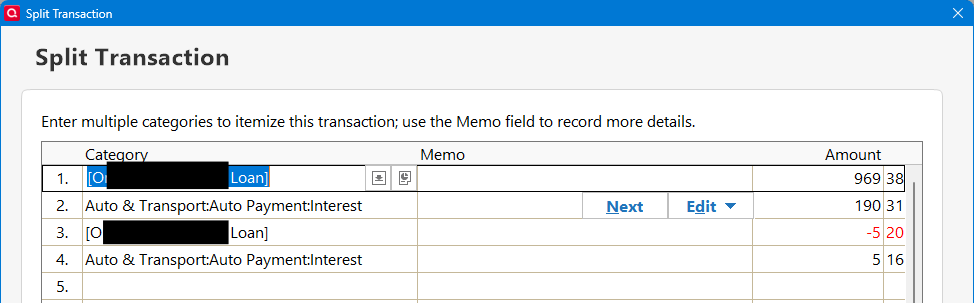
Now that I've accepted the Reminder into the registers, I can go back and edit all lines of the split to match the correct values. And the interest in the loan payment schedule is adjusted to the correct amount.
I've been doing loans for years and have never had this issue. Is this new? Am I having a senior moment? 😏