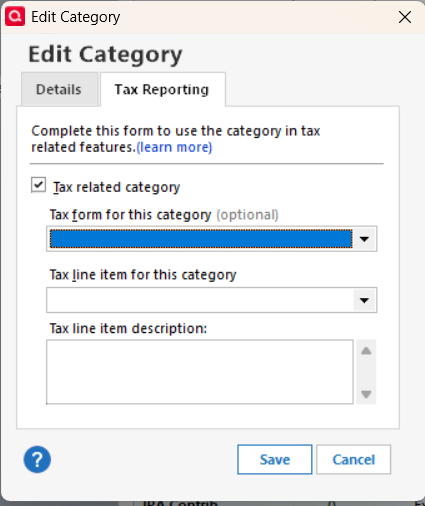
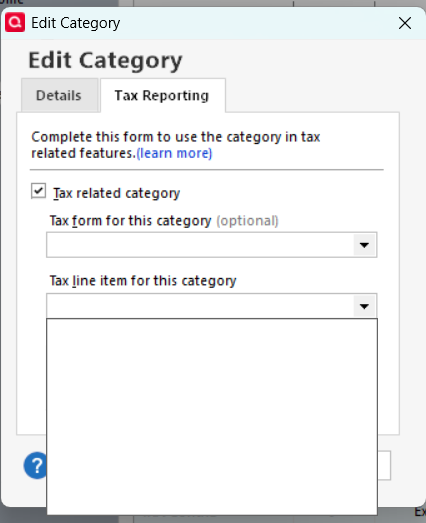
All tax line items for my categories are now blank. ("No tax line item assigned.") I cannot assign a tax item because the tax form and tax line item dropdowns do not populate when I try to edit the category.
The only way that I could get that Blue bar in the "Tax Form" line is by clicking on the down arrow to the right of that box and then selecting the 1st blank, line. Have you tried re-clicking on the down arrow? You can't select a tax line until you've selected a tax form.
Otherwise, strangely enough, this could be an indication of a corrupted Q data file.
SO: Take a backup, just in case, then Click FILE, Validate and Repair, and check "Validate File" and then click OK.
The other possibility is that you might need to re-install Q … but let's start with the easier option first.
"Validate File" did not solve the problem.
Should I just uninstall then reinstall Quicken?
Thank you,
Pierre
Tax form drop-down and tax line drop-down are both blank. And I 'validated and repaired' twice. Still no go. Should i perhaps uninstall Quicken and then reinstall?
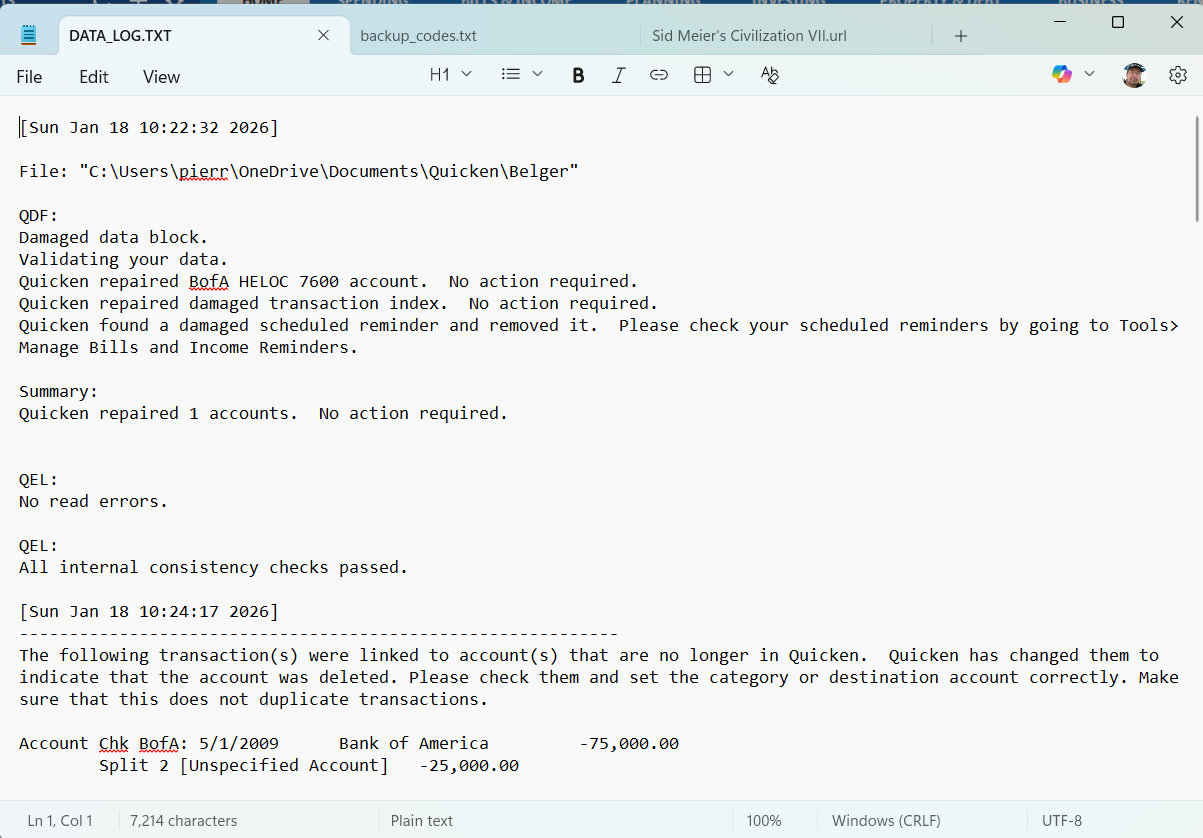
Validate showed a "Damaged data block" message. That means loss of data occurred. And who knows what was stored in that data block …
It might be best if you restored your Quicken data file from an Automatic or Manual Backup taken just before this problem started.
Also, I suggest you get your file out of the OneDrive folder.
I had to uninstall and then reinstall Quicken.
First attempt failed: error message suggested I delete the install directory (C:\blah..blah\Quicken), which I did. Second attempt was the charm.
Tax lines are back and tax reports are correct. Yeah! :-)