Upon turning on Windows desktop and Quicken, all data is gone.
Answers
-
Hello @Jesse Simpson,
Thank you for reaching out! To help troubleshoot, please provide more information:
- What method are you using to open Quicken?
- For instance, are you launching the program from the taskbar, clicking a desktop shortcut, double clicking on your Quicken file directly, etc.?
- When did this issue first start?
- I can see you have multiple Quicken files. Do you maintain multiple files, or is this a result of the problem you're encountering?
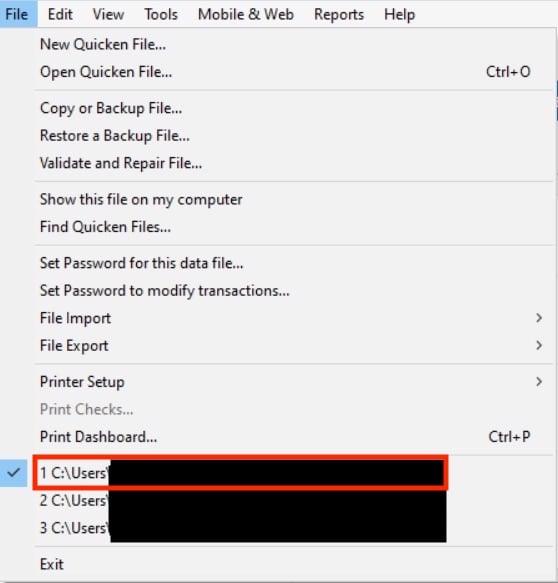
- When your Quicken program opens, are you able to navigate to your file by clicking the File menu option, then selecting it from the list of recently opened files just above the Exit option?
I look forward to your reply!
Quicken Kristina
Make sure to sign up for the email digest to see a round up of your top posts.
0 - What method are you using to open Quicken?
-
Quicken Kristina
Make sure to sign up for the email digest to see a round up of your top posts.
0 -
Hello again,
Checking in once more before this thread is closed. Let us know if you still need assistance.
Thank you!
Quicken Kristina
Make sure to sign up for the email digest to see a round up of your top posts.
0 -
Hello again,
Due to the lack of response, I went ahead and closed this post.
If you still require assistance, please feel free to start a new post.
Thank you!
Quicken Kristina
Make sure to sign up for the email digest to see a round up of your top posts.
0