How do I Add a Prudential account to Quicken Classic?
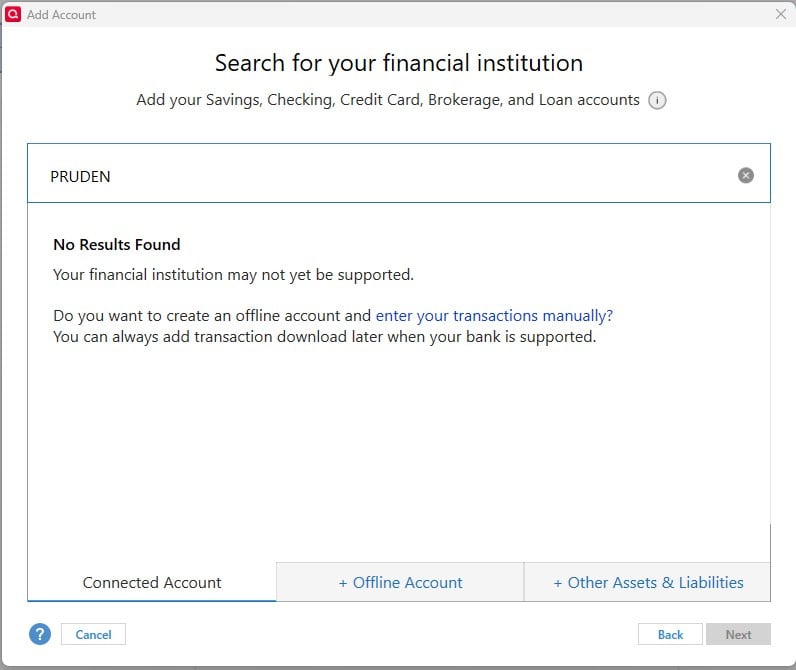
I am failing in my attempt to add Prudential as an account in Quicken Classic, for automatic downloads/updates. When I try to connect my account, and it asks for the name of the Financial Institution, Prudential is not on the list! What should I do?
(i tried upper/lower/mixed case search - nothing works)
Answers
-
If it is not found on that search, then it is not supported unfortunately. This means that the financial institution has chosen to not have any form of download support for Quicken.
You can create an offline account and enter the transactions manually.
Or if they provide an Excel/.csv download, you can download it to your desktop and import it into Quicken, but that process requires you to first edit and change the .csv file format every time to match Quicken's format requirements.
- Q Win Deluxe user since 2010, US Subscription
- I don't use Cloud Sync, Mobile & Web, Bill Pay0
Categories
- All Categories
- 49 Product Ideas
- 35 Announcements
- 225 Alerts, Online Banking & Known Product Issues
- 18 Product Alerts
- 505 Welcome to the Community!
- 673 Before you Buy
- 1.4K Product Ideas
- 54.9K Quicken Classic for Windows
- 16.6K Quicken Classic for Mac
- 1K Quicken Mobile
- 824 Quicken on the Web
- 120 Quicken LifeHub
