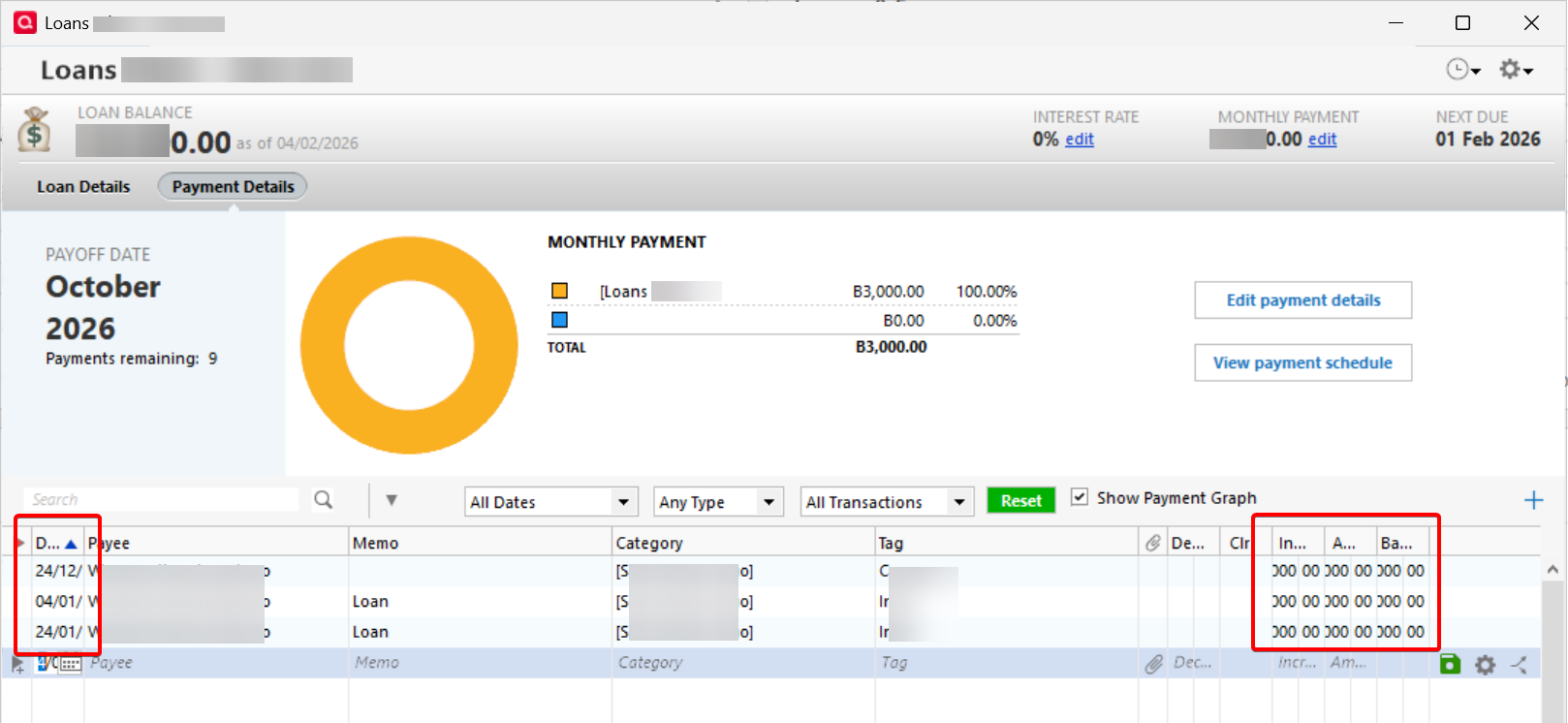
The default column width for Lending Loan accounts is too small. It cuts off dates and amounts. And the program also does not remember the column widths when adjusted.
Quicken should be able to remember register column width settings from one Quicken session to another … unless, I suspect, there's something wrong with your Quicken software installation.
I recommend you do the following, provided you're on the current production release (not a Beta):
Hello @Ingo Dettmar,
We haven't heard back from you in a while. Do you still need assistance? Were you able to give @UKR's suggestion a try?
Check back and let us know! Thank you.
Hello again,
Checking in once more before this thread is closed. Let us know if you still need assistance.
Thank you!
Due to the lack of response, I went ahead and closed this post.
If you still require assistance, please feel free to start a new post.