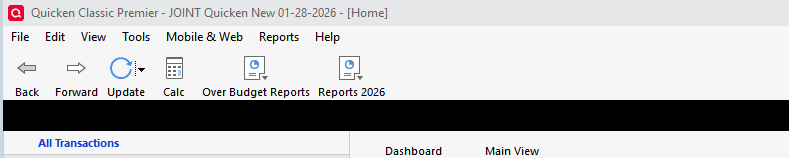
In opening my Quicken files this morning there's a black band across my user interface. I do not recall ever seeing it before. Does it mean anything?
I'm not seeing same in my accounts. SO, does anything happen if you click, or right-click, in it?
Did anything change if you close and re-open Q?
You might also try clicking VIEW, and seeing if any of the options there changes things.
Failing all else, you might try taking a backup and then Validating your Q data file. It's sometimes surprising how things in the data file, that aren't actually data, can impact the presentation in Q.
[EDIT] After playing around a bit, I think that might be the TABS bar … but I don't know why it would be all black with no lettering in it. So, continue with the above suggestions [/EDIT]
Hello @acs2,
Thank you for sharing what you are experiencing with us.
In addition to what @NotACPA offered. I have seen this happen before, if/when Quicken doesn't get closed and/or is left open. When you drag your mouse across that section, do the colors come back?
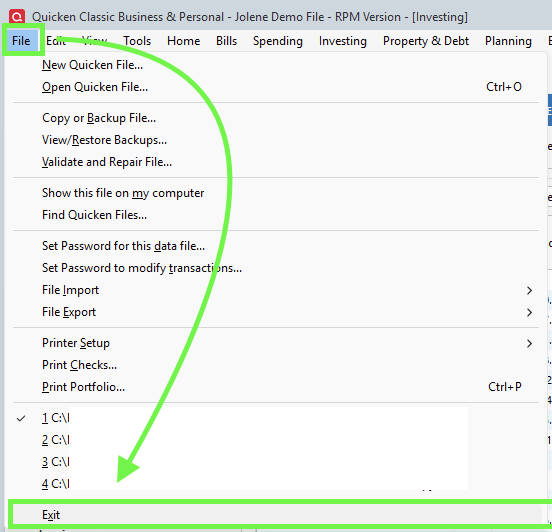
Please try going to File>Exit.
Leave Quicken closed for a few seconds and then reopen it. Is the black line still there?
Looking forward to your response!
This is very odd. This morning I opened and closed 2 quicken files a few times and the black band was there each time. Right and left clicking did nothing.
I have three quicken files and I opened each tonight and got:
No band on two of them
and on the third. This advertisement for storing data on line. When I X'ed it did not disappear but was gone on the next open
The band before all of this started was green as I recall and had Tabs but these are missing
Arthur
I have determined an event that is related to the black band issue. The Black has gone away but there is still a Band overlying the same region as the black band as in this view. It's just no longer black. Notice on the far right there is an X. Selecting that X does nothing. Also, you cannot see it but just under the X there is a dot. That dot is the bottom of the wheel that lists actions such as reconcile. What I then determined is that the Band area is used for alerts and messages such as research, Information etc. When I unchecked all of those options the band disappeared and the wheel returned as you can see on the far right
I have now rechecked the alerts and messages options and await the next Quicken posting to that field to see if the problem returns. It started just after one such message.
@acs2,
Thank you for following up and providing additional information.
Your investigation is thorough, great job troubleshooting this! Keep us posted on whether or not the issue returns now that you have turned alerts back on.
Thanks again!
Just checking in, we haven't heard back from you in a while.
Do you still need assistance?
Thank you!
Alyssa
thanks for reaching out. The bar issue has not returned.
thanks
Thank you for following up to let us know this issue has not returned.
If you need more help, you know where to find us.