Away for three weeks. Quicken was working almost fine. Now none of my Fidelity accounts will download.
Sorry title is incorrect. Should be Fidelity files.
Hi @es114,
Thank you for reaching out. We’re glad to help you with the issue you’re experiencing when downloading transactions from Fidelity.
To help us understand the issue, please let us know if you’re seeing any error messages when updating your accounts. If so, sharing the exact message or code will be very helpful.
In the meantime, here are a couple of troubleshooting steps that often resolve download issues:
After signing back in, try updating your Fidelity accounts again.
Deactivate account:
Reactivate account:
These steps refresh your connection and often clear up download problems.
I’ll be waiting for your response so we can continue working on this with you.
@es114 When you do TOOLS, Account List … what shows in the "Transaction Download" column across from your Fidelity account(s)? Also, the "Last Download" and "Financial Institution" columns?
I reset many accounts including fidelity. Much too time consuming after many hours originally adapting to EWC+. Fidelity has many additional errors now that will take additional hours to reconcile.
We’re sorry for the inconvenience you’re experiencing after resetting your accounts.
If you’re now having trouble reconciling, we recommend first checking that all transactions downloaded correctly, missing or duplicated entries can easily cause discrepancies.
If everything looks correct but the account is still significantly off, adding the accounts as new can help Quicken pull in accurate balances and start fresh. (Please make sure to create a backup before doing this.)
You can also reach out Quicken Support, as they can quickly review your file with you and help identify any remaining discrepancies that need adjustment.
If you need anything else, we’re here to help!
And once again this morning Quicken won't download any accounts from Fidelity.
I am sorry to hear that your Fidelity accounts are once again failing to download transactions.
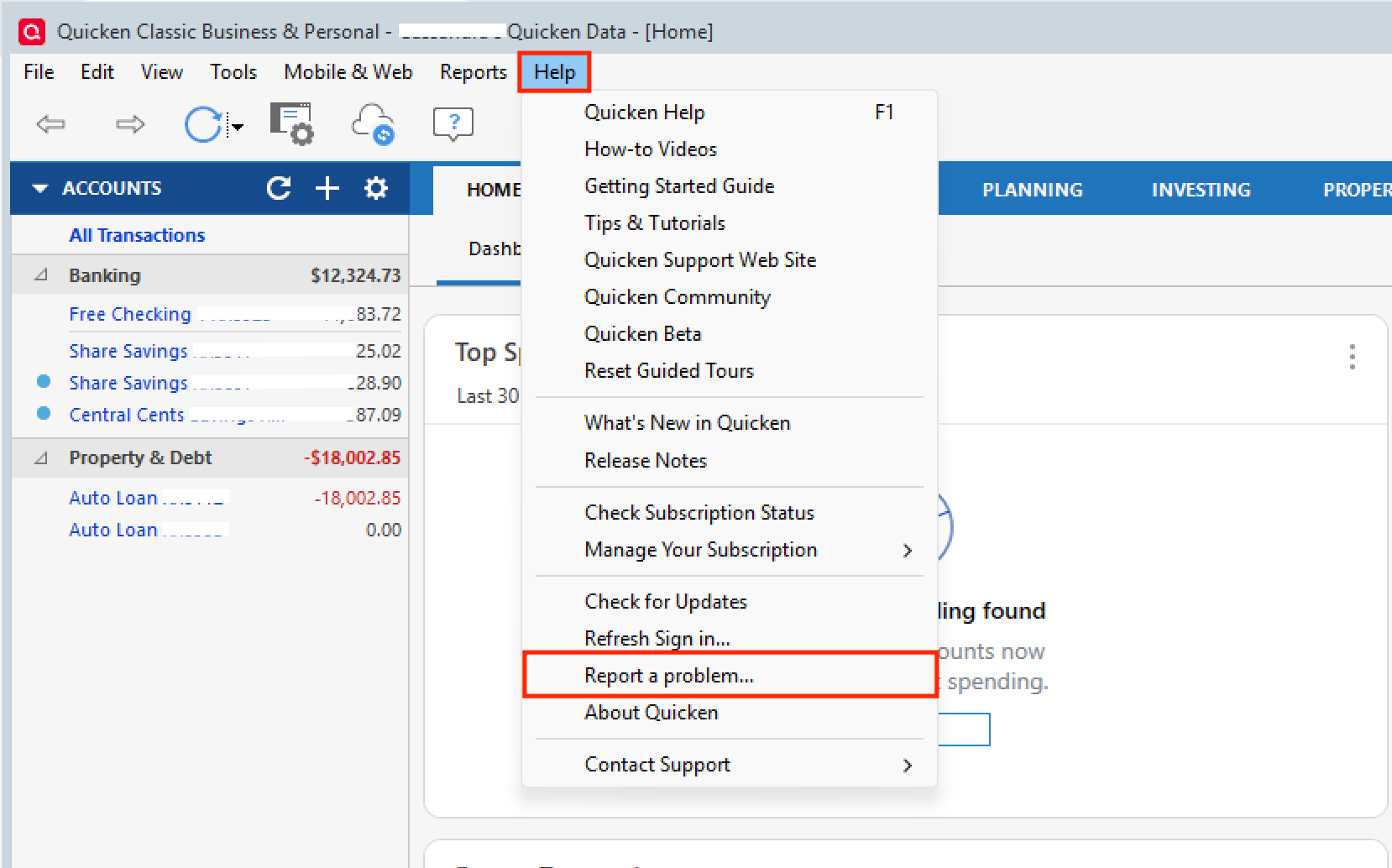
Are you receiving any error messages when updating your accounts? If you are receiving an error, please let us know what the error is and report it viaHelp > Report a problem.
Please also let us know if all your accounts have been affected, or only certain accounts, and the type of accounts that have been affected (brokerage, retirement, etc).
I look forward to your response.
I had several transactions at Fidelity that posted on 2/13 and downloaded on 2/14. 1st date shown is when I executed the txn, 2nd is "Downloaded Posting Date".
As of this morning, it appears I'm no longer getting CvrSht transactions. They downloaded as the actual type of transaction, but it still said "unidentified security." All were dupes I deleted. Before I could download I had to reauthorize all my accounts since I restored many times since the 10th. My balances seem to be OK, but I don't look forward to downloading again tomorrow. I have backed up the file today as it was corrected.
This is a major problem to those of us who heavily rely on Quicken - and I've been using it since the early DOS days. I haven't seen it ever be this bad.
There were never any error messages. Quicken could not download any accounts. First time this happened I had to reset all accounts. Then it happened again and reset all accounts again. Had to clean up erroneous data from Fidelity that took hours. Am whole again. But very frustrated and disappointed.
Hi @es114 & @Mary T,
I'm sorry the previous steps didn't work for you, and thank you for letting us know you are not seeing any error messages.
To be 100% sure whether it is a connection or file error, you could try creating a new file and adding your Fidelity accounts by following these steps:
Create New File
Add account
Once your accounts are connected, check whether they show your updated transactions and correct balances. If everything looks good in the new file, you can continue working with it.
Thank you for sharing your information with us @Mary T. The issue with transactions being downloaded as “unidentified security” is known, and our escalation team is already working on it. You can also refer to this alert for further updates on the case.
If you have more questions, please let me know!
this will not work for me. I don’t want to lose legacy data.
I completely understand your concern about not wanting to lose your historical data; that’s absolutely valid.
Creating a new file was suggested as a troubleshooting step only, but it’s not required if you prefer not to proceed that way. As an alternative, you may consider restoring a backup from before the issue began and then updating the affected accounts again.
We’ve also checked on our end, and everything appears to be properly connected with no errors detected, so your accounts should be syncing correctly.
If the issue persists, I recommend contacting Customer Support so they can work with you directly to review and correct any discrepancies and help ensure your balances are accurate.
Please feel free to reach out if you have any further questions or need additional assistance.
I fear I have a corrupted file. So I ran a test file for fidelity which’s appears to be accurate. Not sure if I can trust the legacy data in the original file.
is there a way to restore historical data without copying and pasting individual transactions? What I’m interested in is loading quarterly historical data from Fidelity in the aggregate, not even by account.
At this time, there isn’t a way to move only a specific date range of investment transactions from one Quicken file to another without running into errors.
If you restored a backup from before the issue began and suspect the file may be corrupted, I recommend validating the data file. This clears errors and helps to fix possible file corruption.
If you still want to make sure you create a clean copy of the file up to a specific date, you can try the following (this process affects all accounts and you may need to adjust some balances.).
Step 1: Start the copy process
Step 2: Choose what to include in the copy
Step 3: Nave and save the cpied file
Under Where would you like to put the new file?:
Do not include the .QDF extension in the name—Quicken adds it automatically. Avoid using any of the following characters: * ? < > | " : \ /
When you're ready, click Save Copy.
Step 4: Update accounts
Please let me know how it goes!
Step 1: Start the copy process 1. Go to File > Copy or Backup File. 2. In the Backup or Copy File window, under Advanced Options, select Create a copy or template. 3. Press down Ctrl + shift 4. While you are still holding Ctrl + Shift, click Next.
Step 3: Nave and save the copied file - Under Where would you like to put the new file?: - Choose a name and location for the copied file.