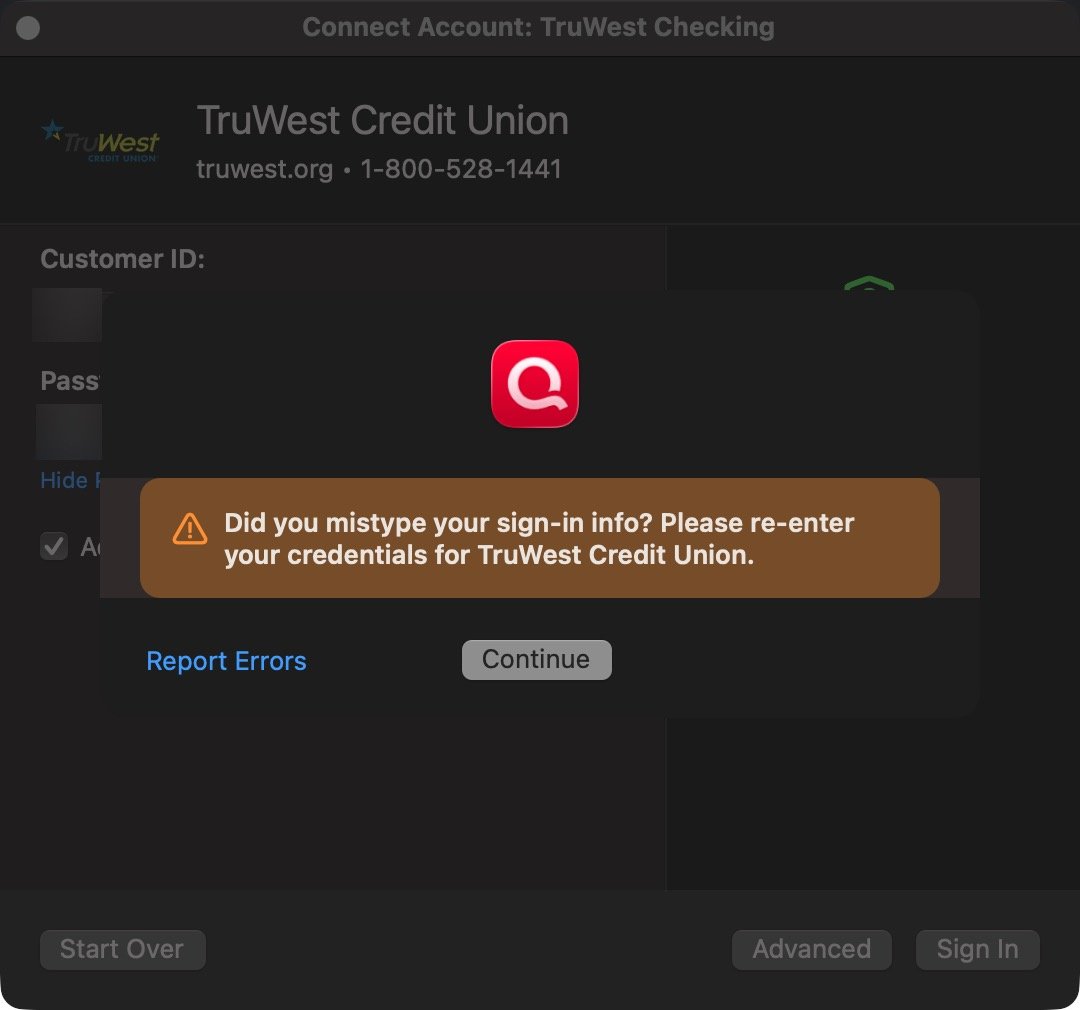
First thing, a few days ago TruWest forced a password reset and added additional complexity requirements. I did double check my TruWest account that I am still enrolled into "Direct Connect for Quicken and QuickBooks".
However, when I try to log into my TruWest accounts in Quicken I get the below error (I have also sent in this error into Quicken via the app). I get this error straight off the bat, so it isn't like I am trying to type my password multiple times and failing. I then have to go and reset my password in TruWest. After the reset (I have tried multiple times) I try again in Quicken and I get locked out again, after 1 try.
Also, why isn't the error that you get on the clip board not in the actual Quicken UI popup? It says to reenter but the messages clearly states the account has been locked. What is the point of Quicken UI stating to "retry" when that clearly isn't possible?
error #1
level: (null) (Debug = 0, Critical = 6)
description:
An incorrect password has been entered several times in a row. For security reasons, your account is now locked. Please contact your financial institution. (OFX Error: 15502)
suggestion:
Maximum invalid signon count exceeded. Please contact your financial institution for assistance.