I can only get out of the lockup by going to task manager and shutting down the program. I get an error message saying can't transfer into account prior to a placeholder transaction (even with accounts that don't have that)
Placeholders are typically hidden, so you probably do have them.
Click EDIT, Preferences, Investments and check "Show Hidden transactions" to display them.
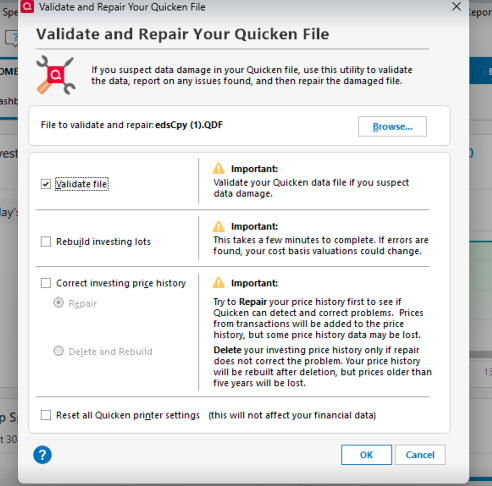
IF, there are truly none, then you've probably got a corrupted Q data file. Have you tried taking a backup and then Validating your file?
Hi @dfmeyer
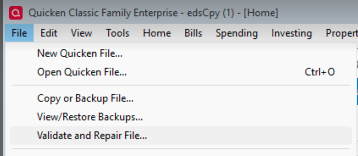
Thank you for taking the time to share this information with us. If deleting placeholders does not work, you can follow these steps to validate the file. Most of the time, this clears errors and helps to fix possible file corruption.
If validating the file doesn't fix the issue, you can restore a backup from before the problem started with the following steps:
I hope this helps!
Hi @dfmeyer,
I just wanted to follow up since I haven’t heard back from you. I’m checking in to see if you still need assistance.
@dfmeyer,
Hello again, checking in once more before this thread gets closed. If you need assistance, let us know.