Well………….good ole error OL-297-A is back. Any other Regions customers having this issue again? I think this breaks around this same time every year.
Hello @ChrisBiggers,
Thanks for reaching out! The OL-297 error in Quicken typically occurs when Quicken cannot establish a secure connection to your bank’s servers. This doesn’t mean your internet is down—you may still be able to log in to Regions’ website directly.
This error often happens around times when banks update their security settings or perform server maintenance, which can temporarily prevent Quicken from connecting.
Please follow the steps below that usually help resolve the issue:
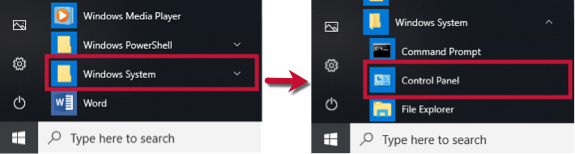
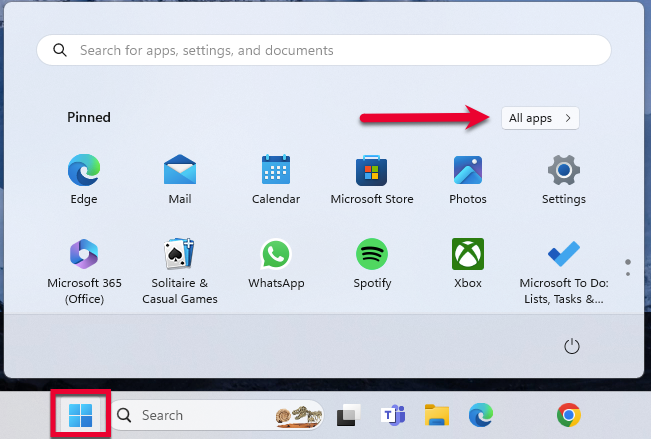
1. Click the Start button and select the Control Panel.
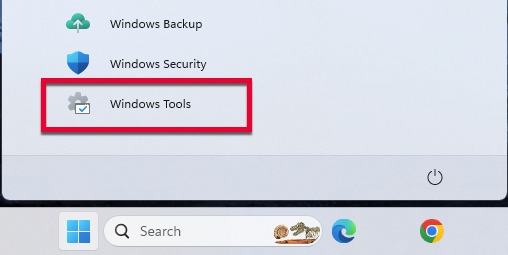
Then, go to Windows Tools and select Control Panel.
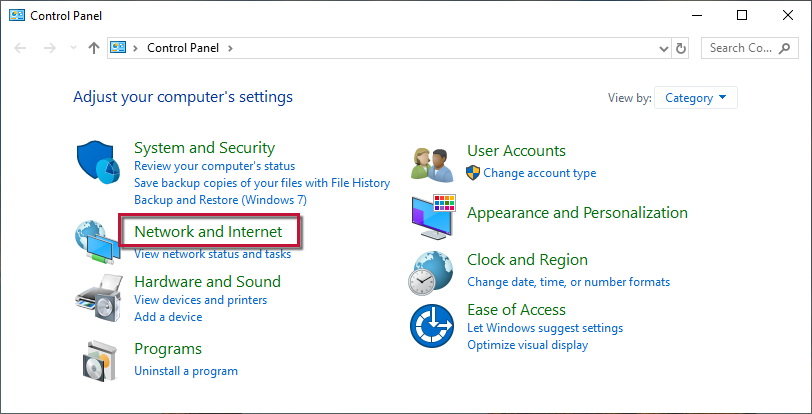
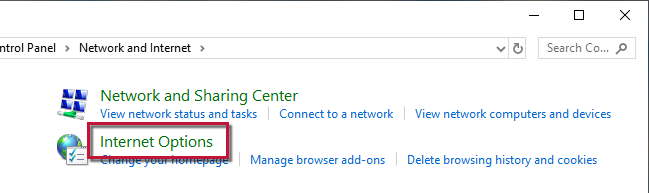
2. Select Network and Internet, then Internet Options.
3. Go to the Advanced tab.
4. Scroll down to the Security Section.
5. Verify TLS 1.2 is checked.
6. Click Apply, then OK.
7. Try your update in Quicken again.
If updating the Advanced settings does not resolve the error, follow the additional steps below.
Check your system date and time settings
Restart your computer
Reconfigure your firewall
If only one bank is showing this error, it's likely a temporary issue; if this is the case, wait until the next business day and then try to update again.
In the meantime, make sure the settings are correct for accepting cookies.
2. Select Network and Internet...
...then Internet Options.
3. Select the Privacy tab.
4. Click on the Advanced button.
5. If available, check the Override automatic cookie handling option.
6. Confirm that First-party and Third-party Cookies are both set to Accept.
7. Press OK, then Apply and OK again.
8. Close Internet Options and try updating Quicken again.
If the issue persists only with Regions, it is likely temporary. Since Quicken does not have access to the bank’s servers, you will need to contact Regions’ Online Services support for assistance. Ask to speak with a representative who handles transaction download issues. Sometimes a brief escalation is required if the standard support team cannot resolve it.
Thank you!
I have been through those settings. This has worked for several months and then it will stop working. It seems to do this every year around the first part of the year.