This discussion was created from comments split from:
Fidelity Account Balances Wrong and can No Longer Authorize
.
Transactions in 3 or 4 Fidelity Accounts have been missing in my Quicken downloads though visible at the Fidelity site. This started coincident with the messed up and theoretically now resolved short/transactions for cash issue and despite all my efforts resetting etc. some transactions haven't appeared after Feb 13, 17 etc depending on the account. Others have updated. I'm on the verge of calling support, but have been occupied and can't tonight. [Removed - Rant]
Hello @Mark D,
Thank you for letting us know you're encountering this issue. To troubleshoot missing transactions, I recommend you start by following these steps from our article on missing transactions/transactions not downloading:
Be sure to follow these steps in order:
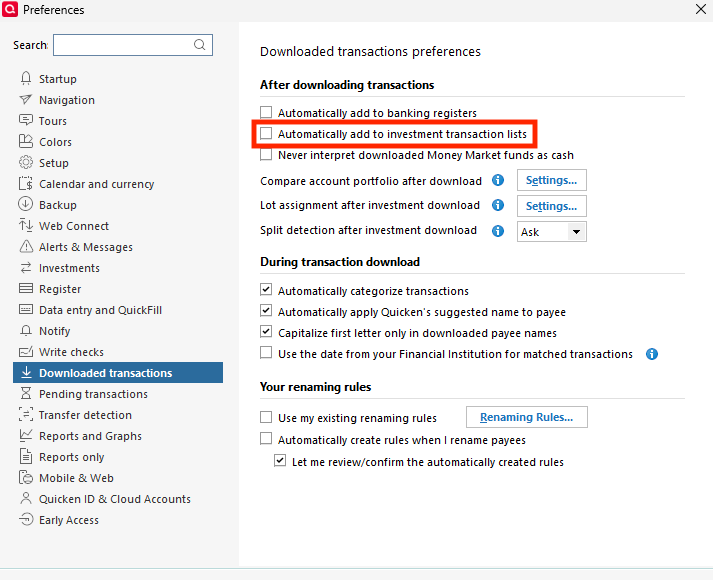
1. Go to Edit > Preferences > Downloaded Transactions. The option Automatically add to investment transaction lists needs to be unchecked.
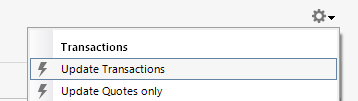
2. Refresh your online account information by clicking the Actions Gear Icon on the upper right of the register, and select Update Now. Follow the on-screen instructions to complete the update.
3. Confirm that the Sort Order in your account is by Date; just click the top of the Date column in your account register. It's possible the transactions are in your register, but not where you thought they'd be.
4. Try refreshing your login session: To do this, go to Help > Refresh Sign in. After completing the log-in process, trying running a One Step Update again.
5. Go to Tools > Account List and check Show Hidden Accounts at the bottom left. Confirm the missing transactions haven't been added to a hidden account by clicking on the name of any account that appears with a check mark in the Hidden column.
Please let me know how it goes!
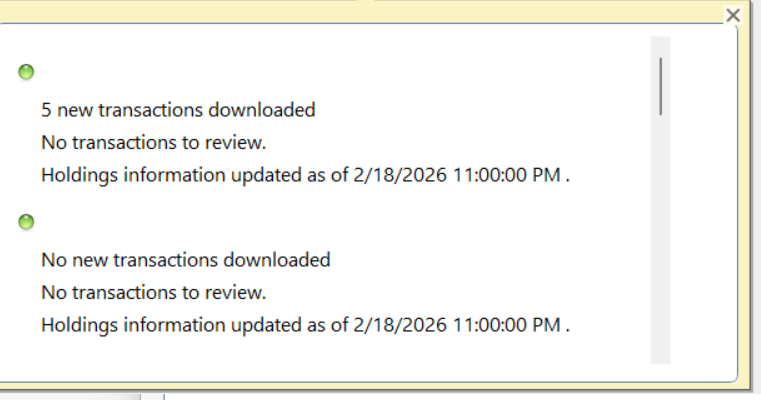
Thanks for your effort, but no joy here and meanwhile Fidelity data stream has many more new transactions since February 18 at 11:00 p.m.. See attached which was the message after attempting your steps yesterday 2/26/2025 and thought it says for one account that there were new tranaactions, none of them appeared to review and none that have been missing are in the different Fidelity account registers. Meanwhile just teste it again today as I know that there are many more end of month trades etc from yesterday. Now I'll make time for a support call.
Thank you for the follow-up,
There is currently a known issue with new transactions not downloading. Per the Community Alert, linked below, it's recommended that you contact Quicken Support directly for further assistance, since they have tools we can't access on the Community and they're able to escalate the issue as needed.
The Quicken Support phone number can be found through this link here. Phone support is available from 5:00 am PT to 5:00 pm PT, Monday through Friday.
I apologize that I could not be of more assistance!
(Ticket #12255818)