Quicken for Mac Error Code "Care Code: CC-929 (QCS-0429-2)"
Error just started appearing when attempting to connect to Edvest 529. I can successfully login to the service website, and no changes to credentials have been made. I was able to connect successfully a few days ago prior to this error. I suspect there is a connection issue between Quicken Connect and the vendor.
Comments
-
Hello @TechConsumer,
Thank you for reporting this issue.
After reviewing your connection internally, I can see that you are getting an internal FDP-103 error. This error occurs when your financial institution tells Quicken that your login credentials are incorrect or there are outdated login credentials stored in Quicken for Mac and/or the Keychain app.
First, you will need to deactivate all the accounts with the affected financial institution:
- Open Quicken.
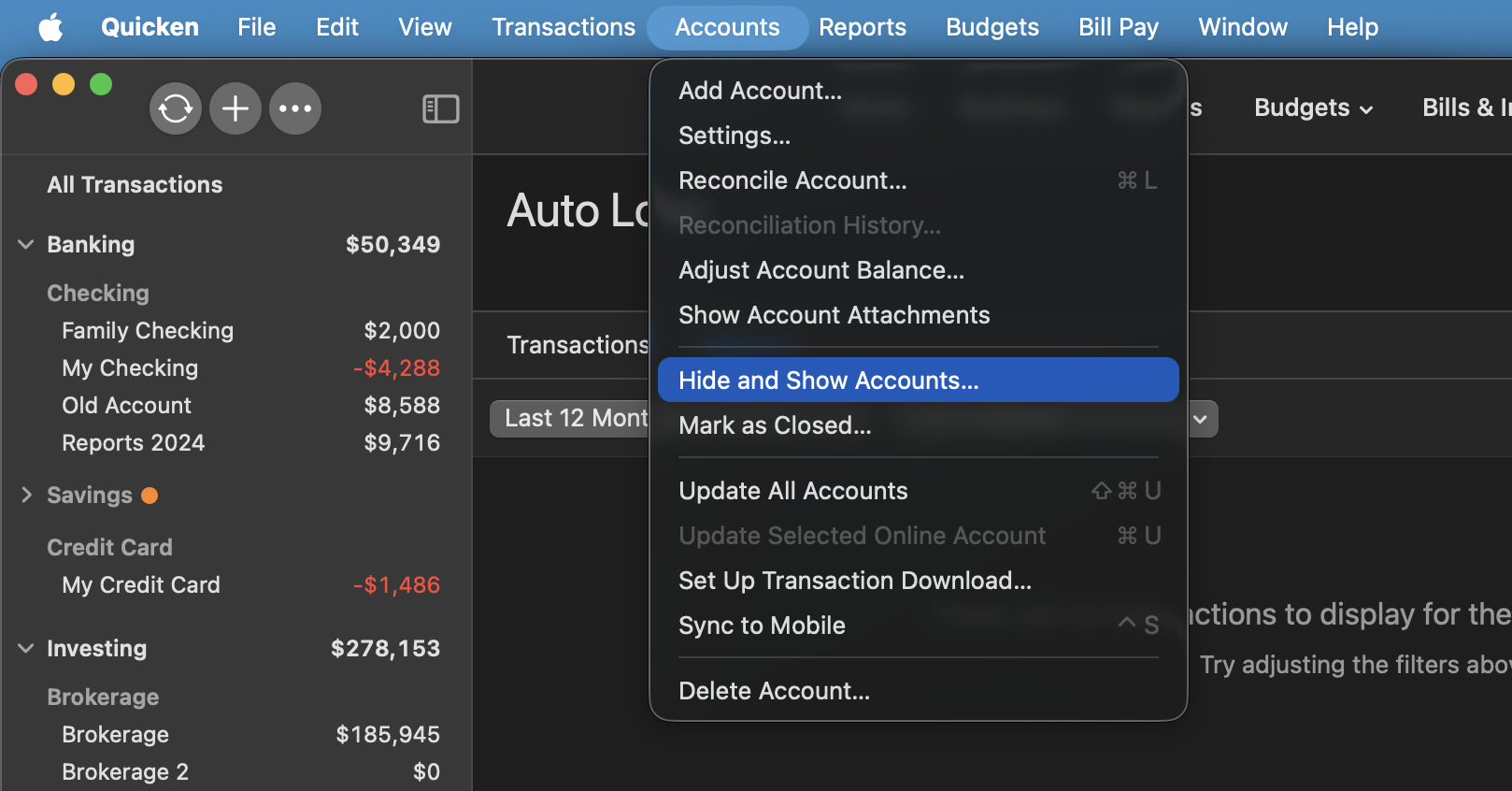
- Go to the Accounts menu and choose Hide and Show Accounts.
- Uncheck any accounts with this specific financial institution (FI) that are hidden in Lists.
- When complete, click on the account name for your account(s) in the Accounts toolbar in Quicken.
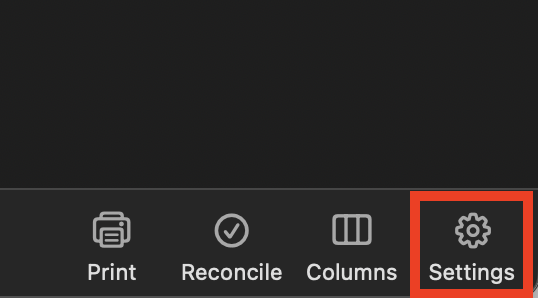
- Click the Settings icon in the bottom right corner of the screen.
- Select the Downloads tab.
- Click on Disconnect Account.
- Click Done. Do this on each account with this FI.
- Quit Quicken.
Second, delete Quicken passwords from the Keychain:
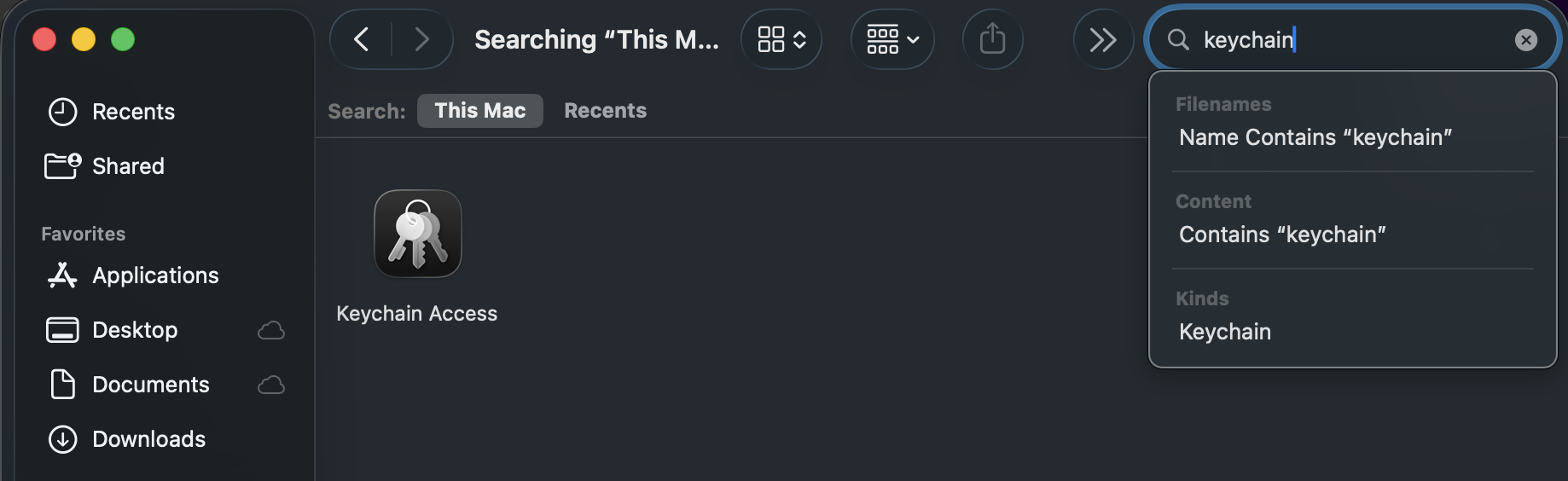
- Open Finder and type "Keychain Access" into the Search bar in the upper-right corner.
- Double-click the Keychain Access icon in the Finder window.
- If prompted to open the Passwords app, select Open Keychain Access instead.
- On the left panel in the Keychain app, set the Keychains to login and the Category to Passwords.
- Find and delete any entries that show Quicken or Quicken Connect and this FI name.
- Quit the Passwords app and open Quicken.
Third, re-add the accounts:
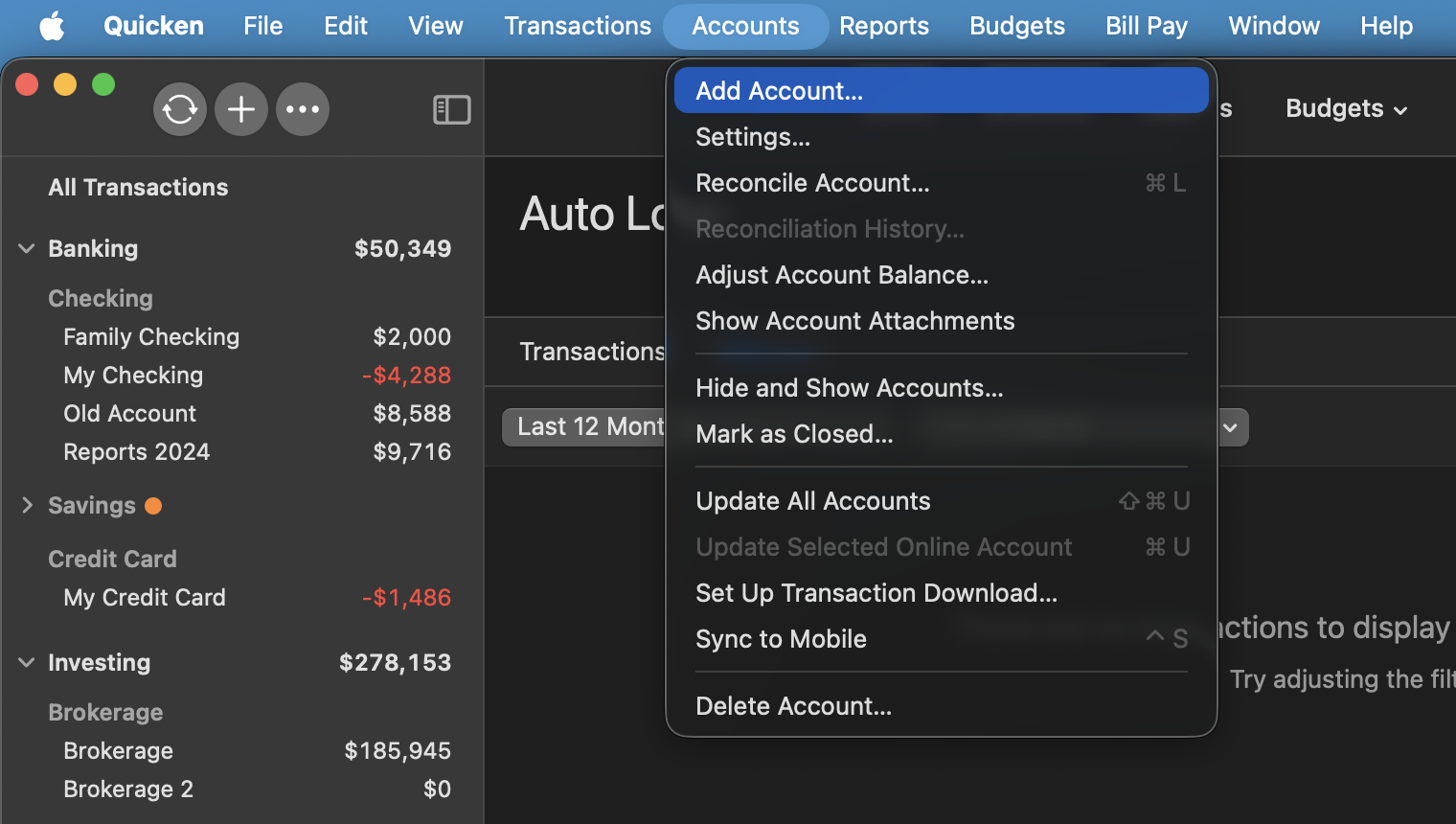
- Go to Accounts > Add Account.
- Type the name of the financial institution and make the appropriate selection.
- Enter your login credentials and click Continue.
- When Quicken has returned all accounts discovered for this FI, very carefully LINK each of the found accounts to the appropriate account you already have set up in Quicken.
If the steps above do not resolve the issue, please contact Quicken Support directly for further assistance.
Thank you!
-Quicken Anja
Make sure to sign up for the email digest to see a round up of your top posts.0
Categories
- All Categories
- 59 Product Ideas
- 34 Announcements
- 239 Alerts, Online Banking & Known Product Issues
- 19 Product Alerts
- 511 Welcome to the Community!
- 679 Before you Buy
- 1.4K Product Ideas
- 55.3K Quicken Classic for Windows
- 16.7K Quicken Classic for Mac
- 1K Quicken Mobile
- 828 Quicken on the Web
- 123 Quicken LifeHub