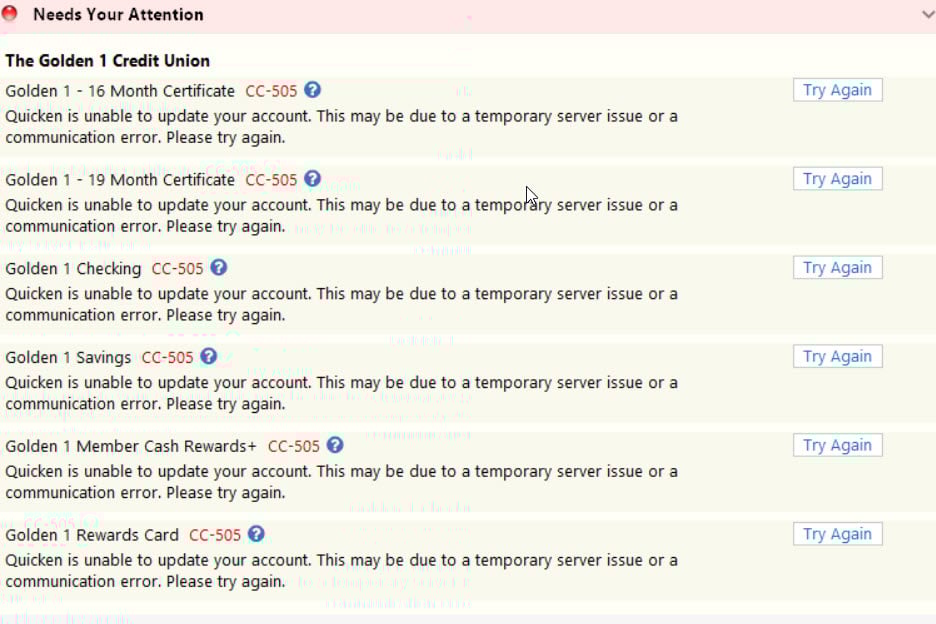
My Quicken is not being updated from my Golden One Bank since Golden One upgraded. Is there a trouble ticket open so your team can try and work with Golden One to get this connectivity back up and running? Thank you, Ann
Since Golden 1 did their upgrade last weekend, they have broken their connection with Quicken. I am receiving an error CC-505 Quicken is unable to update your account. This may be due to a temporary server issue or a communication error. Please try again. I have been trying for 5 days with no results. I am on Windows. All updates are current and it is on Release R66-18. Everything was fine until Golden 1 did a huge update. They took their system down on Friday at 5 PM and at about 5:20pm I could no longer do an update in quicken and connect with Golden 1. All of my credit cards are updated normally. Just not Golden 1. I have sent in two tickets to Quicken with no response from them. I have notified Golden 1 several times with no response from them.
Any comments or suggestions are appreciated. Again this started on Friday, 2/25/26. If it is a Golden on issue, let me know and I will start again with them. I just want what I pay for to work! Thank you
I am having the same problem. It has been 5 days and I can't get an answer from Golden 1 or Quicken. Can someone help, please.
Hello @AFNCLF & @caggergaard,
Thanks for sharing the details.
Upon checking your connections on our end, I can see that you're both receiving a FDP-105 internal error which presents as a CC-505 error in-product.
The CC-505 error occurs when Quicken is unable to communicate with your bank’s servers. Even if you can log into the bank's website directly, this error usually indicates a temporary issue on their side or a block on the server that Quicken uses to download transactions.
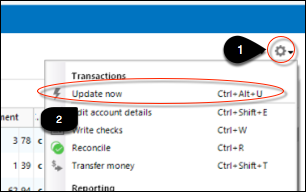
Here’s what you can try:
If this continues for more than 48 hours despite following these steps, it would be recommended to contact Quicken Support so they can assist further or escalate the issue. However, please note that we do currently have this open Community Alert with this financial insitution as well.
Additionally, we do currently have an open Community Alert for this financial institution. While the alert references a different error code than the one you’re experiencing, I want to make you aware of it because even if the CC-505 resolves, you may potentially encounter the CC-511 error mentioned in the alert. That issue is actively being worked on; however, there is no ETA available at this time.
Hope this helps!