This discussion was created from comments split from:
Bank of America is transitioning accounts to a new connection method.
.
Received the notice Bank of America no longer supports quicken downloads directly to the app and there is a new method. I read the quicken support file and images, but where do I start? Thru my Quicken app, Quicken website, or thru Bank of America website?
Hello @rlbrown48,
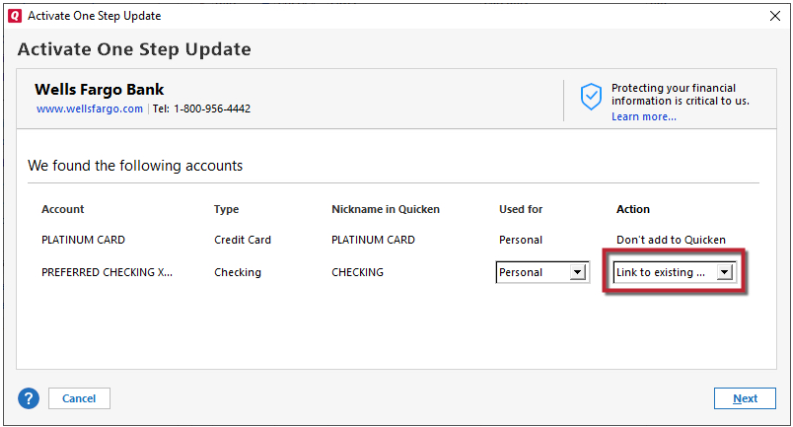
Thank you for reaching out with this question! You would start the process in your Quicken file. First, backup your file. Then, deactivate your Bank of America accounts. Once the accounts are deactivated, go to Tools>Add Account and follow the prompts. When you get to the Add/Link screen, make sure to carefully link your accounts to the correct nickname in Quicken.
Please let me know how it goes!
We haven't heard back from you in a while. Do you still need assistance?
Check back and let us know! Thank you.
Hello again,
Checking in once more before this thread is closed. Let us know if you still need assistance.
Thank you!
Due to the lack of response, I went ahead and closed this post.
If you still require assistance, please feel free to start a new post.