This discussion was created from comments split from:
CC-601 Error - Fidelity Brokerage Accounts not updating.
.
@quicken Laura … This morning when I tried to connect, I got this message for all 8 Fidelity accounts "There is a problem downloading transactions for this account ('account name'). (1006)". Fidelity has money market accounts that can be a core or cash account and money market accounts that can't. The core account shows up as cash but the amount does not match what Fidelity shows. The positions for money market FZDXX which is not treated as a core/cash account (it appears as a security) no longer appears. Accounts with only that position show a 0 balance.
After getting the 1006 messages, I reconnected my accounts and once again the FZDXX positions disappeared and my cash balance wound up with a value that does not match Fidelity. Now I have to restore from a backup which will bring me to QDATA 9. There appears to be multiple problems at play…connectivity and accuracy of applying updates. This is taking up way too much of my time and I am getting close to abandoning Quicken after being a loyal customer for over 30 years. At this point I feel like Quicken has abandoned me as it is of no use to me in this state.
@Quicken Laura just to clarify, the cash positions at Fidelity are identified as cash held in a money market. They have been showing up in Quicken as cash, not as a money market security. At some point in the past they were shown as a security.
Hi @jblevy01
Thank you for clarifying how Fildeity and Quicken handle your cash balances. I’m sorry to hear that this has been frustrating; I understand how challenging it can be when accounts don’t behave as expected.
To help determine whether this is a connectivity or file-related issue, could you please create a test file and see how the information downloads in a brand-new file? This will not affect your existing data, though it’s always a good idea to save a backup before trying something new.
* ? < > | " : \ /
Please let me know how this test goes. This will help us identify the best next steps to resolve the issue.
@Quicken Laura I created a new file and connected 7 Fidelity accounts…6 brokerage accounts and 1 credit card account. The credit card updated fine. All 6 brokerage accounts contain a position in the FZDXX money market; however no cash positions. The FZDXX, a money market security (not a core or cash position), was converted to a cash position. This should not happen. It would seem that Quicken is assuming that all money market securities get treated as a cash position, and not just the core account cash position. Other stock positions came across fine. I'm not sure how the connection will treat a core account cash position, although, my last attempt at updating had a cash position after the update that did not match Fidelity and did not include the FZDXX value despite the FZDXX position being deleted. So in my regular file, FZDXX does not get added to cash where in my test file, it does. Let me know if you require any additional information.
@Quicken Laura I have another account at Fidelity that I don't normally include in Quicken but has an FZDXX position and a core cash position. When I added that to Fidelity it combined the amounts and added it as cash to Quicken and deleted the FZDXX position. It would appear that Quicken is assuming all money market securities are cash.
@Quicken Laura I suspect that this is what is happening…
In the test Quicken file, the FZDXX value is converted to cash and posted in the account so no security position gets posted. In my real file, it is not converting it to cash because it already exists and just deletes it wiping out the balance.
Hi @jblevy01,
Thank you for taking the time to test your account in a new data file and for describing what occurred in both files after updating the accounts. That information is very helpful.
If Quicken is now treating your Money Market account as a cash-only account, I recommend keeping it set up that way so the balance can update automatically when you run One Step Update. Otherwise, you would need to update the FZDXX security manually.
Since the balance in your original file is not reflecting the correct security value or cash balance, you can manually adjust the cash balance. Once corrected, Quicken should continue updating it properly going forward.
Before making any changes, please create a backup of your file. Then follow these steps to adjust the cash balance:
Please let me know how it goes!
@Quicken Laura Fidelity treats FZDXX as a security, not a cash account. Moving money in and out of the account requires buy and sell transactions. They use a different money market to represent cash. They used to allow you to pick which money market was used for the core cash account from a list, and FZDXX was not on that list. I am not interested in manually maintaining the position in FZDXX. In my live QDATA file, Quicken is not adding the FZDXX balance to cash, and I believe it has something to do with the position existing in Quicken, where in the test file it did not exist before the update. After a restore, the FZDXX position is shown in my QDATA file. When I run an update, it disappears and does not get added to cash. I am also not interested in starting fresh with a new QDATA file, as I only get activity back to 2024. My live QDATA file goes back to 1993.
This issue started when you migrated Fidelity to the new connection type. Are you telling me that Quicken has no plans to fix this? If that is the case, then I will have to discontinue my subscription. My understanding is that I can continue to use Quicken, but will not be able to do online updates from my institutions. That is basically where I am now with this bug. Please advise me as to how Quicken is going to address this issue.
[Edited Readability]
@Quicken Laura Just an FYI … In my accounts, Fidelity uses either FZFXX or SPAXX as the money markets behind the core cash position, and I still have the ability to switch between those or a pure cash position. FZDXX is still not eligible to be a core cash position.
Thank you for coming back. I completely understand your concern about potentially losing information or not being able to properly update your accounts through automatic downloads.
I checked your account and it appears that log files were submitted a few days ago. However, I would appreciate it if you could send a new set of logs from the original data file so we can forward the most recent information to the appropriate team for further investigation.
To send your logs, please follow these steps:
Once submitted, please let me know. I look forward to your response!
@Quicken Laura I submitted the log files. This is what I did to recreate the problem.
I restored my QDATA to 3/1/2026 when the data was accurate for that point in time. The update prompted me to recreate a cloud account and then I had to reauthorize all connections and reupdate. Upon reupdate, the FZDXX positions disappeared from most accounts leaving a zero balance (it was only position in account and no cash position). One account that only had an FZDXX position wound up with a cash position but the amount was not correct.
Thank you for sending the report and for providing additional details on how the issue was recreated. That information is very helpful.
I will forward the report and the details you shared to the appropriate team for further investigation.
We appreciate your patience while we continue working on this. Thank you!
(CTP-16655)
@Quicken Laura Can you tell me if someone is actively looking at this or if it is just on a list of things to be looked at? Will I be notified of any progress regarding this issue?
Thank you for your patience. This issue is currently open and being tracked under CTP-16655. I can confirm that your report has been received and shared with the appropriate team, and they are actively working toward a resolution.
At this time, we don’t have an estimated timeline for a fix, but I’ll be sure to keep you updated here as more information becomes available.
If you have any additional questions in the meantime, please don’t hesitate to reach out. We appreciate your patience while we work on this.
There is a Community Alert you can bookmark to stay updated on this issue:
Thank you for your patience!
@Quicken Laura I suggest that you review the handling of all money market funds. Fidelity uses some as repositories for cash balances and others as securities. There may be other money market funds that are treated as securities. If I go to the Fidelity website and search for all money market funds, I get a list of 31 funds. Some of them are ones that are used for cash balances but I believe the majority of them are held as traded securities with buy and sell transactions.
Thank you for bringing this to our attention; this is very helpful. I’ve shared the information you provided with the appropriate team for further review.
In the meantime, I recommend reaching out to Quicken Support, as noted in the Community Alert. They can assist you in real time, walk you through any necessary steps, and escalate the issue if needed.
Thank you!
@Quicken Laura
Here is a list of the 31 Fidelity money market funds. It includes some that are used for cash balances as well as many that are held as securities.
Fidelity® Investments Money Market - Money Market Portfolio - Institutional Class (FNSXX)
Fidelity® Investments Money Market - Money Market Portfolio - Class I (FMPXX)
Fidelity® Investments Money Market Government Portfolio - Institutional Class (FRGXX)
Fidelity® Investments Money Market Treasury Portfolio - Institutional Class (FRBXX)
Fidelity® Investments Money Market Government Portfolio Class I (FIGXX)
Fidelity® Investments Money Market Treasury Portfolio - Class I (FISXX)
Fidelity® Investments Money Market Treasury Only - Institutional Class (FRSXX)
Fidelity® Investments Money Market Treasury Only Class I (FSIXX)
Fidelity® Money Market Fund Premium Class (FZDXX)
Fidelity® Government Money Market Fund Premium Class (FZCXX)
Fidelity® Money Market Fund (SPRXX)
Fidelity® Government Cash Reserves (FDRXX)
Fidelity® Government Money Market Fund (SPAXX)
Fidelity® Treasury Money Market Fund (FZFXX)
Fidelity® Treasury Only Money Market Fund (FDLXX)
Fidelity® Investments Money Market Tax Exempt - Class I (FTCXX)
Fidelity® New York Municipal Money Market Fund - Institutional Class (FNKXX)
Fidelity® Tax-Exempt Money Market Fund Premium Class (FZEXX)
Fidelity® Municipal Money Market Fund (FTEXX)
Fidelity® New Jersey Municipal Money Market Fund - Institutional Class (FSKXX)
Fidelity® New York Municipal Money Market Fund - Premium Class (FSNXX)
Fidelity® Massachusetts Municipal Money Market Fund - Institutional Class (FMAXX)
Fidelity® New Jersey Municipal Money Market Fund - Premium Class (FSJXX)
Fidelity® Tax-Exempt Money Market Fund (FMOXX)
Fidelity® New York Municipal Money Market Fund (FAWXX)
Fidelity® Massachusetts Municipal Money Market Fund - Premium Class (FMSXX)
Fidelity® California Municipal Money Market Fund - Institutional Class (FSBXX)
Fidelity® New Jersey Municipal Money Market Fund (FAYXX)
Fidelity® Massachusetts Municipal Money Market Fund (FAUXX)
Fidelity® California Municipal Money Market Fund - Premium Class (FSPXX)
Fidelity® California Municipal Money Market Fund (FABXX)
I really appreciate you taking the time to share this information; it’s very helpful. I’ll be sure to pass it along to the appropriate team.
Much appreciated!
I am also having similar problems. Fidelity accounts on Quicken do not handle cash correctly nor show the correct balances. This occurs with newly created accounts and the latest version of the software. Quicken is useless for tracking Fidelity accounts because of this.
Hi @mdl978, Thanks for joining this thread! To help us investigate further, could you please send over your logs?
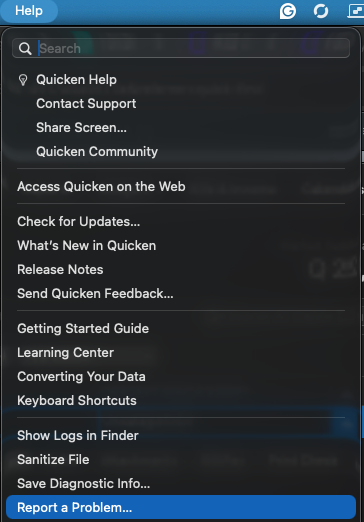
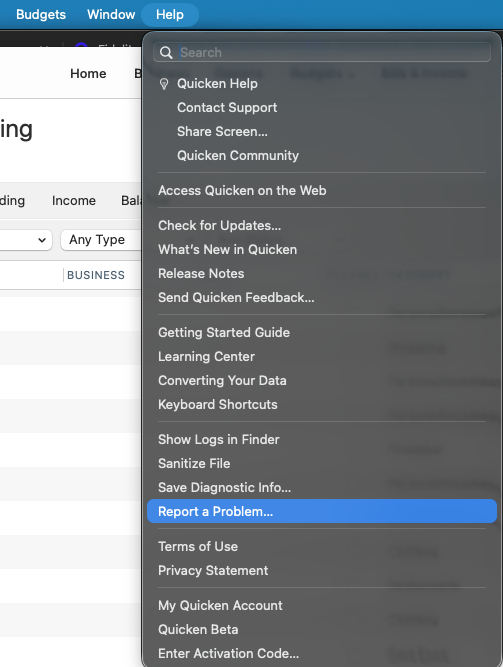
To do that go to help > Report a problem.
Let us know once you submit the logs to add them to the investigation ticket (CTP-16655)
Well this issue has resurfaced in my HSA again. After it taking Fidelity months to resolve this, it worked fine for a few months, but now FZDXX is showing in my online cash value again. I closed two Fidelity accounts because they denied any responsibility for these problems. This HSA is harder to close. If you want me to start a new thread or you move this just let me know.
Hello @Carefree,
Thank you for letting us know you're encountering this issue with FDZXX. It is a known issue, and I moved your post to the active discussion on the issue. I added you to the ticket also.
We are now in April and this issue with FZDXX has still not been addressed for Quicken for Mac. We are paying a fee and the software cannot keep a correct balance. Please let us know what Quicken is doing to help paid subscribers resolve this issue.
Hello @Nirvana,
Thank you for letting us know you're also encountering this. I added you to the ticket.
Please let us know what Quicken is doing to help paid subscribers resolve this issue.
Money market funds can be treated differently depending on personal preference: some users prefer them treated as cash, while others seem to prefer them as a security. Quicken for Windows offers flexibility in how this is configured, and we are working toward expanded options for Quicken Mac users. This fund's classification has previously been adjusted based on customer feedback, and we appreciate your patience as we continue to improve the experience.
@Quicken Kristina Fidelity gives you options for how you keep cash. You can keep it as cash or you can select from a defined set of money market funds (I believe 2 - SPAXX and FZFXX). Fidelity also has a list of 29 other mutual funds that you can invest in. You really need the ability to mimic what Fidelity does. Most money market funds are traded as securities. The option you implement for Quicken for Mac needs to accommodate all of these scenarios and should only affect cash, SPAXX, and FZFXX as all the other money markets are always treated as securities. I provided a list of all 31 money markets above. You should be able to verify with Fidelity which ones are treated as cash options. Of course, other financial institutions are likely to have different scenarios.
As a software engineer of 40 years I spent a significant amount of time analyzing data from external sources and how to map it to internal data structures and processes. It would seem that not enough thought was given to how Fidelity handles cash and money market funds. I would hate to see you get it wrong in your revised implementation.
Thank you for providing the additional information; it’s greatly appreciated. I’ll make sure it gets passed along to the appropriate team.
Thanks again!
FZEXX is still not behaving properly. QMAC tracks it as an investment while the Fidelity download treats it as Cash, making auto-reconciliation impossible.
@Shing I suspect that Quicken may be treating all money markets as cash.
Hi everyone,
Thank you for keeping an eye on this ongoing issue. Our team is still actively working on it, and we will update the Community Alert as soon as new information becomes available.
We appreciate your patience and understanding.