Copy and Archive by start date range gives "Something went wrong. Please try again later."

JMC57a
JMC57a Quicken Windows Subscription Member

I successfully archived a file based on end date.

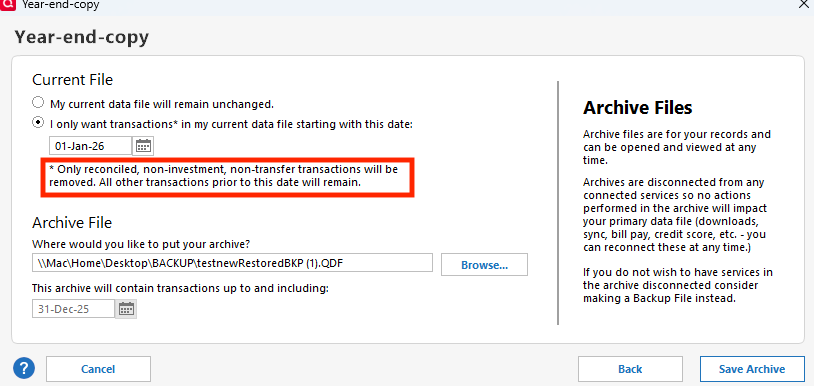
However when I try to create a copy or archive giving a start date (to get most recent data only), I get the "Something went wrong. Please try again later." message. A file is created, but it still has older data.

I ran the Verify process. Some errors were corrected. I tried to do the copy again, with same "Something went wrong" message.

Running Quicken Classic Deluxe (Windows 11 Enterprise) Version R66.23, Build 27.1.66.23.

Any help will be appreciated. Thank you!

Tagged:

Answers

  • srauh
    srauh Quicken Windows Subscription Member

    Same problem here. Also using R66.23 Build 27.1.66.23

  • Quicken Kristina
    Quicken Kristina Quicken Windows Subscription Moderator mod

    Hello @JMC57a & @srauh,

    Thank you for reaching out! To help troubleshoot this issue, please provide more information:

    • When did you first notice this issue?
    • Please clarify what you mean by "giving a start date".
      • Archiving allows only one date.
      • Making a copy requires putting in a From and a To date.
    • When making a year-end archive, only reconciled, non-investment, non-transfer transactions will be removed. Screenshot 2026-03-14 at 1.12.09 PM.png
      • Were the transactions you saw in the file ones that should have been removed?

    I look forward to your reply!

    Quicken Kristina

    Make sure to sign up for the email digest to see a round up of your top posts.