Windows: I only access this file once a year, so it started today; R66.23; Bank of America, no error messages.

The account in question is BOA - XXXX-X.
- I have been able to set up Express Web Connect+ for the two older Quicken Bank of America Accounts. I no longer use these, but cannot delete the data.
- The options that all of the help articles tell me to use are not available on the Online Services tab:
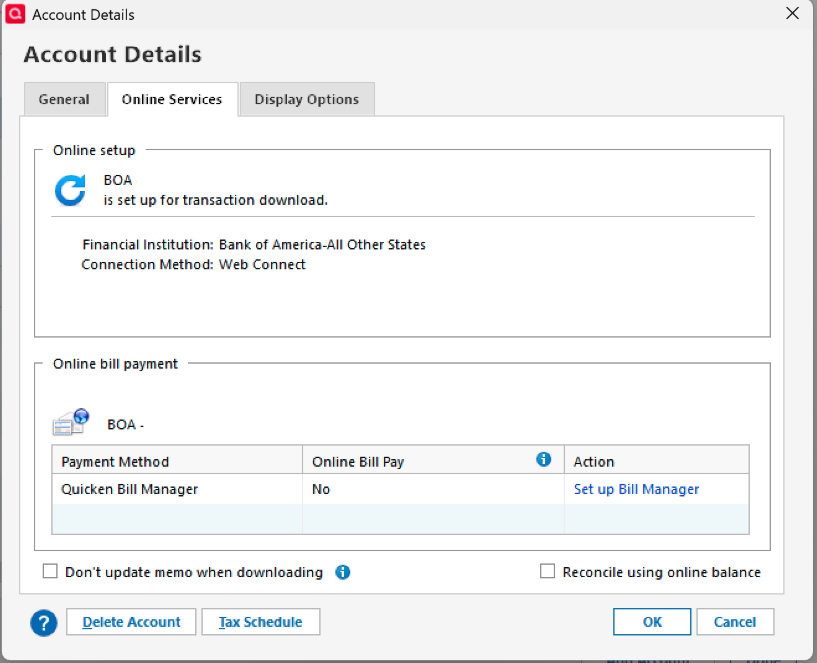
3. The Quicken account name BOA - XXXX-X does not show up as an option for an account to link to.
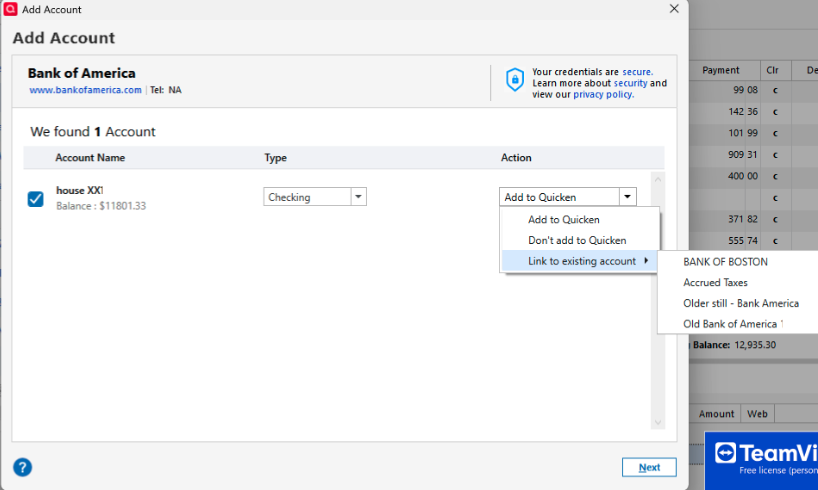
[Removed Partial Account Numbers]
I contacted Quicken Support and received the fix : After checking for hidden files, tech support directed me to create a copy of the file. File → Copy or Backup File → Create a Copy or Template → Save Copy. Then when going to the Tools → Add Account process the desired BOA account appeared in the dropdown.
thanks! my issue is resolved.

