Starting Quicken and One-Step update very slow

brhutch
brhutch Quicken Windows Subscription Member ✭✭

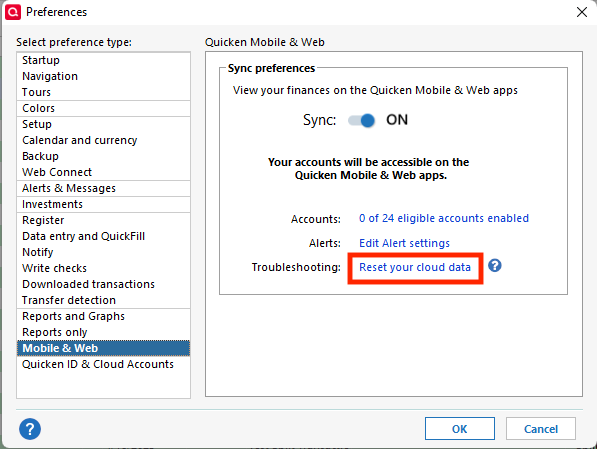
I noticed my web account on my iPhone was showing garbage data. I surmised that it was pointing to the wrong file. I changed it to the current file, but then the One-Step update would not work. After validating and super validating, nothing changed. Some AI help said to edit the Mobile and Web settings. I did, but now it takes about a minute for Quicken to run and another minute to do a One-Step update. What could be wrong?

[Edited-Readability]

Answers

  • Quicken Alyssa
    Quicken Alyssa Quicken Windows Subscription Moderator mod

    Hello @brhutch,

    Thank you for sharing your experience.

    I have some follow-up questions for you.

    • How long has this issue been happening?
    • Is the One Step update getting stuck on a specific financial institution?
    • Are you receiving any error messages?
    • How are you opening Quicken?
      • Are you using the application icon (red square with a white Q)?
      • Or are you using a file icon (rectangular, like a sheet of paper with the corner folded over, with a Q on it)?
    • Where is your data file located?
      • You can see this by going to File. The first file listed near the bottom of the menu is the file you are currently in. The file path is displayed there, which is what we are looking for.
    • Is your file being backed up/synced by any third-party services like OneDrive, Dropbox, or iCloud?

    Looking forward to your response!

    Quicken Alyssa

    Make sure to sign up for the email digest to see a round up of your top posts.

  • brhutch
    brhutch Quicken Windows Subscription Member ✭✭

    Well let's see. It's been happening about a week. About 4 months ago I started using a new computer, and in the process of setting it up I changed the name of the Quicken file so my iphone app was accessing the old file…I think. After changing that name I noticed Quicken was taking a very long time to load and to One-Step update. I had edited Preferences Mobile and Web. Someone I believe on here"the community" said turn it off so I did. But something happened so now I've turned it back on, but there is still something wrong.

    At least in this case it's not getting stuck on a financial institution..it just takes a couple of minutes to finish.

    No error…Red Q…Running from Desktop although one of the recently used is on OneDrive…

  • Quicken Alyssa
    Quicken Alyssa Quicken Windows Subscription Moderator mod

    @brhutch,

    Thank you for following up.

    If your file is on OneDrive, I would suggest moving it to C:>Users>username>Documents>Quicken. This is the default location and where we recommend keeping the file. Using a file that is stored externally, or on a cloud service, can potentially cause damage to the file.

    Many times, the Desktop of a computer will be synced/backed up to a cloud service. So I would still recommend moving it to the location mentioned above.

    After moving the file, we can validate it to see if that helps.

    To do that:

    1. Save a backup.
    2. Go to File.
    3. Select Validate and Repair file… Validate and Repair 2.png
    4. Check the first box for Validate file.
    5. Click Ok.

    Once the validation has completed, it will produce a report of anything it has found/corrected. After this, try updating your accounts, and let me know if anything has changed.

    Let us know how it goes!

    Quicken Alyssa

    Make sure to sign up for the email digest to see a round up of your top posts.