Quicken and Windows 11, Without a Subscription [Edited]
I recently upgraded my computer and had a computer tech move my files over. The problem is I am not using a subscription for Quicken. I elected to continue to use the software without Internet access. Sometimes after backing up the program to a jump drive, when I try to reopen the software it won't open unless I use the download link that I have on my desktop from installing the software on the new computer. Can anyone tell me why after so many uses the software defaults to "you don't have a subscription" forcing me to reinstall the software several times. Any suggestions would be appreciated. 🤦♀️
Answers
-
Hello @Bronxgirl181,
Thank you for reporting the issue you are running into.
When you say the program won't open, what exactly do you mean?
- Are you receiving an error message?
- Does it just not respond to you clicking on the icon?
- Does it open blank?
Additionally, screenshots of what you are seeing may be helpful. If needed, please refer to this Community FAQ for instructions on how to attach a screenshot. Alternatively, you can also drag and drop screenshots to your response if you are not given the option to add attachments.
I would also recommend following these steps to download your software, rather than using the link on your desktop. This will only work if your computer does have internet access.
Step 1 in the article linked above has a link to download Quicken. Below is Step 2:
Step 2: Install Quicken
- Follow the on-screen instructions to complete the installation.
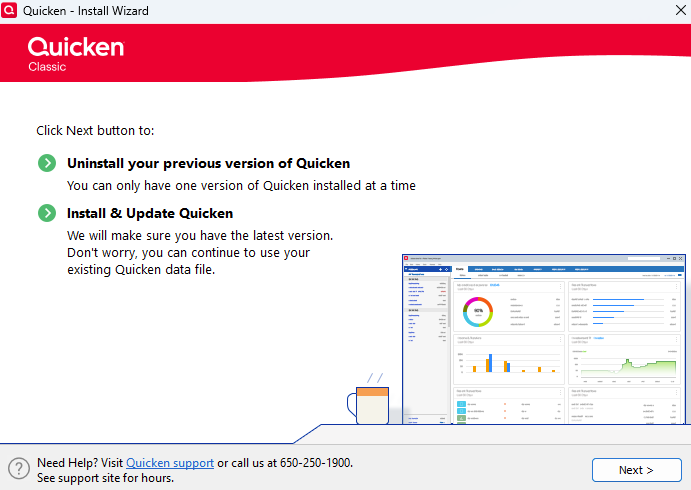
- Click Next to get started.
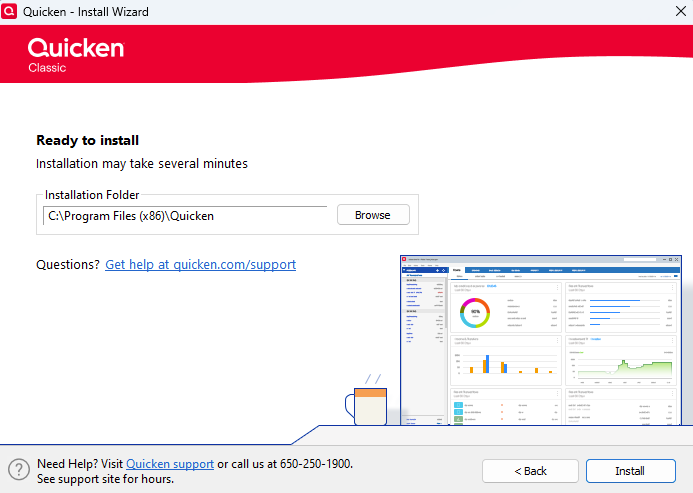
- Click Install on the Ready to install prompt.
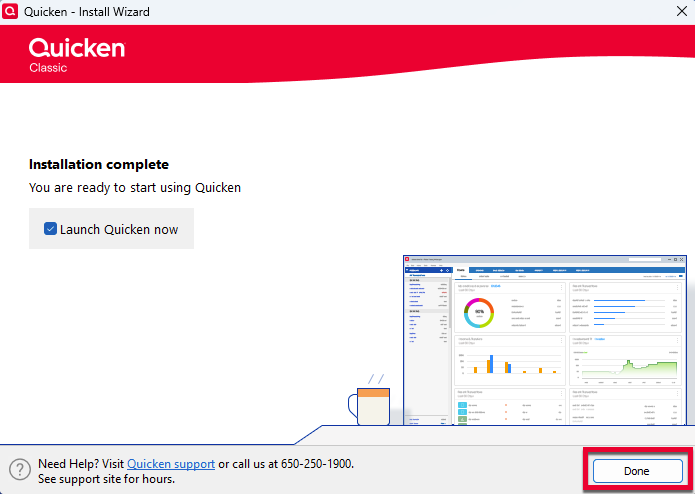
- When the installation is complete, click Done.
- Click Next to get started.
Please review the article for all of the steps.
Looking forward to your response!
Quicken Alyssa
Make sure to sign up for the email digest to see a round up of your top posts.
0
Categories
- All Categories
- 6 Product Ideas
- 34 Announcements
- 248 Alerts, Online Banking & Known Product Issues
- 19 Product Alerts
- 265 Welcome to the Community!
- 301 Before you Buy
- 1.5K Product Ideas
- 55.8K Quicken Classic for Windows
- 16.9K Quicken Classic for Mac
- 1K Quicken Mobile
- 834 Quicken on the Web
- 129 Quicken LifeHub