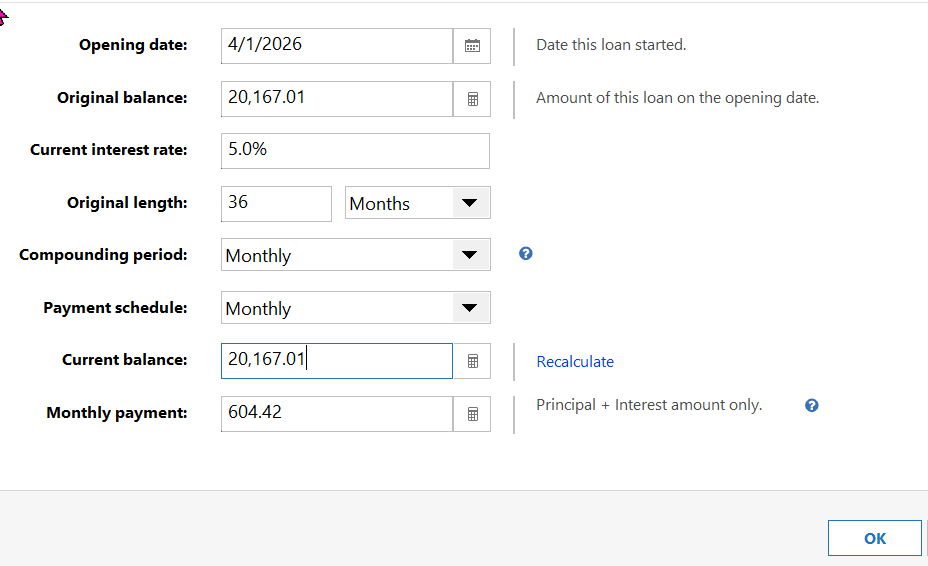
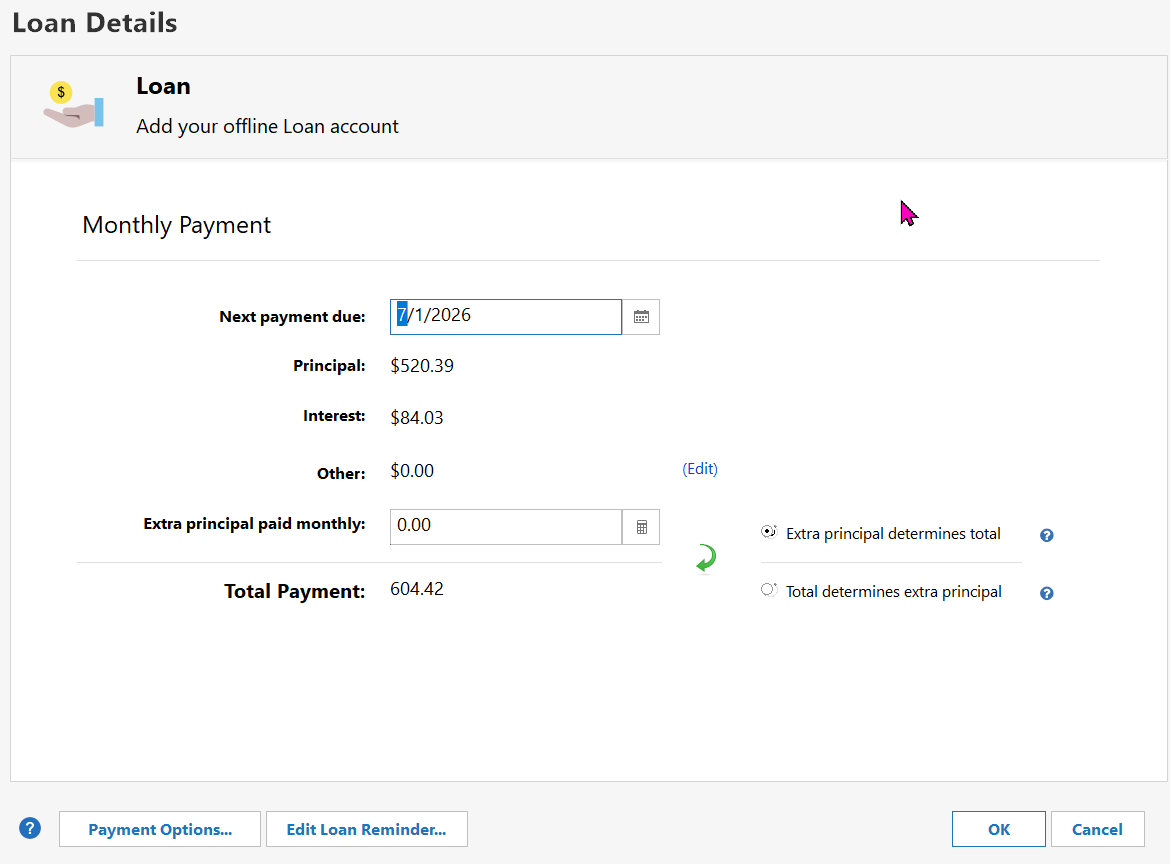
I'm loaning someone money. I see that I can create an Asset account, and convert it to a "Lending Loan", but the subsequent wizard is confusing me.
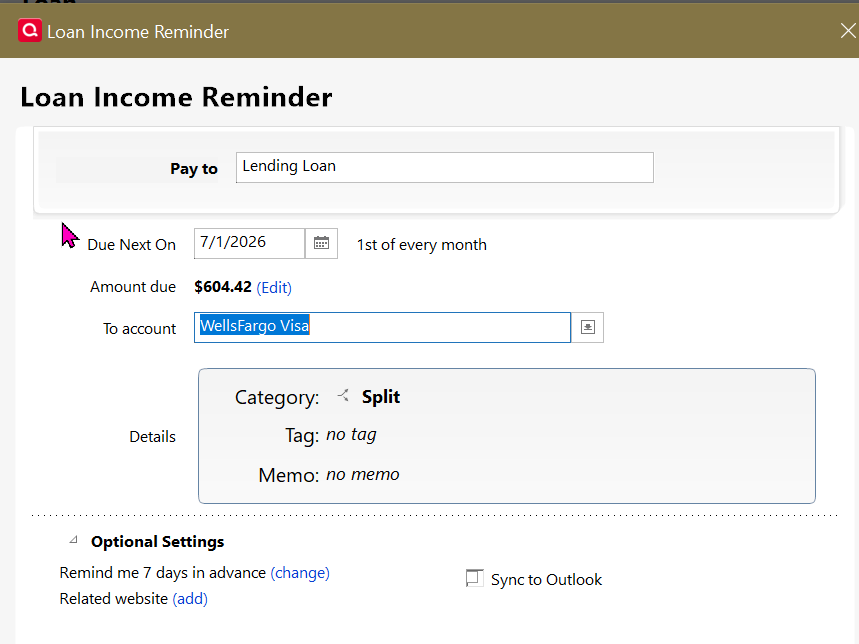
First (or last) is the reminder. It has a "To account" which doesnt offer the new loan/asset account in the list. (screenshot below) The 'split' however seems to look OK. Do I just pick any account and pretty much ignore that (letting the split do it's work)? Or is that the account into which I plan to deposit payments from the borrower?
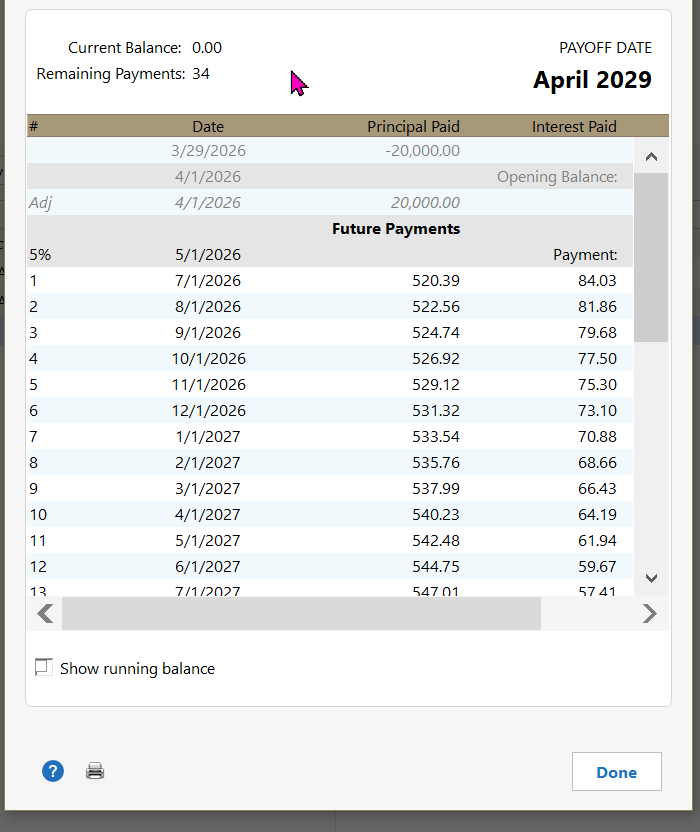
Second, and perhaps bigger question: How would I set this up with the first few payments deferred? Loan is $20K at 5% funded on April 1st. First of 36 equal monthly payments due on July 1, with accrued interest. The loan will be fully paid off by June 1st, 2029. Here's the first bit of the payment table to illustrate:
Amortization Schedule: April 2026 - June 2029
Date | Payment | Interest | Principal | Remaining Balance |
|---|
Apr 1, 2026 | - | - | - | $20,000.00 |
May 1, 2026 | $0.00 | $83.33 | $0.00 | $20,083.33 |
Jun 1, 2026 | $0.00 | $83.68 | $0.00 | $20,167.01 |
Jul 1, 2026 (Pmt 1) | **$604.42** | $84.03 | $520.39 | $19,646.62 |
Aug 1, 2026 | $604.42 | $81.86 | $522.56 | $19,124.06 |
Sep 1, 2026 | $604.42 | $79.68 | $524.74 | $18,599.32 |
Should I set up 39 payments, and "skip" the first 3, or 36 payments starting July 1? Should I just make manual entries the first few months to adjust the "remaining balance" as shown in the table? Other suggestions?
Many thanks,
Quicken Classic Business & Personal (R66.28) on Win10 (with ELS)