Can't send trouble report to Quicken
I am trying to send an error report to Quicken and I keep getting this:
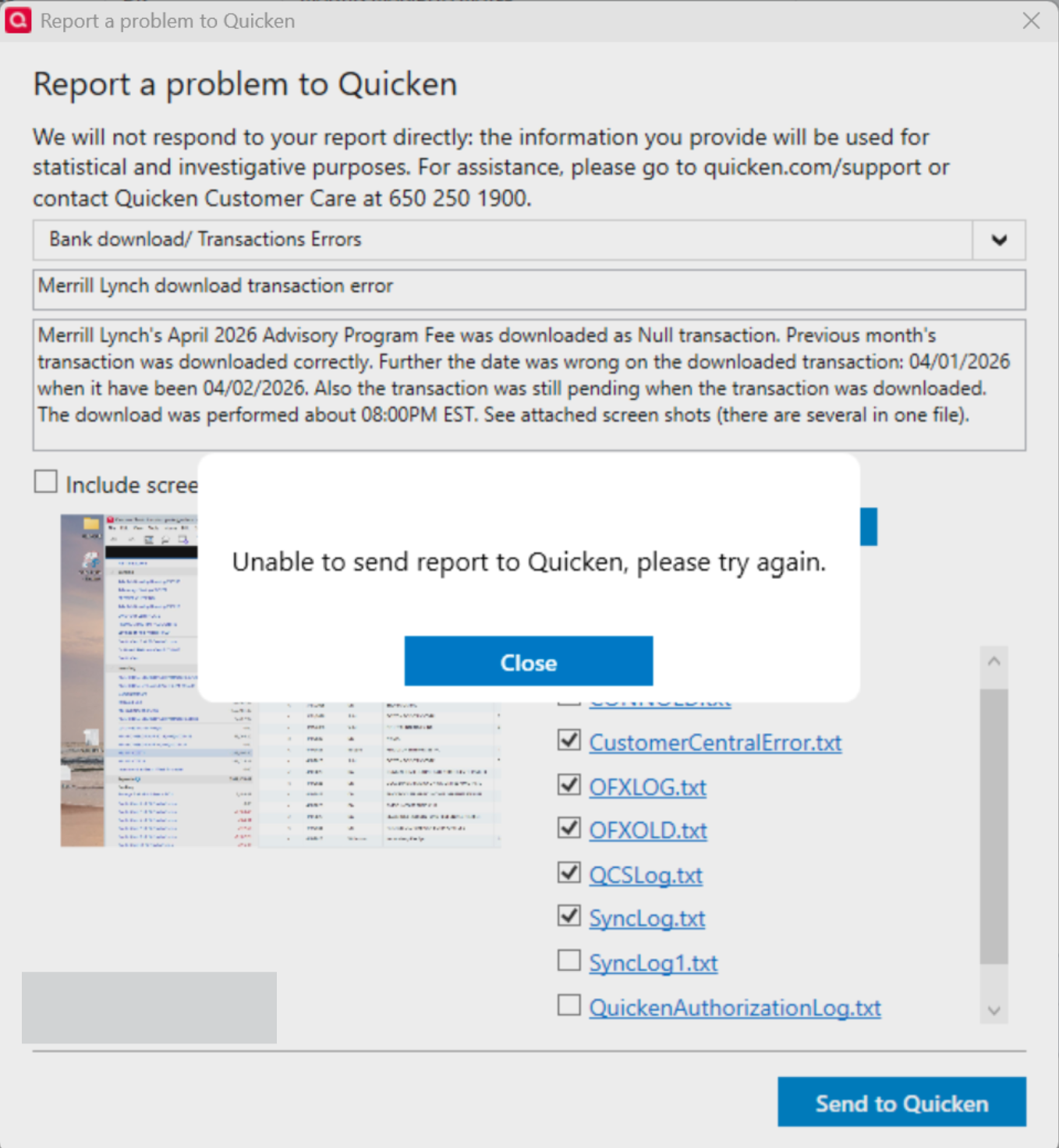
What is especially annoying is that each time I "Close" the whole dialog dissappears forcing me to retype everything. (OK, I've typed it into a text file.) What is going on. Note also that the discussion of Merrill Lynch's transition from Direct Connect to EWC+ has been closed and it shouldn't have been because the the problems are not fixed. In fact the issue I am trying to report is a regression: it had been fixed and is now broken again.
Using Quicken Classic Premier, Version R66.28 Build 27.1.66.28
Thanks
Jim
[Edited Screenshot to Remove Personal Info]
Comments
-
Your file is too large for your internet provider to allow it, In the "files to send", UNcheck anything with "old" in the name.
And use the Win Copy function before you click Send … so you don't have to re-type everything.
Q user since February, 1990. DOS Version 4
Now running Quicken Windows Subscription, Business & Personal
Retired "Certified Information Systems Auditor" & Bank Audit VP0 -
@NotACPA I had a 67KB file of my own attached and I did uncheck a number of the old files to get under Quicken's limit of 10 file attachements. But Comcast's limit is ~20MB for total for entire email so I don't think that is the issue.
Thanks
Jim
0 -
@jdparker225 Thanks for the update. I couldn't tell from your graphic how many files there were, but when I saw that OLD file that's were my thinking immediately went.
And, "brain fart", I thought size rather than count.
Q user since February, 1990. DOS Version 4
Now running Quicken Windows Subscription, Business & Personal
Retired "Certified Information Systems Auditor" & Bank Audit VP0

