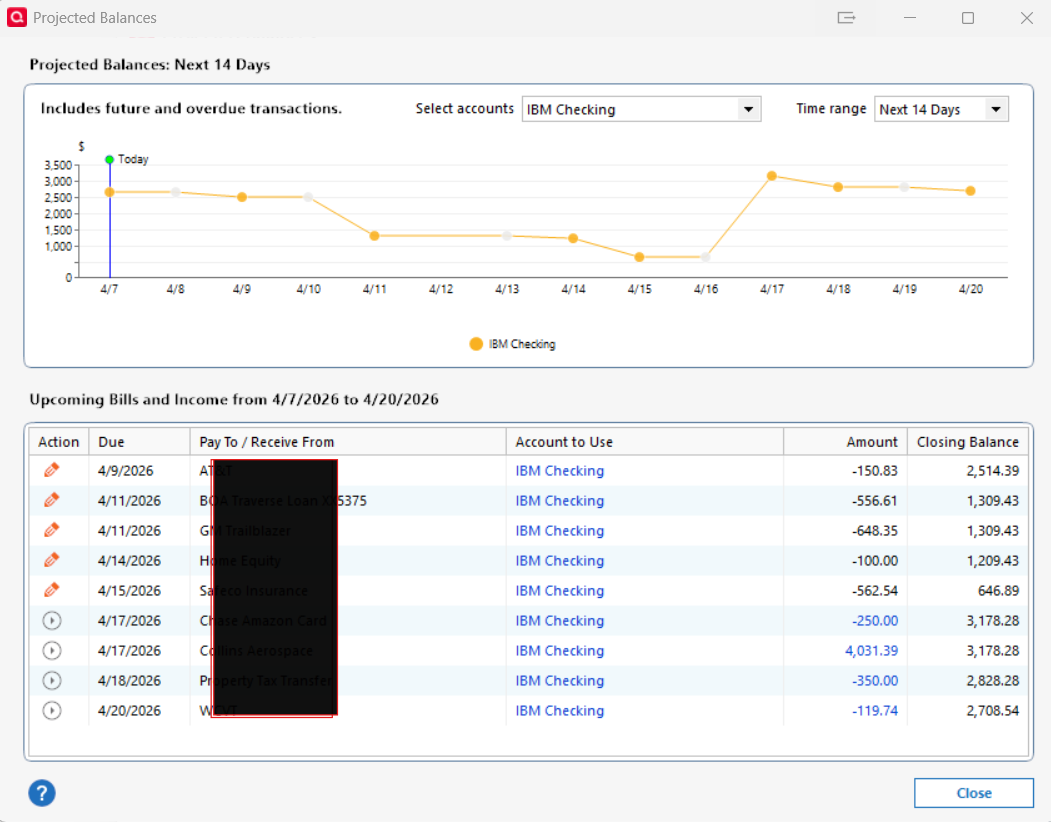
I am using Quicken Classic Deluxe R66.28 for Windows 11. On the Main View - Monthly Bills section, the projected Balance amount is often incorrect. When I click the tab for See Projected Balances and filtered for my checking account - the starting Closing Balance matches the Register. But as I go down the list the math does not agree with the Closing Balance amount. One issue I did figure out in the Closing Balance amount will be the same for all lines with the same Due date (confusing). But after a deposit amount, the Closing Balance amounts can't be explained and are way off. See Attached screenshot. I have noticed this for months in many diff versions.